
$500 CNC Router Guide: What You Get at This Budget and Who Its Right For
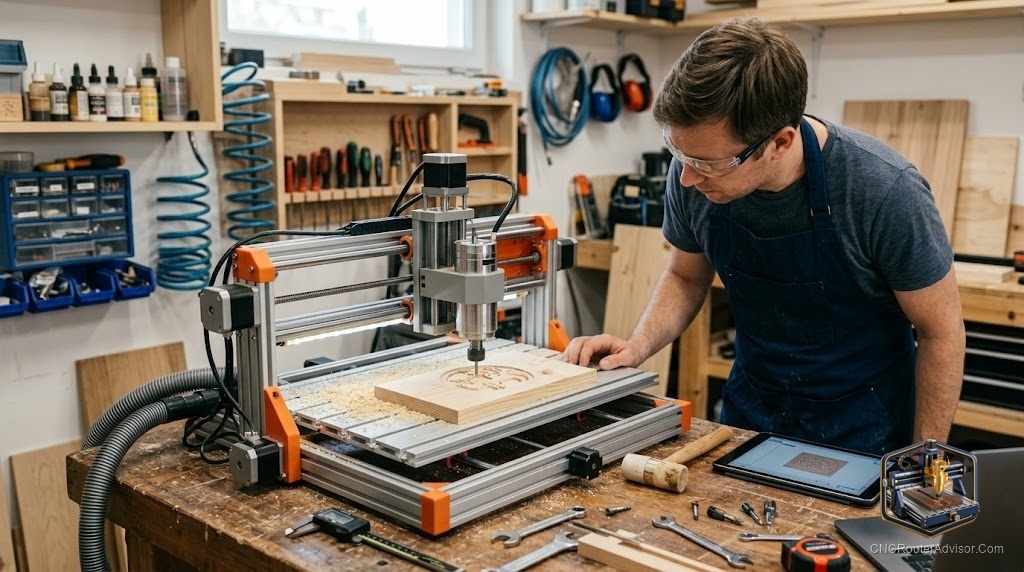
Five hundred dollars is the price point where CNC routing becomes genuinely accessible to anyone who wants to try it, and it is also the price point that teaches you the most about what you are willing to live with in a machine. The machines in this range are real. They cut wood, engrave signs, carve acrylic, and run toolpaths from real CAM software. What they are not is forgiving of poor setup, aggressive settings, or expectations borrowed from machines that cost five times more. Knowing what a budget-tier CNC router is genuinely capable of, and what it is not, determines whether this is the right starting point for you or a step you should skip.
A CNC router in the budget tier is a compact desktop machine designed for light hobby use in wood, MDF, acrylic, and soft materials, typically with an aluminum extrusion frame, belt or lead-screw drive, a small spindle motor, and a GRBL-based controller. Machines in this class run real G-code, connect to real CAM software, and produce real parts. Their constraints are work area (usually compact), spindle power (limited for hard materials), frame rigidity (adequate for light work), and support (varying from excellent to minimal depending on the brand).
The short guide: a budget desktop CNC router is the right buy if you want to learn CNC routing on a machine that does not punish learning mistakes financially, you plan to cut wood, MDF, acrylic, or foam in a small work area, and you are willing to invest time in setup and calibration. It is the wrong buy if you plan to cut cabinet parts from full sheets, work in hard metals, or need a machine that runs production hours. Know which scenario you are in, and the decision is easy.
What machines actually land in this tier
The budget desktop CNC market is dominated by Chinese-manufactured machines sold through Amazon and direct brand storefronts. The well-documented options in this tier include:
Genmitsu 3018-PRO and PROVer series (SainSmart). The most consistently recommended entry-tier machines in the hobby community, because SainSmart has invested in English-language documentation, tutorials, and community support that other brands at this price have not matched. The Genmitsu 3018-PROVer V2 includes limit switches, a Z-probe, and emergency stop, and comes with the kind of setup documentation that makes the first session productive rather than frustrating.
RATTMMOTOR 3018-PRO MAX. The RATTMMOTOR 3018-PRO MAX is a step up from the basic 3018 frame with a reinforced structure and GRBL compatibility. It is popular in the hobby community for buyers who want a little more rigidity without jumping to the prosumer tier.
Both of these machines have active communities and documented upgrade paths, which matter more at this price than the small spec differences between models.
What you will actually use it for
Budget-tier CNC routers are best matched to these applications:
- Sign carving and engraving. Shallow V-carving in wood, MDF, and acrylic produces beautiful signs and decorative pieces on even the lightest machines. This is where budget machines deliver results that genuinely surprise people who expected something toy-like.
- Soft material cutting. Foam, balsa, thin plywood, and acrylic in small formats all cut cleanly on budget machines within their work area constraints.
- PCB routing and electronics prototyping. Budget desktop machines have the precision needed for PCB trace routing and through-hole drilling for electronics hobbyists.
- Learning the CNC workflow. Every mistake you make on a budget machine costs you material and time, not thousands of dollars in machine repair. Learning chip load, workholding, spoilboards, and CAM software on a budget machine is a financially smart path before scaling up.
What you will find limiting, and when it matters
Work area. Budget 3018-class machines have approximately 300 by 180 mm of cutting area. This is useful for small signs, decorative pieces, PCBs, and practice. It is too small for cabinet parts, large artwork, or any project where the design is larger than an A4 page. If your first projects are mostly small, this is not a limitation. If they are not, consider the step up to 600 by 500 mm machines before buying.
Spindle power. A 300W to 500W spindle handles shallow passes in wood and plastic well. Hard materials, large bits, and aggressive depths will stall it. If your work involves thick hardwood or aluminum, the spindle will tell you it is not built for that.
Production pace. Budget machines run slower and need more attention than commercial machines. They are not production tools. If you need to cut a hundred parts a day, a budget machine is not the answer.
The tooling you need alongside the machine
Budget machines usually come with a few bits included. They are starter bits, fine for learning, and you will want more once you know what you are cutting. For a first tooling set that covers the common wood and engraving applications, the FoxAlien CNC router bit essential kit is a solid starting point: it includes upcut spirals, V-bits, and engraving bits in a format that matches entry-level machines.
Our guide on how to choose a CNC router helps match machine class to work type if you are deciding between the budget tier and the next step up.
The takeaway: a budget-tier CNC router is a legitimate, capable machine for light hobby work and CNC learning. The Genmitsu PROVer V2 is the best-documented entry point in the tier. Know the work area and spindle limits before you buy, and a budget desktop machine delivers years of productive use in its intended applications.
Frequently asked questions
What is the best CNC router in the budget tier? The Genmitsu 3018-PROVer V2 (SainSmart) is the most consistently recommended for its documentation, included features (limit switches, Z-probe), and established community support.
Can a budget CNC router cut hardwood? With shallow passes and appropriate bits, yes. Aggressive settings in thick hardwood exceed what a 300W to 500W spindle handles cleanly. Work within the machine’s chip load limits.
Is GRBL the right controller for a budget CNC router? Yes. GRBL is open-source, widely supported, and compatible with free CAM and sender software. It is the correct choice for entry machines.
Can I upgrade a budget CNC router later? Yes, within limits. Common upgrades include spindle swaps, limit switch additions, Z-probe addition, and offline controller modules. The frame sets the upgrade ceiling.
What CAM software should I use with a budget CNC router? Carbide Create (free), Easel (free tier), and Candle (free GRBL sender) are the most common entry-level choices. VCarve Desktop is the best option once you are ready to spend on software.
What is the work area of a typical budget CNC router? Most 3018-class machines have approximately 300 by 180 mm of working area. Slightly larger variants exist; check the specific listing.
References
- SainSmart, Genmitsu 3018-PROVer V2 product page — https://www.sainsmart.com/
- Reddit r/hobbycnc, budget CNC router recommendations — https://www.reddit.com/r/hobbycnc/
- CNC Router Info, entry machine selection guide — https://cncrouterinfo.com/guides/how-to-choose-a-cnc-router/