
Shapeoko 5.1 Pro CNC Router: Specs, What Changed, and Who Should Buy It
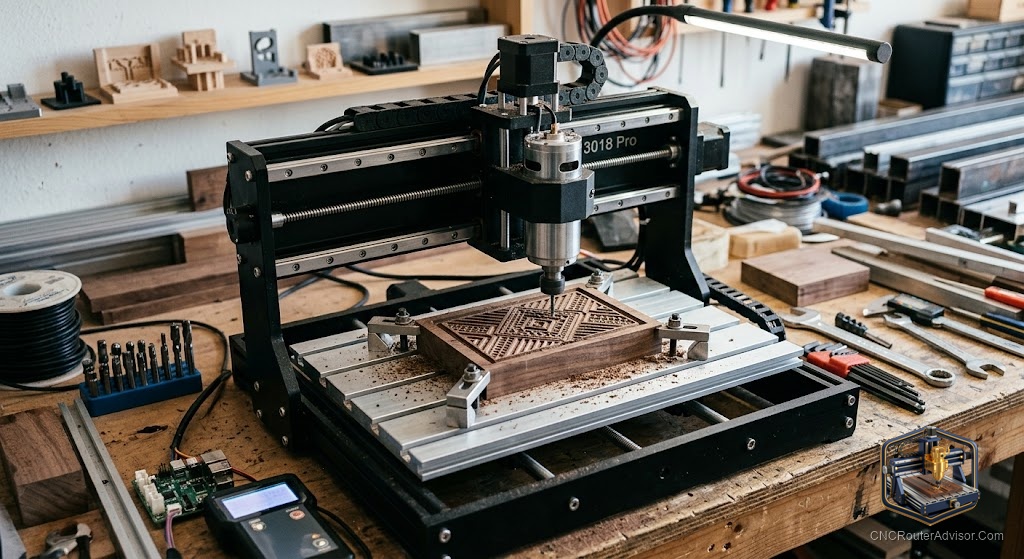
Carbide 3D has a habit of making machines that people actually finish buying. Not just browsing, not just adding to a wishlist, but pulling out a card and clicking confirm. The Shapeoko line has built that reputation over years, and the 5.1 Pro iteration continues the line’s central proposition: a rigid, well-supported aluminum-extrusion desktop CNC router that comes with real software, a real company behind it, and enough community documentation to answer almost any question before you have to ask it.
The Shapeoko 5 Pro (with the 5.1 referring to an updated hardware revision) is Carbide 3D’s full-size desktop CNC router, built on a thick aluminum-extrusion gantry and frame, driven by steel-core belts, and controlled through Carbide 3D’s Carbide Motion software. Available in multiple sizes up to a 33 by 33 inch work area on the standard and larger formats, it targets serious hobbyists and small professional shops who want a name-brand, well-supported machine for wood, plastics, and light aluminum work.
The short verdict: the Shapeoko 5 Pro earns its reputation through build quality, Carbide 3D’s genuinely strong support and software ecosystem, and a work area that handles real shop work. Its main trade-off versus cheaper alternatives is price, and versus some step-up machines it uses belt drive rather than ball screws. For buyers who value a known, well-supported machine with good software and do not need ball-screw precision, it is one of the strongest options in the serious hobbyist class.
What the “Pro” designation actually means
Within the Shapeoko line, the “Pro” models use a different frame design than the standard Shapeoko: a full enclosure frame rather than the open extrusion design, giving more rigidity and a cleaner look. The Pro’s thick aluminum extrusion and improved gantry reduce flex under cutting force compared to the standard Shapeoko, which shows up as better finish quality on harder materials.
The 5.1 revision, compared to the original Shapeoko 5, addresses specific hardware refinements, including motion system improvements and detail updates that Carbide 3D has documented on their site. These iterative updates are a good sign in a manufacturer: they reflect a company that responds to user feedback rather than treating each generation as a clean break.
For buyers trying to decide between the Shapeoko Pro and an earlier model, the 5 Pro’s improvements in frame rigidity and motion system fidelity are meaningful enough to prefer the newer version if both are available at comparable prices.
The software ecosystem: a genuine strength
Carbide 3D ships Carbide Create (free, browser-and-desktop CAD/CAM) and Carbide Motion (machine controller) with every machine, and this is the part that earns the most loyalty from beginners. You do not need to source, license, or configure third-party software to go from installed machine to first cut. Carbide Create has a learning curve, but it is documented, actively updated, and backed by a support team that will answer questions about it. Pro users can upgrade to Carbide Create Pro for V-carving and more advanced toolpaths.
The wider CNC software ecosystem also works with the Shapeoko: Fusion 360, VCarve, and other CAM programs output compatible G-code, so experienced users are not locked in. But the bundled software is good enough that many owners use it exclusively.
The honest trade-offs
Two areas matter for a realistic buying decision.
Belt drive. The Shapeoko Pro uses steel-core belts rather than ball screws. Belts are fast, relatively quiet, and repairable if something goes wrong, but they introduce slightly more flex than ball screws and can stretch over time, requiring periodic re-tensioning. For wood and plastic work, the difference in practice is small. For aluminum machining or high-precision parts, the belt drive is the limiting factor, and a ball-screw machine gives better results.
Price. The Shapeoko 5 Pro costs more than bare-kit machines at similar or even larger work areas. That premium buys you Carbide 3D’s build quality, software, and support structure, which are real and valuable. But a buyer who is cost-first and willing to do more troubleshooting themselves can find more work area per dollar elsewhere.
The person who should skip the Shapeoko 5.1 Pro is the one who prioritizes work area or ball-screw precision over support quality, or who simply cannot justify the price. The person who should buy it is the maker who wants a proven, well-supported machine with good out-of-box software and plans to cut primarily wood and plastics.
What the Shapeoko Pro cuts well
The Shapeoko 5 Pro handles wood, plywood, MDF, and most plastics confidently within its work area. It machines aluminum with care: conservative chip loads, proper workholding, and single-flute bits for plastics and aluminum get good results. For harder aluminum and steel, the belt drive and frame are not the right tools, and a more rigid ball-screw machine handles those better.
Its real strength is a broad range of workshop and maker work: signs, furniture parts, jigs, instrument bodies, cabinet doors, and prototype parts in soft to medium materials. This is the work that most serious hobbyists and small shops actually do, and the machine excels there.
If you are comparing it to competing machines at similar price points, our guide on how to choose a CNC router helps map specs and support models to the work you plan to cut.
The takeaway: the Shapeoko 5.1 Pro is a well-made, well-supported desktop CNC router built for the serious hobbyist and small professional shop. Its belt drive is the main technical caveat, and its software ecosystem and support structure are genuine strengths that cheaper machines cannot match.
Frequently asked questions
What is the Shapeoko 5.1 Pro’s work area? Up to approximately 33 by 33 inches in the standard format, with smaller and XXL options available. Verify the specific size in Carbide 3D’s current product listings.
Does the Shapeoko 5 Pro use ball screws? No, it uses steel-core belts for the drive system. Belts work well for wood and plastics and require periodic re-tensioning as they stretch.
What software comes with the Shapeoko 5 Pro? Carbide Create (free CAD/CAM) and Carbide Motion (machine controller), both made by Carbide 3D. Third-party CAM software also works.
Can the Shapeoko 5 Pro cut aluminum? Yes, with conservative chip loads, appropriate tooling, and good workholding. It is not optimized for heavy aluminum work, where a ball-screw machine performs better.
Where is the Shapeoko 5 Pro sold? Direct from Carbide 3D’s website at carbide3d.com. It is not typically sold through general retail.
How does the 5.1 Pro differ from earlier Shapeoko models? The 5 Pro added a more rigid enclosure frame. The 5.1 revision includes motion system and hardware refinements over the original 5. Carbide 3D documents the specific changes on their site.
References
- Carbide 3D, Shapeoko 5 Pro product page and specifications — https://carbide3d.com/shapeoko/
- Carbide 3D, Carbide Create software documentation — https://docs.carbide3d.com/
- All3DP, “Shapeoko Review” — https://all3dp.com/1/carbide-3d-shapeoko-cnc-router-review/