
Inventables X-Carve CNC Router: Specs, Accessories, and What Owners Should Know
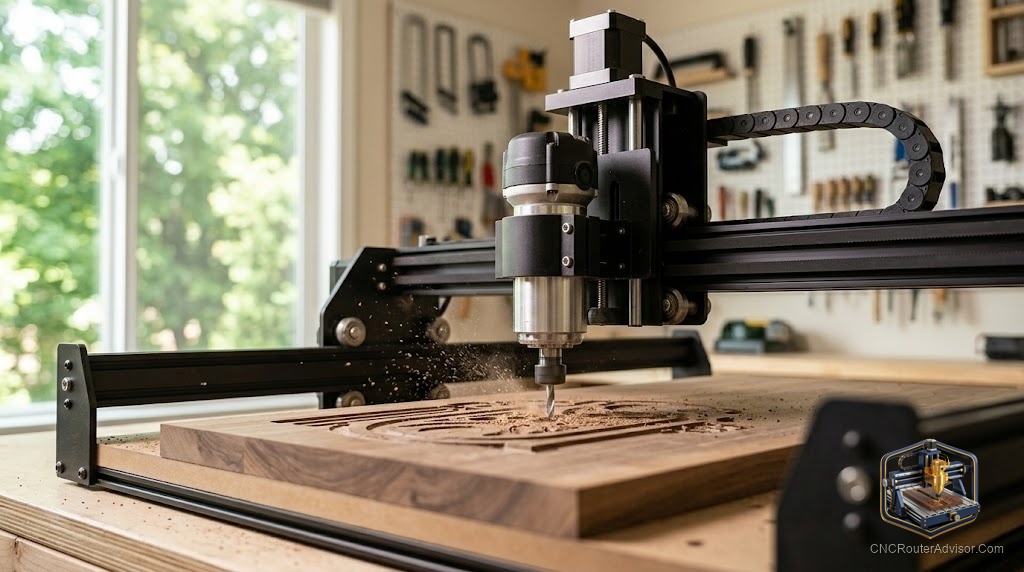
Few hobby CNC routers built a bigger community than the Inventables X-Carve, and few carry a bigger asterisk today. For years it was the machine that taught a generation of makers what a CNC router even was, thanks to its open design, huge user base, and the friendly Easel software behind it. Then Inventables wound the product line down. That combination, a beloved machine you can no longer buy new, is exactly why owning or shopping for one now is its own skill, and why accessories and upgrades matter more than ever.
The Inventables X-Carve is an open-frame, aluminum-extrusion desktop CNC router originally sold in a large format around 750 by 750 mm of work area, driven by belts and lead screws, running a trim router as its spindle and controlled through Inventables’ browser-based Easel software. It became the reference hobby machine of its era, and even after being discontinued, a large used market and community keep it very much alive.
The short read: the X-Carve’s strengths are its open, upgradeable design, its enormous knowledge base, and Easel’s beginner-friendly workflow. Its weaknesses are the ones baked into any belt-driven aluminum-extrusion machine, some flex under heavy cuts, plus the newer reality that it is out of production, so support and new parts now come mostly from the community and third parties. Buy one for the ecosystem, not for cutting-edge hardware.
What the X-Carve was built to be
The X-Carve’s whole philosophy was accessibility. An aluminum-extrusion frame kept it light and affordable and, crucially, easy to modify, which is why so many owners bolted on improvements over time. The large work area let people cut real signs and panels on a desktop-class budget. And Easel, the free browser software, let a total beginner draw something and cut it the same afternoon without wrestling separate CAD and CAM programs. That low barrier is the real reason the machine mattered.
The honest limits came from the same choices. Belts and an open extrusion frame mean the machine can flex under aggressive cuts, so it rewards shallow passes and patience over brute force. It is a machine that cuts beautifully within its lane and chatters when you push it out of that lane.
The discontinued-machine reality
Here is the part a spec sheet will not tell you, and it is the most important thing for a 2020s buyer. Inventables has wound down the X-Carve line, so you are shopping a used market, not a store shelf. That changes the calculus. On the plus side, the community is huge and the design is open, so documentation, forum threads, and third-party parts are everywhere. On the minus side, first-party support and new-in-box spares are scarce, so you need to be comfortable sourcing belts, wheels, and electronics from third parties and the used market.
So the person who should skip a used X-Carve is the one who wants a warranty and a manufacturer to call. The person who should embrace it is the tinkerer who values a proven, upgradeable platform with a deep community behind it and does not mind that the parts pipeline is now community-driven.
Accessories and upgrades that make it cut better
Because the X-Carve is so open, it is one of the most upgrade-friendly machines around, and a few cheap additions transform the experience.
Dust control. An open-frame machine throws chips everywhere, so a dust shoe is the first upgrade most owners make. A STARVAST 100mm dust shoe brush fits common trim-router spindle mounts and keeps the cut line visible and the shop breathable.
A flat spoilboard. Surfacing the wasteboard flat is what makes shallow carves and tabs behave. A spoilboard surfacing bit levels the bed so your material sits true, which matters a lot on a large work area where small tilts compound.
Better bits. The stock experience improves fast with quality tooling. A well-chosen router bit essential kit covers the common engraving and profiling bits, so you can match the cutter to the job instead of forcing one bit to do everything.
Beyond consumables, popular owner upgrades include stiffer X-axis components and Z-axis improvements, all well documented by the community, but those are hardware-specific and worth researching against your exact model before buying.
How it stacks up today
Against a modern belt-driven desktop machine, the X-Carve is competitive on work area and unmatched on community depth, but it no longer wins on being current or supported. Against a rigid ball-screw machine, it gives up stiffness and accuracy, as any belt-driven design does. Its edge was never raw specs, it was the ecosystem, and that ecosystem is still its best feature.
If you are comparing the X-Carve against newer machines you can still buy new, our guide on how to choose a CNC router helps weigh support and rigidity against price.
The verdict: a used X-Carve is a great machine for the maker who wants a proven, endlessly upgradeable platform and treats the community as the support desk. Go in knowing it is discontinued, budget for a few upgrades, and it will still teach and cut as well as it did for the thousands who learned on it.
Frequently asked questions
Is the Inventables X-Carve still being made? No. Inventables has discontinued the X-Carve line, so new machines are no longer sold and buyers rely on the used market and third-party parts.
What software does the X-Carve use? Easel, Inventables’ free browser-based CAD/CAM program, which combines drawing and toolpaths in one beginner-friendly workflow.
What is the X-Carve’s work area? The large version offers roughly 750 by 750 mm, big enough for real signs and panels on a desktop-class machine.
Can the X-Carve cut aluminum? Yes, with light passes and the right bit, though its belt drive and open frame mean it favors patience over aggressive cuts.
What upgrades should a new owner buy first? A dust shoe, a surfaced spoilboard, and a set of quality bits deliver the biggest improvement for the least money.
Where do I get replacement parts now? Mostly from third-party sellers and the used market, since first-party spares are scarce after discontinuation. The community documents compatible parts well.
References
- Inventables, X-Carve product and technical specifications - https://www.inventables.com/technologies/x-carve
- All3DP, “Inventables X-Carve: Review the Specs” - https://all3dp.com/1/inventables-x-carve-cnc-router-review/
- Inventables community forum, X-Carve upgrade and support threads - https://discuss.inventables.com/c/x-carve/