
CNC Router System Explained: Uses, Setup, and Key Considerations
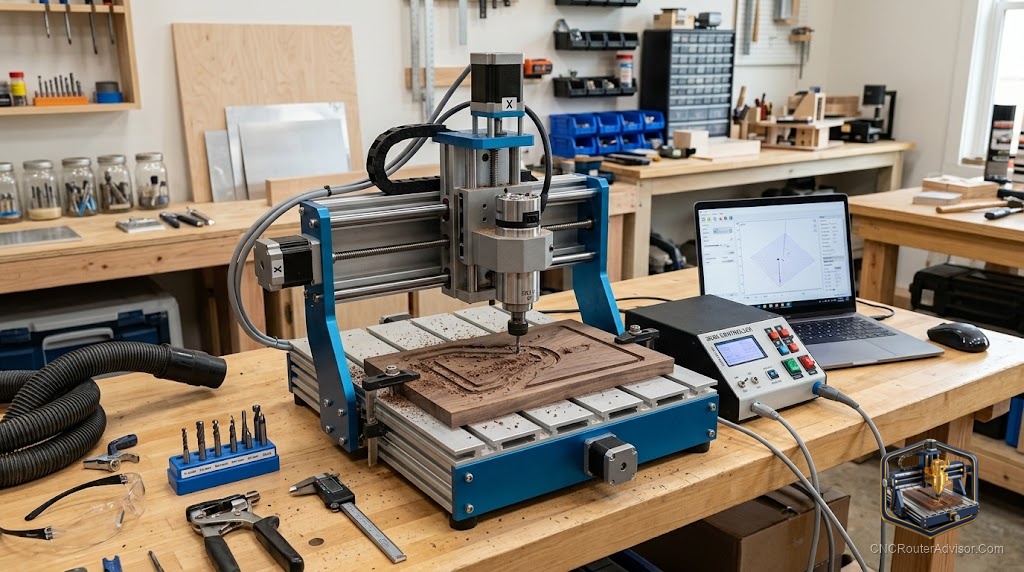
People often shop for a CNC router as if it were a single object, but what you are really buying is a system. The machine is only one part. Around it sit the software, the controller, the tooling, the workholding, and the dust management that together decide whether you produce clean parts or spend your evenings troubleshooting. Thinking in terms of a system rather than a machine is the shift that separates satisfied owners from frustrated ones.
What makes up a CNC router system
A complete CNC router system has several parts working together:
- The machine itself, with its frame, motion system on the X, Y, and Z axes, and spindle.
- The controller, often a GRBL controller on hobby machines, which drives the motors and reads G-code.
- The software, where you design parts and generate the toolpaths the machine follows.
- The tooling, the bits and collets that actually cut the material.
- The support systems, including workholding and dust collection that keep cuts clean and safe.
A weakness in any one of these limits the whole. A great machine held back by poor workholding or a confusing software workflow will disappoint, while a modest machine backed by a solid system can produce excellent work.
The machine at the center
At the core, the machine’s fundamentals still set the ceiling. Work area determines how big your parts can be. Frame rigidity, from a steel frame or heavy aluminum extrusion, keeps cuts clean. The motion system, whether ball screws, lead screws, or timing belts, shapes precision and speed. And spindle power decides what materials and depths you can handle. These are the things to weigh first, because the rest of the system is built around them.
Complete systems worth considering
For many buyers, a machine that arrives as a well-integrated package saves a great deal of setup pain. The FoxAlien Masuter Pro is a popular choice that pairs a generous work area with an approachable setup, and the Genmitsu PROVerXL 4030 offers extra frame rigidity for those cutting harder materials. For buyers who want a larger, more capable package, the Twotrees TTC450 Pro brings a bigger work envelope while keeping the workflow accessible. Each arrives as a coherent system rather than a pile of parts to integrate.
Setting up the system
Getting a system running well means attending to every part, not just the machine. Assemble and square the machine carefully so motion is true. Install and learn the software workflow, since design and toolpath generation is where much of the skill lives. Set up dependable workholding on a flat spoilboard so material stays put. Arrange dust collection so cuts stay clear and the air stays clean. And build a small tooling kit with the bits and collets your work needs. Each of these steps compounds, and doing them well up front prevents most of the frustration new owners report.
Key considerations before you buy
Before committing, think about the whole system you will need, not just the machine price. Consider the software you will use and whether it suits your workflow. Factor in space and dust management in your shop. Look at the support ecosystem, since active communities and available parts make ownership far easier. And be honest about the work you plan to do, so the machine’s size and power match your ambitions.
The system mindset pays off
When you treat a CNC router as a system, you make better decisions at every step. You invest in the tooling and workholding that unlock the machine’s potential, you learn the software that turns ideas into toolpaths, and you build a workflow that produces consistent results. That mindset is what turns a purchase into a productive tool, one where every part supports the others and the whole reliably delivers the parts you set out to make.