
CNC Router Shark Explained: Uses, Setup, and Key Considerations
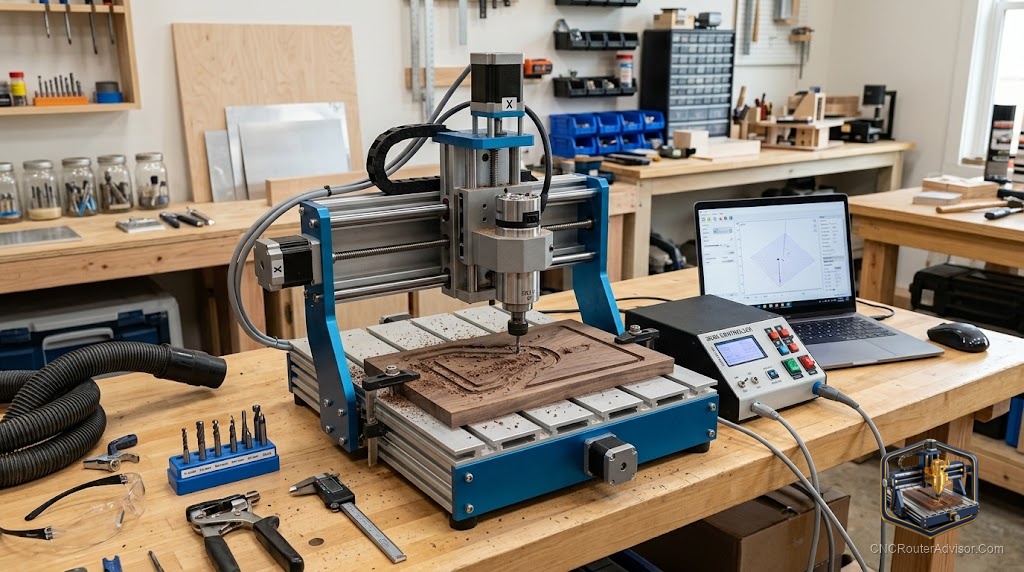
Ask a room full of woodworkers about the Shark line of CNC routers and you will get opinions, because it is one of the names that helped bring CNC into home and small shops. Whether you are considering a Shark machine or simply trying to understand where it fits, it helps to look past the brand and at what the category actually offers: an approachable, hobby-to-prosumer CNC router aimed at people who want to make signs, carvings, and parts without a steep industrial learning curve.
What this class of machine is for
A CNC router in the Shark category is built around the same fundamentals as any router. It moves a spinning cutter across three axes, the X axis for left and right, the Y axis for front and back, and the Z axis for depth, following G-code generated from your design. The appeal of this class is accessibility. It targets hobbyists and small shops who want to carve wood, cut plastics, engrave, and produce repeatable parts without stepping up to a full industrial machine.
Typical uses land squarely in the woodworking and hobby space: signs, plaques, three-dimensional carvings, inlays, furniture components, and small production runs.
The parts that shape your results
Whatever brand you land on, judge a machine in this category by the same fundamentals:
- Work area: Match it to the size of projects you plan to make.
- Frame rigidity: A stiffer frame, whether steel or heavy aluminum extrusion, gives cleaner cuts.
- Motion system: Lead screws or ball screws favor precision, while belts show up on lighter machines.
- Spindle power: More power lets you cut harder materials and take deeper passes.
- Controller and software: Look for a controller you can get help with and software that suits your workflow.
These are the things that decide whether a machine delights you or frustrates you, far more than the name on the side.
Setting up for good results
Getting clean cuts starts with the basics done well. Hold the material securely with clamps or a wasteboard so it cannot move. Choose bits to match the job, using straight or spiral bits for clean cuts and V-bits for lettering. Manage dust with a shop vacuum or dust collector for a clearer cut and cleaner air. And learn your software workflow, since the design and toolpath side is where much of the skill lives.
The first few projects are about building comfort with that workflow, from designing a shape to generating toolpaths to running the machine and refining your settings.
Key considerations before you commit
Think honestly about what you want to make and how much you want to grow. A machine sized for small signs will feel cramped if you later want to cut large panels. Consider the support ecosystem, since active communities and available parts make ownership far easier. And factor in the space and dust management the machine will require in your shop.
The bigger picture
Machines in the Shark class earned their following by making CNC feel achievable. If you approach the purchase by focusing on the fundamentals, work area, rigidity, motion system, spindle, and support, rather than the brand alone, you will end up with a machine that fits your work. Learn the workflow, hold your material well, and let the first projects build your confidence. That is how a hobby CNC router turns from an intimidating purchase into a tool you reach for constantly.