
CNC Router Para Madera Explained: Uses, Setup, and Key Considerations
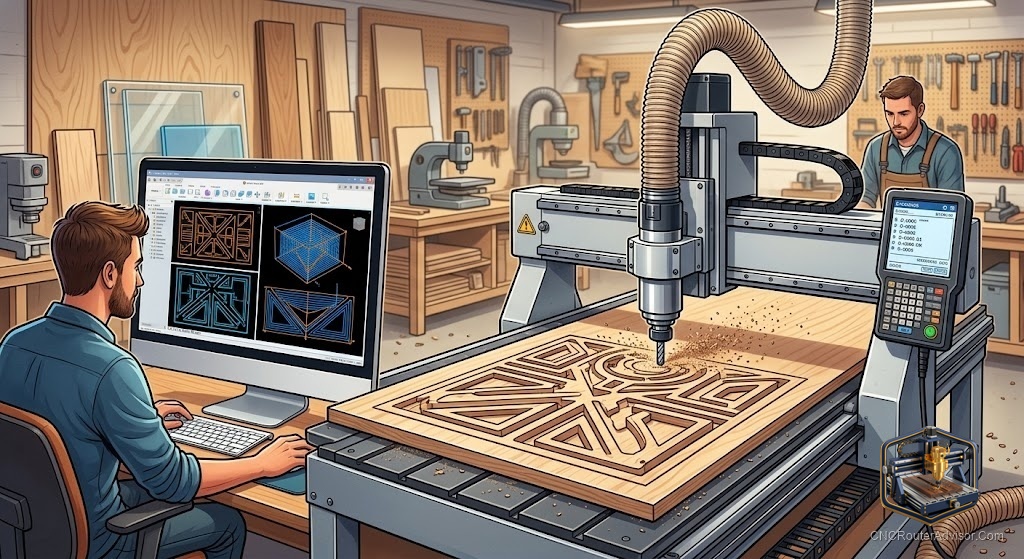
Wood is where most people meet a CNC router for the first time, and for good reason. It is forgiving, widely available, and rewarding to shape. A CNC router para madera, a router built around cutting wood, turns a sketch on a screen into signs, furniture parts, carvings, and inlays with a repeatability that hand tools cannot match. If you are weighing your first machine, understanding how these routers work and what to look for makes the decision far less intimidating.
What a wood CNC router actually does
At its heart, a CNC router is a computer-controlled cutting machine. It moves a spinning cutter across three axes, the X axis for left and right, the Y axis for front and back, and the Z axis for depth. A controller reads G-code, the instructions generated by your design software, and drives the motors so the cutter follows the exact path you designed. The result is that the machine can reproduce the same part again and again without drift or fatigue.
For wood specifically, this opens up engraving, profile cutting, pocketing, three-dimensional carving, and joinery. A single machine can cut a batch of identical shelf brackets in the morning and carve a detailed sign in the afternoon.
The parts that shape your results
A few components determine how well a router handles wood:
- Work area: How large a piece can you cut in one setup. Match this to the projects you actually plan to make rather than the biggest number available.
- Frame rigidity: A stiff steel frame or heavy aluminum extrusion keeps cuts clean and edges crisp.
- Motion system: Lead screws, ball screws, or timing belts move the gantry. Screws favor precision, belts favor speed on lighter machines.
- Spindle power: More power lets you cut harder woods and take deeper passes without bogging down.
- Controller and software: A GRBL controller is common on hobby machines and pairs with widely used, affordable software.
Choosing a machine for wood
For someone starting out, a compact desktop machine builds skills without a large commitment. The Genmitsu 3018-PRO is a well-known entry point for engraving and small parts, and it is a low-risk way to learn the workflow from design to finished cut.
When you are ready for real furniture parts, larger signs, and thicker stock, a bigger and stiffer machine earns its place. The FoxAlien Masuter Pro offers a generous work area for hobby woodworking, and the Genmitsu PROVerXL 4030 steps up frame rigidity and cutting capacity for people who have outgrown a desktop unit.
Setting up for clean wood cuts
Wood cutting rewards a few good habits. Hold the material down firmly with clamps or a wasteboard so it cannot shift. Match your bit to the job, using a straight or compression bit for clean edges and a V-bit for lettering and detail. Manage dust with a shop vacuum or dust collector, both for a clearer view of the cut and for your own lungs. And plan chip evacuation, because even in wood, packed chips scorch the cut and dull the tool.
Working through common woods
Different woods behave differently. Plywood and MDF are stable and predictable, which is why so many beginners start there. Hardwoods like oak, maple, and walnut carve beautifully but demand sharper tools and more patience. Softwoods like pine and cedar cut fast but can fuzz if the tool is dull. Learning how each material responds is part of the fun and comes quickly with practice.
Starting with confidence
A wood CNC router is one of the most satisfying tools to learn because feedback is immediate and the material is affordable enough to experiment with. Start small, hold your work securely, keep your bits sharp, and let the machine build your skills project by project. Before long the leap from screen to finished piece feels natural.