
CNC Router Course Guide: What to Learn, Where to Start, and How to Choose
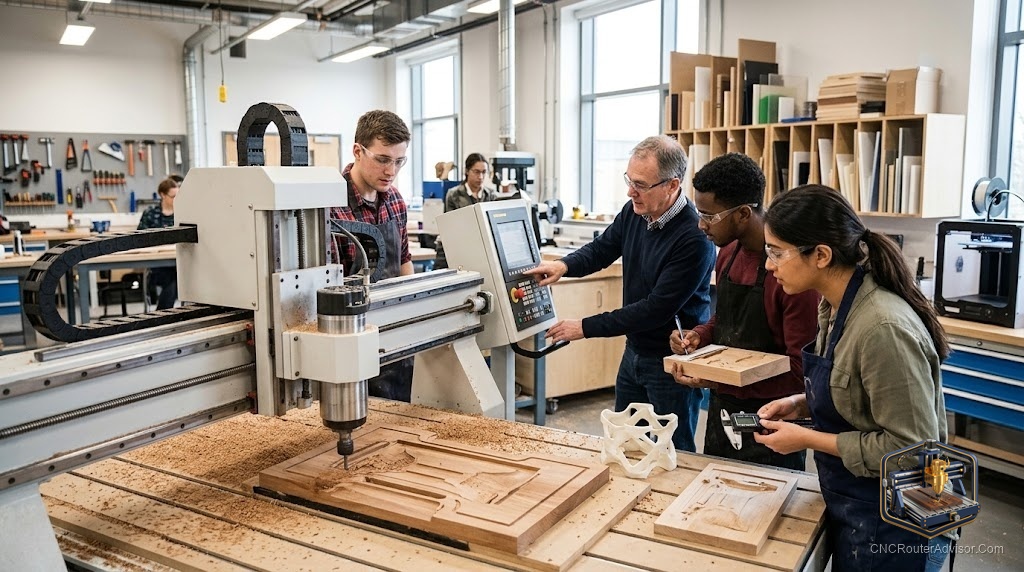
Most people who buy a CNC router learn the same lesson in the same order: the machine is the easy part. Bolting it together and jogging the axes takes an afternoon. Turning a design in your head into clean parts on the table, reliably, without breaking bits or scrapping stock, takes real learning. A good CNC router course collapses months of frustrated trial and error into a structured path, which is why the people who take one tend to get to good results faster than the people who wing it. This guide covers what a course should teach, the formats available, and how to pick the right one for where you are.
A CNC router course is structured training that teaches you to design, prepare, and cut parts on a CNC router: the software workflow, the machine operation, tooling and feeds and speeds, workholding, and safety. Courses range from free video series to paid online programs to hands-on classes at makerspaces and colleges.
Short answer for choosing one: match the course to your current stage and your machine’s software. A beginner needs the full workflow from design to finished cut; an intermediate user needs targeted skills like feeds and speeds, 3D carving, or a specific CAM program. Hands-on suits people who learn by doing; structured online suits people who want to go at their own pace.
What a good CNC course should actually teach
The machine is only one link in a chain, and a course worth your time covers the whole chain. It should take you through design or CAD, where you create or import the shape you want. Then CAM, where you turn that design into toolpaths and G-code, which is where most beginners get stuck. Then machine operation: setting the work origin, homing, running the job, and stopping safely. Then the physical craft, tooling choice, feeds and speeds, and workholding, which is where clean parts are won or lost. And running throughout, safety, because a router spinning a carbide bit at high RPM deserves respect.
A course that teaches software but skips feeds, speeds, and workholding leaves you with parts that chatter and bits that break. A course that teaches the machine but skips CAM leaves you unable to make your own designs. You want the full loop.
Course formats, and who each suits
Free online content, meaning the vast library of manufacturer tutorials and community videos, is where almost everyone starts, and honestly it can take a motivated beginner a long way. The tradeoff is that it is scattered and unstructured, so you piece together a curriculum yourself and sometimes learn things in the wrong order.
Paid online courses offer a structured path, a logical sequence, and often a community or instructor to ask. They suit people who want to avoid the gaps of self-teaching and can learn at their own pace. The catch is quality varies, so check that the content matches your software and machine before paying.
Hands-on classes, at makerspaces, technical schools, or community colleges, give you supervised time on a real machine and immediate feedback, which is the fastest way to build confidence and catch bad habits early. They cost more and require showing up somewhere, but for tactile learners nothing beats standing at the machine with someone experienced.
Match the course to your software
One detail people overlook: CAM software is where much of the real skill lives, and courses are often built around a specific program. A course taught entirely in one CAM package is less useful if you run a different one, because the concepts transfer but the clicks do not. Before committing, confirm the course uses, or at least covers, the software your machine and workflow rely on. Learning the tool you will actually use beats learning an unfamiliar one you then have to translate.
How to choose, by stage
If you are a complete beginner, prioritise a course that walks the entire workflow from design to finished cut, in order, so you are not left with holes. If you already cut basic parts, skip the fundamentals and buy targeted training in whatever is holding you back, whether that is 3D relief carving, dialing feeds and speeds, or mastering a specific CAM program. And if you learn best by doing, weight your budget toward at least some hands-on time, even a single class, because feedback in real time fixes mistakes faster than any video.
The verdict
A CNC router course is worth it because the machine is the small part of the skill; the workflow, the craft, and the safety are the rest. Choose a course that covers the full loop from design through CAM to a clean, safe cut, match it to your current stage and your actual software, and add hands-on time if you learn by doing. The right course does not just teach the buttons, it saves you a pile of broken bits and scrapped stock while you would otherwise be figuring it out alone.
Three things to remember:
- The best courses teach the whole chain: design, CAM, machine operation, tooling and feeds and speeds, and safety, not just software.
- Match the course to your stage (full workflow for beginners, targeted skills for intermediates) and to the software you actually use.
- Hands-on time gives real-time feedback that accelerates learning; even one in-person class can be worth it.
FAQ
Do I need a course to learn CNC routing? Not strictly, since free tutorials can take a motivated beginner far. But a structured course saves time and frustration by teaching the workflow in a logical order and filling the gaps self-teaching tends to leave.
What should a CNC router course cover? The full workflow: design or CAD, CAM and toolpaths, machine operation and work setup, tooling with feeds and speeds, workholding, and safety. A course missing CAM or the physical craft leaves important gaps.
Are free CNC tutorials good enough to start? They can be, especially for fundamentals and machine basics. The downside is they are scattered and unstructured, so you assemble your own curriculum and may learn things out of order.
Should I choose an online or hands-on course? Online suits self-paced, structured learning; hands-on suits people who learn by doing and benefit from real-time feedback on a real machine. Many people combine both.
Does the CAM software matter when picking a course? Yes. Much of the skill lives in CAM, and courses are often built around a specific program. Choose one that uses, or at least covers, the software your machine and workflow rely on.
How long does it take to learn CNC routing? Basic operation can come in days; reliable, clean results across materials take longer as you master feeds and speeds, tooling, and workholding. A structured course shortens the path considerably.
What is the hardest part for beginners? Usually CAM and toolpath creation, plus dialing in feeds and speeds. These are where a good course adds the most value, since they are hard to learn by guessing.
References
- 731 Woodworks, CNC machine guidance for small shops (beginner learning context): https://www.731woodworks.com/731-blog/best-cnc-machines-for-small-woodworking-shops-in-2025-beginner-to-pro-picks
- CNC Router Info, How to Choose a CNC Router (workflow and skills overview): https://cncrouterinfo.com/guides/how-to-choose-a-cnc-router/