
CNC Routed: What It Means, Uses, and Key Considerations
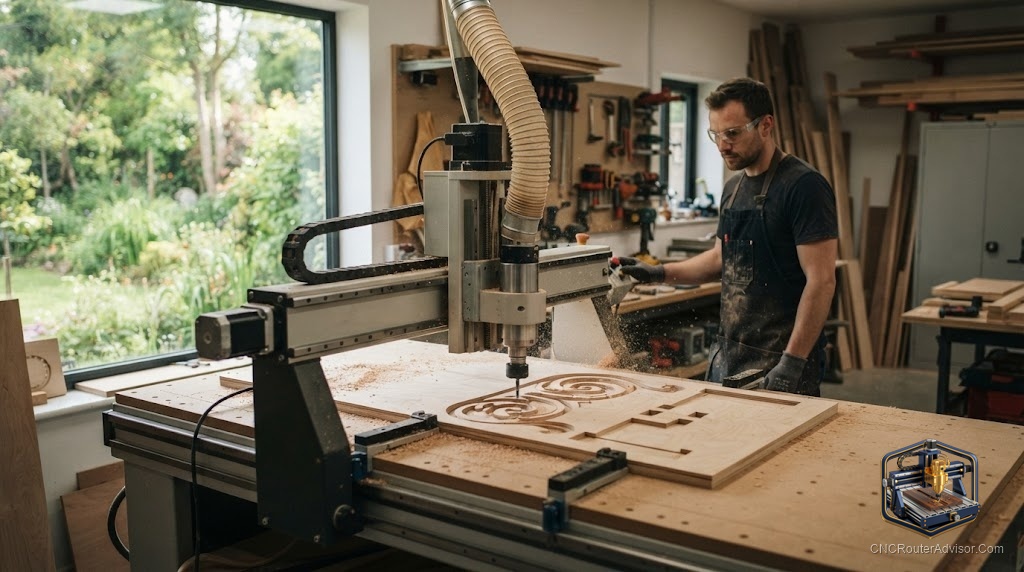
The phrase “CNC routed” describes something that has been shaped, cut, profiled, or engraved by a CNC router, a computer-controlled machine that moves a spinning bit through material to remove it precisely. Understanding what “CNC routed” means in practice, what it is commonly applied to, and the key considerations behind getting a good result, helps buyers, designers, and makers work more effectively with CNC routing as a process.
Knowing what CNC routed means, where it is used, and what drives quality results gives you a better basis for specifying, ordering, or doing this kind of work.
CNC routed describes a part, panel, sign, or component that has been machined by a computer-controlled router, where a spinning bit follows a precisely programmed path to cut, profile, pocket, or engrave the material. CNC routing is used across woodworking (cabinet parts, furniture, signs, and decorative carving), non-ferrous metals (aluminum panels and enclosures), plastics (acrylic signs and components), and foam (patterns and molds). Key considerations for a good CNC-routed result are material selection (each material has its own cutting requirements), tooling (bits matched to the material and operation), feeds and speeds (calibrated for the material), workholding (secure, flat, and without movement), and the quality of the CAD/CAM file (clean, accurate geometry produces accurate parts). Whether ordering CNC routed parts or doing them in-house, these factors decide quality and consistency.
A CNC-routed result’s quality depends on material, tooling, feeds and speeds, workholding, and file quality, whether you order it or do it yourself.
What “CNC routed” means
A CNC (computer numerical control) router is a machine that moves a spinning cutting bit in precise, programmed paths through material. “CNC routed” means the part was shaped by that process:
- Profiling: cutting the outline of a part from a sheet.
- Pocketing: removing material from within a boundary, creating recessed areas, dados, or slots.
- Engraving or V-carving: cutting shallow decorative or informational marks, lettering, and designs.
- 3D carving: following a 3D surface to produce sculpted reliefs and three-dimensional forms.
The result is a part whose shape is defined by a CAD/CAM file rather than manual marking and cutting, giving repeatability and accuracy that manual work cannot match at scale.
Where CNC routing is used
Woodworking: cabinet parts and panels, furniture components, signs and lettering, decorative carvings and reliefs, and turned-part replacements. The most common application for small and large shops alike.
Non-ferrous metals: aluminum panels, enclosures, nameplates, and mechanical components on rigid machines with appropriate tooling.
Plastics: acrylic signs and display components, cut or engraved with bits suited to plastic.
Foam: patterns, molds, props, and insulation shapes, cut quickly and cleanly on a router.
Composites: some composite materials such as carbon fiber, MDF, and HDU (sign foam board) are routed for signs and components.
Key considerations for a good result
Material selection. Different materials have different cutting requirements, rigidity, tooling, speeds, and feed rates. Choose and specify the material with its machining properties in mind.
Tooling. Bits must be matched to the material and operation: spiral upcut for wood profiles, downcut for clean top surfaces, compression bits for plywood, aluminum-specific bits for metal, and ball nose bits for 3D carving. Dull or wrong bits give poor results.
Feeds and speeds. Calibrate to the material, bit diameter, and depth of cut. Too fast tears material; too slow burns it. Correct speeds produce clean chips and good surface quality.
Workholding. The material must be flat, secure, and without any movement throughout the cut. Movement causes dimensional errors, chatter, and broken bits.
File quality. The CAD/CAM file drives every cut. Clean, accurate geometry, correct toolpath strategies, and appropriate feeds and speeds programmed in produce accurate, consistent parts. Errors in the file produce errors in the part.
Ordering versus in-house
Ordering CNC-routed parts: specify material, thickness, tolerances, and file format, and confirm the shop’s material capability. A professional shop handles tooling and setup; you supply the file and specification.
In-house CNC routing: you control material, tooling, feeds, workholding, and setup, and can iterate quickly. Quality depends on your machine, setup, and skill.
In both cases, the same fundamentals, material, tooling, feeds, workholding, and file quality, drive the result.
The verdict
CNC routed means a part or surface was machined by a computer-controlled router moving a spinning bit along a precise, programmed path. It is used across woodworking, non-ferrous metals, plastics, foam, and composites for profiling, pocketing, engraving, and 3D carving, delivering repeatability and accuracy that manual work cannot match at scale. Whether ordering or doing it in-house, a good CNC-routed result depends on material selection, bits matched to the material and operation, calibrated feeds and speeds, secure workholding without movement, and a clean, accurate CAD/CAM file. Get these right and CNC-routed parts are accurate, consistent, and scalable.
Three things to take with you:
- CNC routed means a part was shaped by a computer-controlled router using programmed toolpaths, covering profiling, pocketing, engraving, and 3D carving across wood, metals, plastics, and foam.
- Quality depends on five fundamentals: material selection, tooling matched to material and operation, calibrated feeds and speeds, secure workholding, and a clean CAD/CAM file.
- Whether ordering parts or routing in-house, specifying and controlling these fundamentals is what determines whether results are accurate, consistent, and scalable.
FAQ
What does CNC routed mean? It means a part, panel, or surface was shaped by a computer-controlled router, a machine that moves a spinning bit along a precise, programmed path to profile, pocket, engrave, or carve the material. The result is defined by a CAD/CAM file, giving repeatability and accuracy that manual work cannot match at scale.
What materials are CNC routed? Commonly wood and wood composites (plywood, MDF, hardwood), non-ferrous metals (primarily aluminum), plastics (acrylic), foam (for patterns and molds), and some composites (carbon fiber, HDU sign board). Each material has its own cutting requirements for tooling, speeds, and workholding.
What operations does CNC routing include? Profiling (cutting outlines from a sheet), pocketing (removing material from within a boundary), engraving and V-carving (shallow decorative or informational cuts), and 3D carving (following a 3D surface for reliefs and sculpted forms). Together these cover most cutting and shaping tasks a router is used for.
What determines the quality of a CNC-routed part? Five fundamentals: material selection matched to the process, tooling matched to the material and operation, calibrated feeds and speeds, secure workholding without movement, and a clean, accurate CAD/CAM file. Errors in any of these produce poor or inconsistent parts.
How do I order CNC-routed parts? Specify the material, thickness, tolerances, and file format, provide a clean CAD/CAM file, and confirm the shop can handle your material and part specifications. A professional shop handles tooling and setup; your quality depends on specifying the material and file correctly.
Is CNC routing accurate? Yes, when the machine is rigid, the setup is right, and the file is accurate. CNC routing delivers repeatability and dimensional accuracy that manual work cannot match at scale, making it the standard process for production parts, panels, and signs across woodworking and fabrication.
References
- Wikipedia, CNC router: https://en.wikipedia.org/wiki/CNC_router
- Wikipedia, CNC machining overview: https://en.wikipedia.org/wiki/Numerical_control