
3-Axis CNC Router Guide: Capabilities, Applications, and Buying Factors
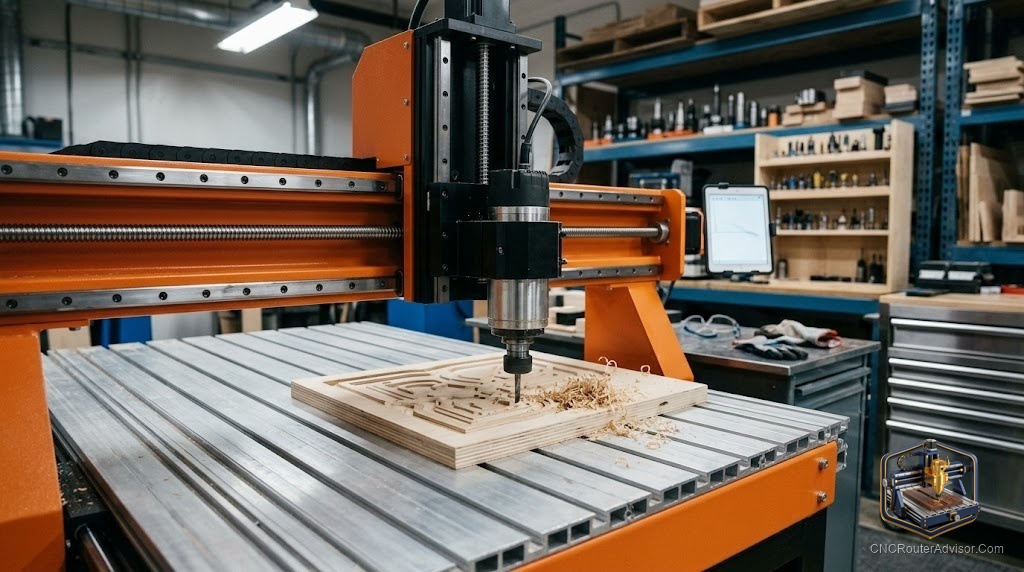
Almost every CNC router a hobbyist or small shop will ever touch is a 3-axis machine, and for good reason: three axes of motion cover the enormous majority of routing work at a fraction of the cost and complexity of 4- or 5-axis machines. Understanding exactly what three axes can and cannot do, and what separates a good 3-axis router from a poor one, is the foundation for buying well and cutting well. This guide explains the capabilities and limits of 3-axis routing, the applications it serves, and the factors that should drive a purchase.
The number of axes defines the geometry a machine can produce, so knowing what 3-axis motion offers is the starting point for matching a machine to your work and understanding when you would ever need more.
A 3-axis CNC router moves the cutting tool along three linear axes, X (left-right), Y (front-back), and Z (up-down), which together let it cut, carve, and engrave anywhere across a flat work area and to varying depths. This covers the vast majority of routing: flat cutting, pocketing, engraving, lettering, and 3D relief carving (where the Z axis varies depth to sculpt contours from above). Its limit is that the tool always approaches from directly above, so it cannot reach undercuts or the sides of a part without re-fixturing. Buying factors include work area, rigidity and drive system (which set cut quality), spindle power, Z clearance and travel, and control and software. For nearly all woodworking, sign making, and general routing, 3-axis is the right and cost-effective choice.
Three axes do almost everything most shops need; 4 and 5 axes solve specific geometry problems at much higher cost, which most buyers never require.
What 3-axis routing can do
With independent motion in X, Y, and Z, a 3-axis router performs the full range of common operations:
- Profile cutting: cutting shapes and parts out of flat stock.
- Pocketing: clearing material to a set depth for recesses, trays, and inlays.
- Engraving and lettering: V-carving text and detail, the heart of sign making.
- Drilling: plunging holes at set locations.
- 3D relief carving: varying Z depth across the surface with a ball-nose bit to sculpt contours, reliefs, and sculpted surfaces from above.
That last point is worth stressing: a 3-axis machine does genuine 3D work. It carves any surface that can be described as a height map viewed from above, which includes a huge range of signs, panels, reliefs, and sculpted shapes.
What it cannot do
The defining limit is that the tool always approaches from directly above (along Z). Consequently a 3-axis router cannot, in a single setup, reach:
- Undercuts: features tucked beneath an overhang.
- Vertical side walls and features on the sides of a part.
- True all-around 3D (a full sculpture carved on every face).
You can often work around this by flipping the part and re-fixturing (two-sided machining) or using indexing, but that adds setups and complexity. When a part genuinely needs the tool to approach from multiple angles at once, that is when 4- or 5-axis machines earn their much higher cost, a need most shops rarely have.
Applications
3-axis routers serve an enormous range of work:
- Woodworking: furniture parts, joinery, boxes, and cabinetry components.
- Sign making: dimensional signs, lettering, and logos.
- Cabinetry and panel processing: doors, panels, and nested parts.
- 3D carving: reliefs, decorative panels, and sculpted surfaces.
- Prototyping and general fabrication in wood, plastics, acrylic, composites, and soft metals.
For all of these, three axes are not a compromise but the correct tool.
Buying factors
Work area. Match it to your projects with modest margin, from desktop sizes up through 2 by 2, 4 by 4, and 4 by 8. Bigger costs more and takes more space, so buy the size your work needs.
Rigidity and drive system. Cut quality and material capability come from rigidity: frame material (aluminum or steel), linear rails over V-wheels, and ball or lead screws over belts. This is the biggest lever on how cleanly the machine cuts and what materials it handles.
Spindle power. Match it to your hardest material. Soft materials and engraving need little; hardwood and heavier cutting want more power or a VFD spindle. Favor a spindle upgrade path.
Z clearance and travel. These set how thick a workpiece and how long a tool you can use. Confirm they suit your stock, especially for thick 3D work.
Control and software. GRBL and similar platforms with large communities mean easy support, abundant tutorials, and available parts. Bundled or well-supported CAD/CAM lowers the learning curve.
The verdict
A 3-axis CNC router is the right choice for nearly all woodworking, sign making, and general routing, covering flat cutting, pocketing, engraving, drilling, and genuine 3D relief carving at a fraction of the cost and complexity of more axes. Its only real limit is that the tool approaches from above, so undercuts and side features need flipping or re-fixturing, a limit most shops rarely hit. Choose one by matching work area to your projects, prioritizing rigidity and the drive system for cut quality, matching the spindle to your material, checking Z clearance, and favoring a well-supported platform. For the overwhelming majority of buyers, 3-axis is exactly what you need.
Three things to take with you:
- A 3-axis router moves in X, Y, and Z and does the vast majority of routing, including genuine 3D relief carving of any surface describable as a height map from above.
- Its only real limit is that the tool approaches from directly above, so undercuts and side walls need flipping or re-fixturing; 4 and 5 axes solve that at much higher cost most shops never need.
- Buy on work area, rigidity and drive system (the biggest lever on cut quality), spindle power matched to your material, Z clearance, and a well-supported platform.
FAQ
What are the three axes on a 3-axis CNC router? X (left-right), Y (front-back), and Z (up-down). Together they let the tool move anywhere across a flat work area and to varying depths, covering cutting, pocketing, engraving, drilling, and 3D relief carving.
Can a 3-axis CNC router do 3D carving? Yes. By varying Z depth across the surface with a ball-nose bit, a 3-axis machine carves any surface describable as a height map viewed from above, including reliefs, decorative panels, and sculpted shapes. It cannot carve undercuts or all-around 3D in one setup.
What can’t a 3-axis CNC router do? Because the tool always approaches from directly above, it cannot reach undercuts, vertical side features, or true all-around 3D in a single setup. You can work around this by flipping and re-fixturing the part, or step up to 4- or 5-axis machines for those geometries.
Is a 3-axis CNC router enough for woodworking? Yes, for nearly all woodworking, furniture parts, joinery, boxes, cabinetry, signs, and 3D reliefs, three axes are the right and cost-effective choice. Only specialized parts needing the tool to approach from multiple angles at once require more axes.
What is the difference between 3-axis and 4- or 5-axis routers? A 3-axis machine moves the tool in X, Y, and Z, approaching from above. A 4-axis adds a rotary axis (often for rotating cylindrical stock), and a 5-axis adds tool or table tilt so the tool can approach from many angles, enabling undercuts and complex 3D at much higher cost and complexity.
What should I prioritize when buying a 3-axis CNC router? Match the work area to your projects, then prioritize rigidity and the drive system (frame, linear rails, ball or lead screws) for cut quality, match the spindle to your hardest material, check Z clearance and travel, and favor a well-supported GRBL or similar platform with good software.
References
- Wikipedia, CNC router axes and configurations: https://en.wikipedia.org/wiki/CNC_router
- All3DP, CNC router buyer’s guide: https://all3dp.com