
3-Axis CNC Router: What the Axes Mean and Why It Matters
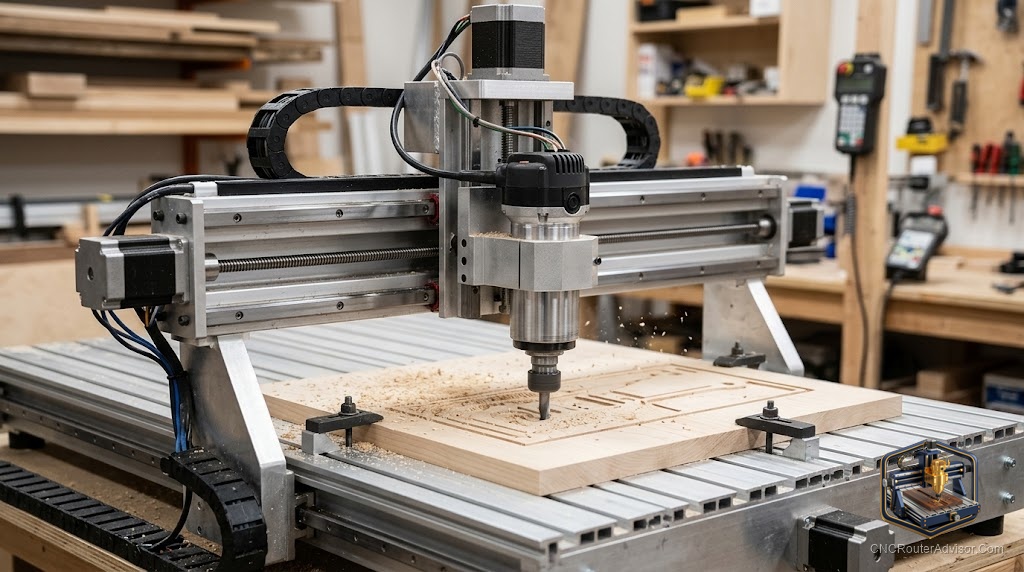
Most CNC routers sold to hobbyists and small shops are 3-axis machines. X moves left and right. Y moves front to back. Z moves up and down. Together, these three axes can reach any point within the machine’s working volume, and the spindle can cut any shape that can be accessed from directly above. That covers the vast majority of sign making, cabinet work, and 3D relief carving.
A 3-axis CNC router controls three linear axes: X (left/right), Y (front/back), and Z (up/down). The spindle is fixed in orientation and always points vertically downward.
What 3-Axis Covers
- All 2D profiles, pockets, and through-cuts
- V-carved signage and lettering
- 3D relief carving from the top surface
- Precision drilling and boring
- Cabinet joinery: dados, grooves, mortises
What 3-Axis Cannot Do
Undercuts: any surface facing sideways or downward requires repositioning or is inaccessible to a vertical-only spindle. For most woodworking and sign work, this limitation never matters.
Best 3-Axis Machine Picks
Genmitsu 3018-PROVer V2 - 11x7 inches. Best learning entry.
Genmitsu 4040-PRO MAX - 16x16 inches, pre-installed 710W router. Best 3-axis desktop machine for real projects.
FoxAlien Masuter Pro - 15.7x15.7, pre-assembled. Good alternative.
Carbide 3D Shapeoko 5 Pro (carbide3d.com) - 33x33 inches, best mid-range 3-axis.
FAQ
What is the difference between 3-axis and 4-axis CNC? A 4th rotational axis (A-axis) allows the spindle to rotate around the X-axis. Enables cutting cylindrical and helical shapes.
Is a 3-axis CNC router enough for woodworking? For virtually all sign making, cabinet work, and 3D relief carving: yes.
Can a 3-axis router do 3D carving? Yes. 3D relief carving from the top surface is standard 3-axis work. It cannot do undercuts without repositioning.
References
- Carbide 3D. Machine documentation. carbide3d.com
- Sienci Labs. Machine overview. resources.sienci.com