
CNC Router X Carve Explained: Uses, Setup, and Key Considerations
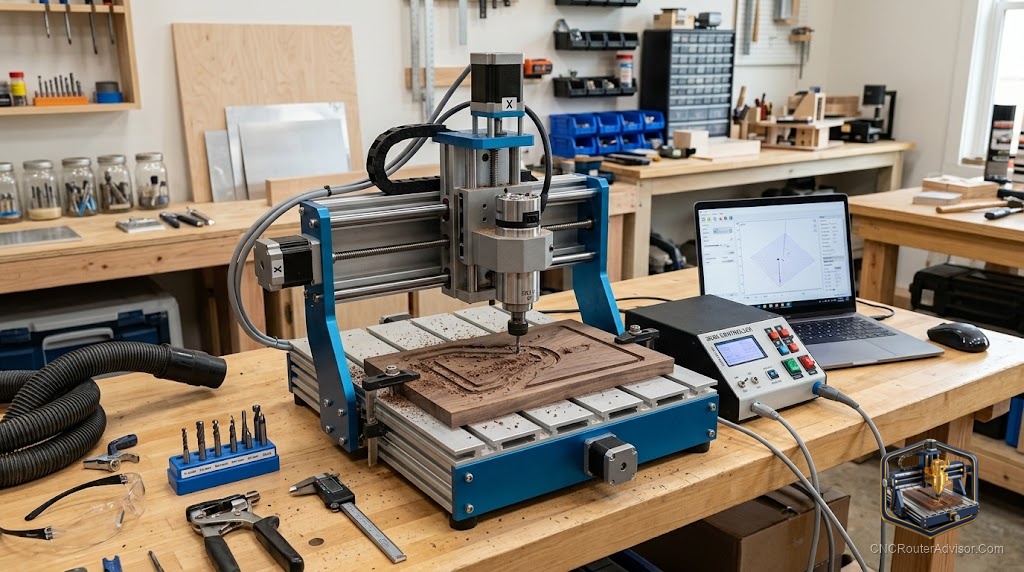
For more than a decade, the X-Carve was the machine a lot of woodworkers pointed to when a friend asked how to get into CNC. It was the approachable one: a kit you built yourself on a kitchen table, a piece of software so friendly it felt like a drawing app, and a community big enough that any problem you hit had already been solved on a forum somewhere. If you have seen a carved sign on Etsy or a slab river table with an inlaid logo, there is a decent chance an X-Carve made it.
That backstory matters now, because the X-Carve story has changed. Inventables, the company behind it, has moved on from the original belt-driven kits, and anyone searching “X-Carve” today needs to know which machine they are actually looking at. This is what the X-Carve is, what it is good at, how it goes together, and the honest considerations before you chase one down new or used.
The X-Carve is a line of desktop CNC routers made by Inventables and paired with the company’s Easel software. The name covers two very different machines: the original X-Carve, a user-assembled, belt-driven kit that carved wood, plastics, and soft metals on a modest work area, and the newer X-Carve Pro, a heavier, ball-screw production machine with an included spindle. They share a brand and a software home, and almost nothing else.
The short answer for a shopper: the belt-driven X-Carve kit has been sunset, so new stock is limited and much of the market is now used, while the X-Carve Pro is the current, production-focused machine Inventables actively sells. Which one fits you depends entirely on whether you are learning the craft or running parts for money.
What people actually make on an X-Carve
The X-Carve found its audience in flat and shallow work, and that is still where it lives. Carved and V-engraved signs are the bread and butter. Beyond that, owners cut inlays, coasters, cutting boards, jewelry and keychains, small furniture parts, jigs, and shallow 3D reliefs. The original machine handles wood, acrylic and other plastics, and soft non-ferrous metals like aluminum with the right bits, patience, and light passes. The Pro, being stiffer and stronger, pushes into faster production of the same work plus cabinet and furniture parts at a real pace.
What neither machine is built for is heavy metal cutting or industrial steel work. This is a woodworker’s and maker’s tool, and judged as one it is genuinely capable. Judged as a metal mill, it will disappoint, so match the machine to the material honestly.
Original X-Carve vs X-Carve Pro: the difference that matters
Inventables announced in late 2024 that it was retiring the belt-driven X-Carve kits to focus on the ball-screw X-Carve Pro line, so this is not two flavors of the same thing, it is an old machine and its very different successor.
The original X-Carve is a self-assembled kit. It uses a trim router rather than an included spindle, runs belt drives on the X and Y axes with a leadscrew Z, and offers a work area around 29 by 29 inches on the common 1000mm size. Assembly is a real project, often a full day or more, and Inventables framed that build as part of the learning. It is lighter, more affordable, and more of a hobbyist and small-business starter, and it is exactly the kind of machine that teaches you how a CNC actually works because you put it together.
The X-Carve Pro is a different class. It arrives largely assembled and goes together in a fraction of the time, rides on ball screws and linear guides across all axes for more rigidity and accuracy, and includes an air-cooled spindle rather than asking you to bolt on a router. It comes in 4 by 2 and 4 by 4 work areas, weighs a few hundred pounds, and is aimed at people making parts for revenue. Published specs put its spindle at 2 horsepower (1.5 kW), with stated accuracy around a thousandth of an inch, which tells you the intended user is closer to a production shop than a first-timer.
One thing that carries across both: Easel, the Inventables software, remains compatible with X-Carve machines, so the software knowledge you build does not evaporate when you move between models. Inventables has also said spare parts and bits for the original X-Carve continue through a partner supplier, which matters if you are buying one used.
Setup: what you are signing up for
With the original kit, setup is the assembly. You are building a machine from a box of extrusion, belts, plates, and electronics, and while the instructions are well regarded, expect it to take real hours and real care, since squareness and belt tension you set during the build directly shape how well it cuts later. Budget a weekend, not an evening, and treat the calibration as part of the job rather than an afterthought.
With the Pro, the machine shows up mostly done, and assembly is measured in a few hours rather than a full day. Either way, plan for the rest of the shop around it: a computer to run Easel, dust collection because a router makes a spectacular mess, a set of decent bits, clamps or other work-holding, and a solid, flat bench or stand that will not flex. The machine is only half of a working setup, and beginners routinely forget the other half.
Key considerations before you buy one
- New or used, and which model. Because the belt-driven kit is retired, new units are scarce and much of that market is now secondhand. If you buy a used original, inspect it like any used machine: check belts, wheels or bearings, leadscrew, and squareness, and confirm the electronics work.
- Parts and support horizon. Inventables continues Easel compatibility and offers X-Carve spares through a partner, but a discontinued machine’s long-term parts picture is always worth weighing against a fully current model.
- Proprietary pieces. Some X-Carve components are specific to the platform, so factor sourcing those into a used purchase rather than assuming any generic part fits.
- Software fit. Easel is famously beginner-friendly, and it drives these machines well, but confirm it does what your projects need, since heavier users often add Fusion or VCarve alongside it.
- Machine class vs your goal. If you want to learn and make signs and crafts, the original kit or a comparable hobby machine is plenty. If you are cutting parts to sell in volume, the Pro’s rigidity and included spindle are the reason it exists, and stepping down to a hobby machine for production work is a false economy.
- The competition is stiff. At the Pro’s level, machines like Onefinity and Shapeoko compete hard, so it is worth comparing rigidity, work area, spindle, and support before committing, rather than buying on brand familiarity alone.
The verdict
The X-Carve earned its reputation honestly: it introduced a generation of makers to CNC through a buildable kit and software that did not scare people off, and a used original is still a fine way to learn if you inspect it well and accept that it is a discontinued platform. If your aim is production, the X-Carve Pro is the machine Inventables actually stands behind now, and it is a serious tool, though at its price class you owe it to yourself to cross-shop the other production-grade desktop routers before you decide.
Three things to hold onto:
- Know which X-Carve you are looking at, since the retired belt-driven kit and the current Pro are different machines for different people.
- Buy the original used only after a proper inspection, and weigh the discontinued-platform parts picture.
- Match the model to your goal, the kit or a hobby machine for learning and crafts, the Pro for making parts for money, and compare rivals at that level.
FAQ
Is the X-Carve still being made? Inventables retired the original belt-driven X-Carve kits in late 2024 to focus on the ball-screw X-Carve Pro line. New original kits are scarce, so most of that market is now used, while the Pro is actively sold.
What is the difference between the X-Carve and X-Carve Pro? The original X-Carve is a self-assembled, belt-driven kit that uses a trim router and has a work area around 29 by 29 inches. The X-Carve Pro arrives mostly assembled, rides on ball screws and linear guides, includes a spindle, and comes in 4 by 2 and 4 by 4 sizes for production work.
What can you make with an X-Carve? Signs, inlays, coasters, cutting boards, jewelry, small furniture parts, jigs, and shallow 3D carvings. It cuts wood, plastics like acrylic, and soft metals such as aluminum with the right bits and light passes. It is not built for heavy metal work.
What software does the X-Carve use? Inventables’ Easel software, which is known for being beginner-friendly and remains compatible with X-Carve machines. Heavier users often pair it with programs like Fusion or VCarve for more advanced design and toolpaths.
Can you still get parts for the X-Carve? Inventables has said spare parts and cutting bits for X-Carve continue through a partner supplier, and Easel stays compatible. Even so, weigh the long-term parts outlook of a discontinued platform before buying a used one.
Is the X-Carve good for beginners? Yes, for learning and craft work. The original kit’s build teaches how a CNC works, and Easel lowers the software barrier. If your goal is production rather than learning, the Pro or a comparable machine is the better fit.
How long does it take to assemble an X-Carve? The original kit is a real project, commonly a full day or more, with squareness and belt tension set during the build affecting cut quality. The X-Carve Pro ships largely assembled and goes together in a few hours.
References
- Inventables, “Saying Goodbye to X-Carve: A New Chapter for Inventables” (Dec 10, 2024): https://www.inventables.com/blogs/inventables-blogs/saying-goodbye-to-x-carve-a-new-chapter-for-inventables
- Inventables, “X-Carve Pro Tech Specs”: https://www.inventables.com/pages/x-carve-pro-tech-specs
- Inventables Support, “What are the differences between the X-Carve and X-Carve Pro?”: https://inventableshardwaresupport.zendesk.com/hc/en-us/articles/34180124699028-What-are-the-differences-between-the-X-Carve-and-X-Carve-Pro