
CNC Router Repair Services Guide: Common Problems, Fixes, and When to Get Help
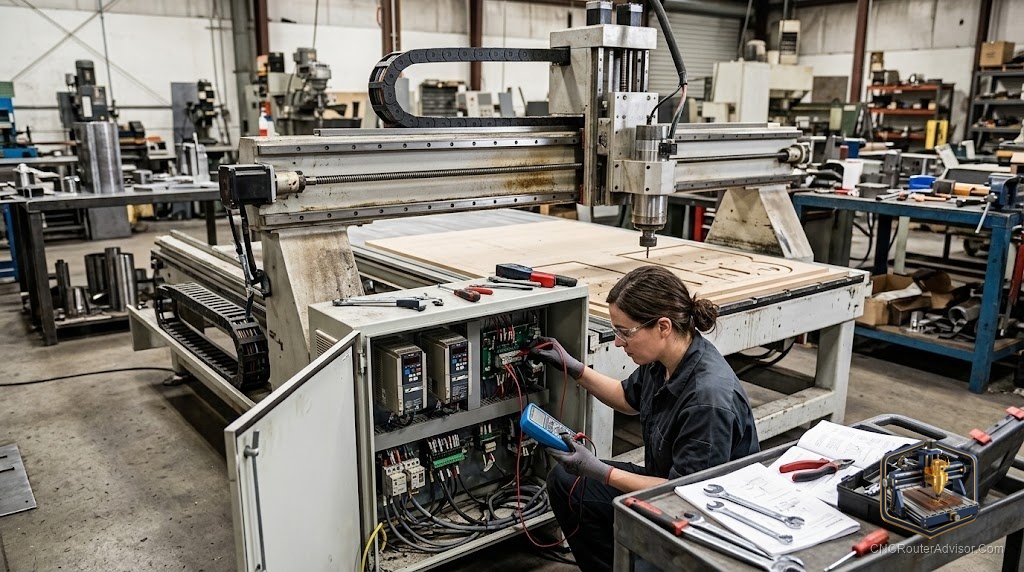
Every CNC router eventually needs repair, and how you handle it determines whether a fault means an hour of downtime or a week of lost production. Many common problems are things you can diagnose and fix yourself with basic troubleshooting; others, spindle failures, controller faults, complex electrical issues, are best handled by professional repair services. Knowing the difference, understanding the common problems and their fixes, and knowing when and how to get professional help keeps your machine running and minimizes costly downtime.
CNC router repair services cover the diagnosis and repair of CNC router problems, from mechanical and electrical faults to spindle and controller failures, provided by manufacturers, local technicians, and specialized repair shops, or handled DIY for common issues. Effective repair starts with correct diagnosis, then choosing between a DIY fix and professional service based on the problem’s complexity and your skills.
The short answer on repairs: diagnose first (identify whether the problem is mechanical, electrical, spindle, controller, or software), fix common mechanical and calibration issues yourself, and call professional repair services for spindle failures, controller/electronics faults, and complex electrical problems, especially on expensive machines where downtime is costly. Preventive maintenance avoids most repairs.
Common CNC router problems and likely fixes
1. Loss of steps / inaccurate cuts (dimensions off, layers misaligned).
- Causes: loose belts or couplers, worn/loose drive components, over-aggressive feeds/speeds, or motor/driver issues.
- Fixes: check and tension belts, tighten couplers and set screws, reduce feeds/speeds, verify steps/mm calibration. Often DIY.
2. Poor cut quality (rough edges, burning, chatter).
- Causes: dull or wrong bits, incorrect feeds/speeds, insufficient rigidity, loose workholding.
- Fixes: replace bits, correct feeds/speeds, secure workholding, check for mechanical play. DIY.
3. Spindle problems (won’t start, overheating, noise, runout).
- Causes: bearing wear, VFD faults, cooling issues (water-cooled pump failure), electrical.
- Fixes: check cooling and connections; bearing or spindle replacement and VFD faults often need professional service.
4. Controller/electronics faults (no response, erratic movement, connection drops).
- Causes: firmware, wiring, driver failure, EMI/grounding, USB issues.
- Fixes: check connections and grounding, update firmware, isolate EMI; driver or board failures often need professional repair.
5. Motion/mechanical wear (binding, play, noise).
- Causes: worn linear rails/bearings, ball-screw wear, lack of lubrication, debris.
- Fixes: clean and lubricate, adjust or replace bearings/rails. Basic maintenance is DIY; major component replacement may need help.
6. Software/communication issues (jobs won’t run, errors).
- Causes: post-processor, sender settings, corrupted G-code, drivers.
- Fixes: correct post-processor, regenerate G-code, reinstall drivers/software. Usually DIY.
DIY vs. professional repair
Handle yourself (with basic skills): belt tensioning, tightening hardware, calibration, bit changes, feeds/speeds, cleaning and lubrication, firmware updates, and software/communication fixes.
Call professional repair services for: spindle bearing/motor replacement, VFD faults, complex electrical and controller board failures, precision alignment, and any repair beyond your skills, especially on expensive professional/industrial machines where downtime and mistakes are costly.
Where to get professional repair
- Manufacturer support: first stop, especially under warranty; many offer diagnosis and parts (ShopBot, for example, offers strong tech support).
- Local CNC technicians / repair shops: for on-site service and faster turnaround on larger machines.
- Specialized spindle/VFD repair: for spindle rebuilds and drive repairs.
- Community help: forums and groups often help diagnose before you pay for service.
Preventing repairs (maintenance)
- Clean regularly: remove dust and chips, especially from rails and screws.
- Lubricate linear rails and ball screws per the manufacturer’s schedule.
- Check and tension belts and tighten hardware periodically.
- Maintain the spindle: keep cooling working (water-cooled reservoirs clean/full), monitor for noise.
- Protect electronics: from dust and (in humid climates) moisture, with good grounding.
- Use correct feeds/speeds and sharp bits to reduce mechanical stress.
The verdict
CNC router repair is manageable when you diagnose first and match the fix to the problem. Many common issues, loss of steps, poor cut quality, calibration, cleaning, lubrication, and software glitches, are DIY fixes with basic skills. Reserve professional repair services for spindle failures, VFD and controller/electronics faults, and complex repairs, especially on expensive machines where downtime is costly and mistakes risky. Start with manufacturer support (particularly under warranty), use local technicians for on-site help on large machines, and lean on communities to diagnose. Best of all, consistent preventive maintenance, cleaning, lubrication, tensioning, and spindle care, prevents most repairs from happening at all.
Three takeaways: diagnose first (mechanical, electrical, spindle, controller, or software), then decide DIY vs. professional; handle calibration, tensioning, cleaning, lubrication, and software fixes yourself, but call professional services for spindle, VFD, and controller failures, especially on expensive machines; and prevent most repairs with consistent maintenance.
FAQ
What are the most common CNC router problems? Loss of steps/inaccurate cuts, poor cut quality (rough edges, burning), spindle problems, controller/electronics faults, mechanical wear (binding, play), and software/communication issues. Many have straightforward DIY fixes; some need professional repair.
Can I repair a CNC router myself? Many common issues, yes: belt tensioning, tightening hardware, calibration, bit changes, feeds/speeds, cleaning, lubrication, firmware updates, and software fixes. Call professional repair services for spindle, VFD, and controller/board failures or anything beyond your skills.
When should I use professional CNC repair services? For spindle bearing/motor replacement, VFD faults, complex electrical and controller board failures, precision alignment, and repairs beyond your skills, especially on expensive professional or industrial machines where downtime and mistakes are costly.
Where can I get my CNC router repaired? Start with manufacturer support (especially under warranty), then local CNC technicians or repair shops for on-site service, and specialized spindle/VFD repair for drive issues. Communities and forums can help diagnose before you pay.
Why is my CNC router losing steps or cutting inaccurately? Common causes are loose belts or couplers, worn drive components, over-aggressive feeds/speeds, or motor/driver issues. Check belt tension, tighten couplers and set screws, reduce feeds/speeds, and verify calibration, often a DIY fix.
How do I prevent CNC router repairs? Maintain the machine: clean dust and chips regularly, lubricate rails and ball screws, check and tension belts, tighten hardware, keep the spindle’s cooling working, protect electronics from dust and moisture, and use correct feeds/speeds with sharp bits.
My CNC spindle won’t start or is overheating, what should I do? Check power and connections and, for water-cooled spindles, the pump, coolant level, and flow. Overheating and noise often indicate bearing wear or VFD faults, which usually require professional spindle service or replacement.
References
- ShopBot Tools, Technical Support and Service: https://shopbottools.com/support
- CNCRouterInfo, Troubleshooting and Maintenance Guides: https://cncrouterinfo.com/
- Carbide 3D, Support and Troubleshooting (Shapeoko): https://carbide3d.com/support/
- Reddit, r/hobbycnc (community diagnosis and repair help): https://www.reddit.com/r/hobbycnc/
- Onefinity CNC, Maintenance and Support Resources: https://www.onefinitycnc.com/