
Best Beginner CNC Router: Features to Compare Before You Buy
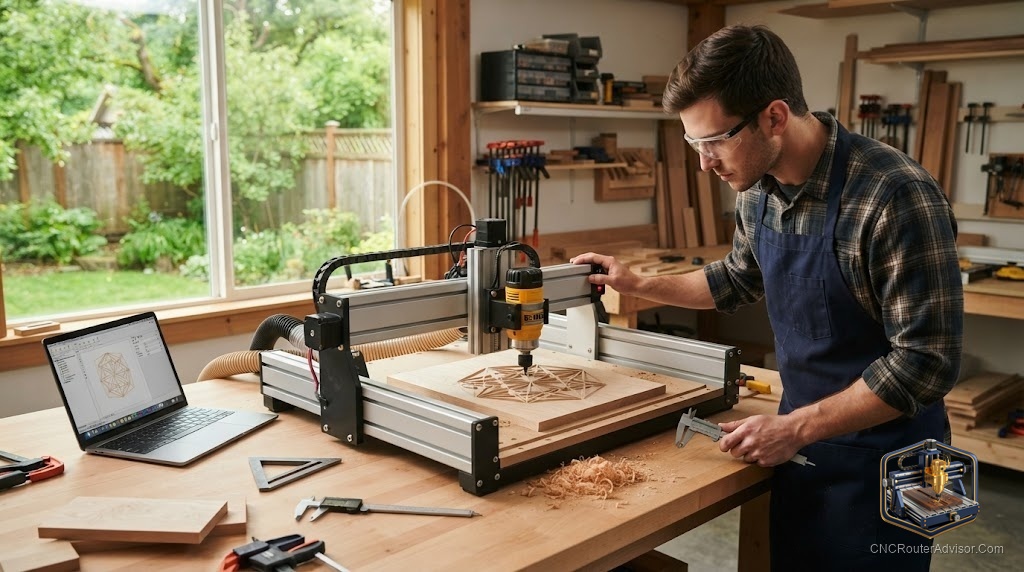
The hardest part of buying your first CNC router is not the money. It is the paralysis that comes from a market full of machines that all claim to be the best for beginners, spanning a price range from under $300 to nearly $6,000, with wildly different capabilities hidden behind similar marketing. The good news is that the right beginner machine is not about finding the single best product. It is about matching a small number of features, work area, frame rigidity, drive system, and community support, to what you actually want to make and how much you want to spend.
A beginner CNC router is an entry-level computer-controlled cutting machine designed for new users, prioritizing ease of assembly, strong documentation, an accessible software ecosystem, and active community support over maximum production capability. The best beginner machines span three budget tiers: desktop learning machines (under $500), benchtop hobby machines ($1,000 to $2,000), and prosumer machines ($2,000 to $4,000) that a serious beginner can grow into.
The short answer on what to buy: if you want to learn cheaply and are willing to work with limits, the Genmitsu 3018 PROVer is the classic starting point. If you want a capable benchtop machine with excellent community support, the Sienci LongMill MK2 (or MK2.5) is a value leader. If you want a rigid, grow-into-it prosumer machine with the best bundled software experience, the Shapeoko 5 Pro and Onefinity Woodworker are the two to compare.
The features that actually matter for a beginner
Work area. How big a piece can the machine cut? Desktop machines like the 3018 handle small work (300 x 180mm). Benchtop machines (LongMill, Shapeoko, Onefinity) handle 24 by 24 inches up to 48 by 30 inches. Buy for the projects you actually plan to make; larger machines cost more and take more space.
Frame rigidity. Rigidity determines what materials you can cut and how clean the result is. Aluminum extrusion frames (most hobby machines) are fine for wood, plastics, and light aluminum. Steel frames and heavier gantries handle harder materials and deeper cuts. Rigidity is the single biggest factor separating a frustrating machine from a satisfying one.
Drive system. How the machine converts motor rotation into motion:
- Belt drive (Shapeoko X/Y): simple, proven, slightly less rigid, easy to maintain.
- Lead screw (many hobby machines, LongMill): more rigid than belts, good value.
- Ball screw (Onefinity, premium machines): the most rigid and precise, best for harder materials.
Spindle vs. trim router. Most beginner machines use a standard trim router (Makita or DeWalt). This is fine to start. A VFD spindle is quieter, more powerful, and supports variable speed, but adds cost. Many machines let you start with a router and upgrade later.
Community support and documentation. For a beginner, this matters more than almost any spec. A machine with an active forum, deep video library, and responsive support turns problems into learning moments. Sienci, Carbide 3D (Shapeoko), and Onefinity all have strong communities.
Assembly effort. Some machines arrive nearly ready to run (Onefinity); others are full kit builds (3018, LongMill). Kit assembly teaches you the machine but takes time and patience.
The beginner machines worth comparing
- Genmitsu 3018 PROVer (under $400): The classic learning machine. 300 x 180mm work area, GRBL, soft materials only. Best for learning CNC mechanics cheaply.
- Sienci LongMill MK2 / MK2.5 (around $1,500): Benchtop, excellent community, strong value. Lead screw drive. A frequent beginner value recommendation.
- Shapeoko 5 Pro (from around $3,750, 700W spindle option): Rigid, beginner-friendly bundled software (Carbide Create/Motion), belt drive X/Y. The most polished onboarding experience.
- Onefinity Woodworker (around $2,790 to $3,160): Ball screw drive, rigid out of the box, minimal assembly. Regarded as more rigid than belt machines, better for harder materials.
- X-Carve (from $1,395; 4x4 Pro $5,995): Inventables ecosystem with Easel software. Larger Pro for growth.
- Carbide Nomad 3: An enclosed, quiet desktop machine well-suited to small precise work and metals.
- BobsCNC Evo 4: A budget laser-cut wood-frame kit, low cost with an active community.
- Sienci AltMill: A step up with linear guide rails and closed-loop steppers for more capability.
- Avid CNC Benchtop Pro / PrintNC / Maslow CNC / FoxAlien Masuter: Options ranging from serious benchtop (Avid), DIY steel-frame (PrintNC), large sheet-hanging (Maslow), to affordable prosumer (FoxAlien).
Matching the machine to your goals
- “I just want to learn CNC cheaply”: Genmitsu 3018 PROVer.
- “I want a real benchtop machine and great support”: Sienci LongMill MK2.5.
- “I want to cut hardwood and light aluminum, minimal fuss”: Onefinity Woodworker.
- “I want the best beginner onboarding and bundled software”: Shapeoko 5 Pro.
- “I want to grow into a business machine”: Shapeoko 5 Pro (larger sizes) or Avid CNC.
The verdict
The best beginner CNC router is the one whose work area, rigidity, and drive system match your projects, backed by a community that will help you when you get stuck. Do not overbuy capability you will not use, and do not underbuy so much that frustration ends the hobby. For most beginners with a real budget, the LongMill MK2.5, Shapeoko 5 Pro, and Onefinity Woodworker are the three-way comparison worth making; for the tightest budgets, the 3018 PROVer remains the honest learning machine.
Three takeaways: prioritize community support and documentation as highly as specs when you are new; match work area and rigidity to your actual projects rather than buying the biggest machine; and consider drive system (belt vs. lead screw vs. ball screw) as the main indicator of rigidity and material capability.
FAQ
What is the best beginner CNC router? For tight budgets, the Genmitsu 3018 PROVer. For a capable benchtop with great support, the Sienci LongMill MK2.5. For rigid, grow-into-it prosumer machines, the Shapeoko 5 Pro and Onefinity Woodworker.
How much should a beginner spend on a CNC router? Desktop learning machines start under $400. Serious benchtop machines run $1,500 to $2,000. Prosumer machines you can grow into are $2,500 to $4,000. Benchtop CNC generally spans $1,500 to $6,000.
What is the cheapest CNC router for beginners? The Genmitsu 3018 series starts around $199 to $400. It handles soft materials and is excellent for learning, but it is not suitable for hardwoods or production work.
Should a beginner get a belt, lead screw, or ball screw machine? Belt (Shapeoko) is proven and easy to maintain. Lead screw (LongMill) is a good value step up in rigidity. Ball screw (Onefinity) is the most rigid and best for harder materials, at higher cost.
What is the difference between a CNC router and a CNC mill? A CNC router is optimized for larger, softer materials (wood, plastic, light aluminum) at high spindle speeds. A CNC mill is built heavier for metal, with lower speeds and higher rigidity. Routers are the right starting point for most woodworking and sign hobbyists.
Do beginner CNC routers come with software? Most do. Shapeoko includes Carbide Create and Motion; X-Carve includes Easel; GRBL machines work with free tools like Candle and UGS. Vectric VCarve is a common paid upgrade.
Is assembly hard for a beginner CNC router? It varies. The 3018 and LongMill are full kit builds that teach you the machine. The Onefinity arrives largely pre-assembled. Shapeoko is a moderate kit build with strong documentation.
References
- CNCRouterInfo, Best CNC Router for Beginners 2026: https://cncrouterinfo.com/routers/best-cnc-router-for-beginners/
- The Maker’s Chest, Shapeoko vs Onefinity vs AltMill vs LongMill Compared: https://themakerschest.com/blogs/cnc-machines-hub/shapeoko-vs-onefinity-vs-altmill-vs-longmill
- CNC Dad, Shapeoko vs OneFinity vs AltMill 2026 Owner Comparison: https://www.cnc-dad.com/blog/shapeoko-vs-xcarve-vs-onefinity/
- Wood Magazine, A Buyer’s Guide to Benchtop CNC Machines ($1,500 to $6,000 range): https://www.woodmagazine.com/tool-reviews/a-buyers-guide-to-benchtop-cnc-machines
- Maker Hacks, CNC Buyer’s Guide for Hobbyists (X-Carve and Shapeoko pricing): https://www.makerhacks.com/cnc-buyers-guide/