
CNC Shark Router: A Straight Look at Next Waves Machines Before You Buy
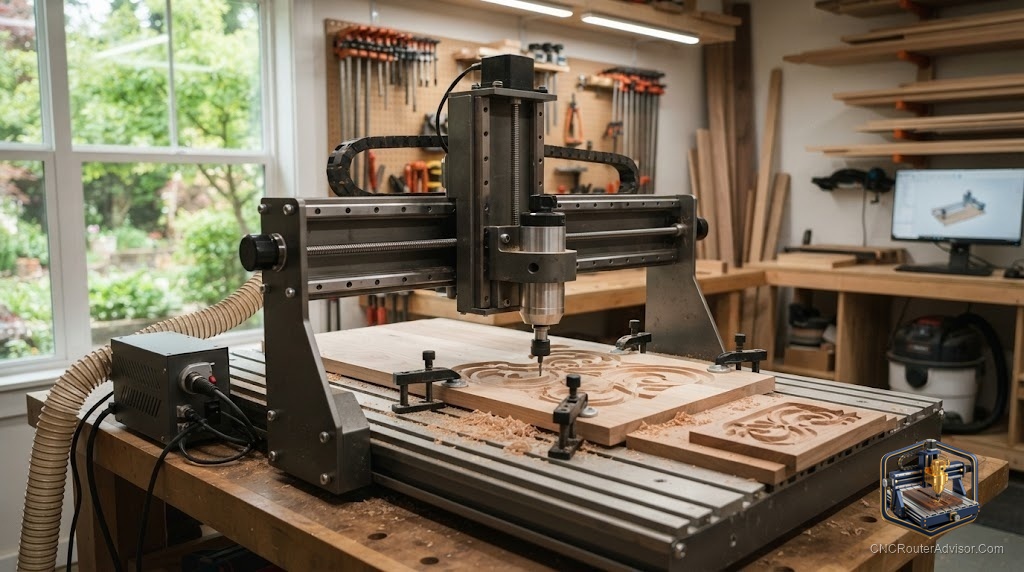
The CNC Shark has a loyal following in home shops for one reason: it lands between a flimsy hobby kit and a floor-standing industrial machine, and it does it with software most beginners can actually learn. Made by Next Wave Automation (also branded Next Wave CNC), the Shark line has been a fixture in woodworking stores like Woodcraft for years. That staying power matters when you are buying a machine you want to run for a decade.
A CNC Shark router is a benchtop-to-standing CNC routing machine built by Next Wave Automation that carves wood, soft metals, composites, and plastics using a separate palm router or spindle you mount to it. You design a part, generate toolpaths, and the machine cuts it, controlled by either an included touchscreen pendant or a connected computer.
The short answer on which Shark to buy: match the machine to your parts. The compact SD110 suits plaques, small signs, and boxes on a workbench. The HD510 and HD520 handle larger sign and furniture work with an industrial-grade gantry, and the HD520 nearly doubles the cutting length of the 510. Next Wave’s newer Standard and HD5-based configurations add gantry, lead-screw, and travel upgrades for shops pushing speed and accuracy.
What the CNC Shark actually is
The Shark is a router-agnostic CNC, meaning the machine provides the motion and control while you supply the cutting motor. On the SD110, for example, Next Wave lists compatibility with a DeWALT 611, Porter-Cable 450, or Bosch 1 HP palm router (sold separately). Higher-end owners often step up to a water-cooled spindle for quieter, longer runs. The machine handles wood, non-ferrous metals, and plastics, and Next Wave includes 3D carving capability and a model library so you can cut relief carvings, inlays, and engravings out of the box.
Control is a genuine strength. Shark machines ship with a color touchscreen pendant on most models, and Next Wave’s Ready2Control software lets a PC run the machine. Design software is bundled too. The SD110, for instance, has shipped with a VCarve Desktop package, which is the same Vectric toolpath software professionals use.
The Shark lineup, model by model
- SD110 (compact). A 12 by 18 inch table with roughly 12 by 13 by 3 inch travel. It ships fully assembled, fits under or on one end of a bench, and is made in the USA. Best for plaques, ornamental boxes, small signs, and precision parts.
- HD510 (mid-size). A 28 by 36 inch table with about 25 by 25 by 7 inch travel. This is the sweet spot for many sign makers and hobbyist furniture builders who need real capacity without a huge footprint.
- HD520 (large). A 28 by 63 inch table with roughly 25 by 50 by 7 inch travel, built with a heavy-duty aluminum and steel-reinforced gantry, linear rails and guides, and anti-backlash lead screws. This is the one for long sign blanks and larger panels.
- Newer Standard and HD5-based configurations. Next Wave now offers tiers built on the proven HD5 foundation with an all-new gantry, upgraded lead screws, precision-ground couplers, a larger drag chain, and expanded X-axis travel (now 25 inches on the standard package). These target owners who want more speed and reliability.
Where the Shark shines, and where it does not
The Shark is a strong pick if you want a stable, well-supported machine with pro-grade software and a clear upgrade path. Next Wave offers a medallion-based control upgrade that eliminates the PC tether on older machines, so a Shark you buy today is not a dead end. Assembly is largely done at the factory, and the instructions are concise.
The honest flaws: the HD models are large and heavy, and Next Wave notes the HD520 ships freight with curbside delivery only, so plan for help moving it. Older PC-connected models depend on a solid USB link, which some owners have found finicky before upgrading to the newer control unit. And because the router is sold separately on most configurations, your real setup includes that added purchase.
Who should buy a Shark, and who should skip it
Buy a Shark if you want a mid-range, made-in-the-USA machine with bundled Vectric software, good support, and room to grow from signs into 3D carving. Choose the SD110 for a tight bench, the HD510 for balanced capacity, or the HD520 for long work. Skip the Shark if you only need occasional small engraving (a cheaper desktop machine will do) or if you are running full-sheet production all day, where a dedicated industrial router with a vacuum table and ATC will serve you better.
The verdict
The CNC Shark earns its reputation as a dependable middle-ground CNC. It pairs a solid gantry and anti-backlash motion with the touchscreen control and Vectric software that make the learning curve manageable. Pick the model by your largest part, budget for a router or spindle on top, and lean on the upgrade path if you outgrow your first setup.
Three takeaways: choose the SD110, HD510, or HD520 by your part size and bench space; remember the palm router or spindle is usually a separate purchase; and use the medallion control upgrade to modernize an older Shark rather than replacing it.
FAQ
Who makes the CNC Shark router? Next Wave Automation, also branded Next Wave CNC, based in the USA. The Shark line is widely sold through woodworking retailers such as Woodcraft.
Does the CNC Shark come with a router? Usually no. On most models the palm router or spindle is sold separately. The SD110, for example, lists the DeWALT 611, Porter-Cable 450, and Bosch 1 HP palm routers as compatible options.
What can a CNC Shark cut? Wood, non-ferrous (soft) metals, composites, and plastics. Included 3D carving capability lets you produce relief carvings, inlays, and detailed engravings.
What is the difference between the HD510 and HD520? Both share about 25 inches of X travel and 7 inches of Z, but the HD520’s table and Y travel are much longer (roughly 50 inches of Y versus 25 inches), so it handles longer sign blanks and panels.
Do I need a computer to run a CNC Shark? Not necessarily. Most Sharks include a color touchscreen pendant, and newer control options let you transfer G-code by USB drive. Ready2Control software also lets a PC drive the machine.
Is the CNC Shark good for beginners? Yes, within reason. The bundled Vectric software, touchscreen control, and mostly factory-done assembly make it approachable, though you should still expect a real learning curve with CAD, CAM, and feeds and speeds.
Can I upgrade an older CNC Shark? Yes. Next Wave offers a medallion-based control unit that removes the PC connection on older machines, plus post-processors kept current for the Vectric software family.
References
- Next Wave CNC, Shark CNC Comparison (Standard, HD5 configurations): https://nextwavecnc.com/shark-cnc-comparison/
- Next Wave Automation, Shark HD 510/520 specifications: https://nextwaveautomation.zendesk.com/hc/en-us/articles/360044431772-Shark-HD-510-520
- Next Wave Automation, Shark SD110 specifications: https://nextwaveautomation.zendesk.com/hc/en-us/articles/360044894411-Shark-SD110
- Woodcraft, Next Wave SHARK HD520 CNC Machine: https://www.woodcraft.com/products/next-wave-shark-hd520-cnc-machine
- Woodcraft, SHARK SD110 CNC Router Machine: https://www.woodcraft.com/products/shark-sd110-cnc-machine