
CNC Router Training: The Learning Path That Gets You Cutting Good Parts Faster
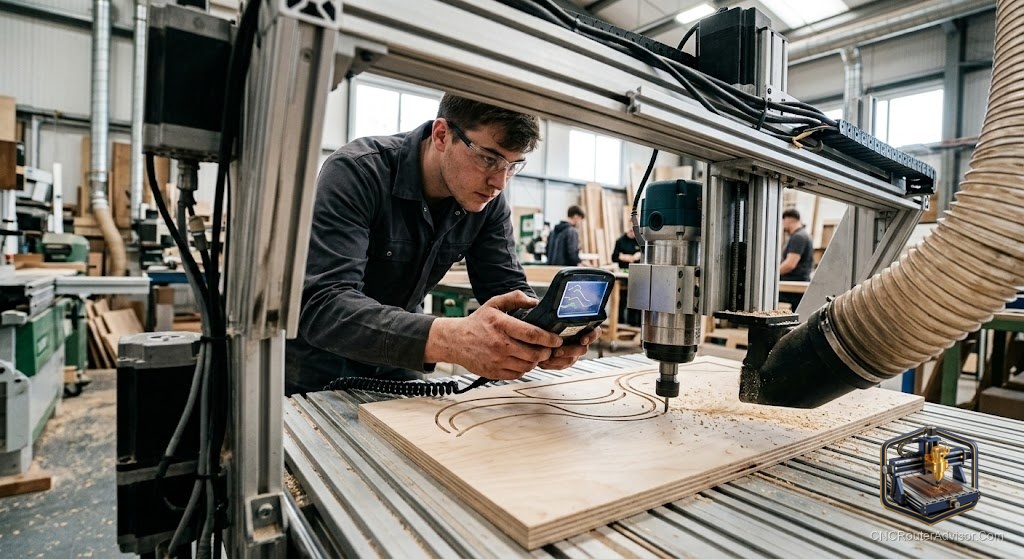
Most people learn CNC the expensive way: by breaking bits, gouging stock, and staring at an alarm code at eleven at night. There is a faster path, and it does not require a classroom or a five figure course. The right CNC router training, taken in the right order, gets you from nervous first cut to confident production work in weeks rather than the year it takes to stumble through alone.
CNC router training is structured learning across four connected skills: designing a part (CAD), turning that design into toolpaths (CAM), setting up and running the machine safely, and reading what the finished cut is telling you. Miss any one and the other three stall.
If you want the short answer on where to start: learn one CAD/CAM program well before you touch a second, run your machine on scrap until setup feels boring, and lean on free structured resources like Titans of CNC Academy and the Vectric tutorial library before paying for anything. Skills transfer between machines. Panic does not.
The four skills every CNC router operator needs
Training that skips around feels productive and teaches almost nothing. These four skills build on each other in order.
- CAD, the design. You draw or import the part. For woodworking this is often 2D or 2.5D vectors: signs, inlays, pockets, profiles.
- CAM, the toolpaths. You tell the software which bit cuts what, how deep, how fast, and in which direction. This is where feeds and speeds live, and it is the skill that separates clean parts from burned ones.
- Machine setup and operation. Squaring stock, setting X, Y, and Z zero, homing, workholding, and sending the job. Boring done right, and disasters done wrong.
- Reading the cut. A fuzzy edge, a chattering pass, a bit that keeps snapping: each is the machine telling you something. Learning to listen is the last skill and the one that never stops improving.
A learning path that actually works
Start narrow. Pick one CAD/CAM tool that matches your machine and stay with it until it feels automatic. Carbide Create and Easel are gentle on beginners; Vectric VCarve is the woodworking workhorse many people settle on. Fusion 360 is powerful but steep, and jumping there first is the most common way beginners stall.
Once you can design a simple sign and generate its toolpaths, run it in air, then in scrap. Do that five or six times with different shapes before you cut anything you care about. Setup speed and confidence come only from repetition, and scrap is cheap.
After that, widen out. Learn a second bit type, then 3D roughing and finishing, then production tricks like tabs, fixturing, and tiling large jobs. Each new skill sits on the calm foundation of setup you can do without thinking.
Free training worth your time
You can go a long way before spending a dollar on instruction.
- Titans of CNC Academy offers a large free CAD/CAM and machining curriculum. It leans toward metal and mills, but the fundamentals of programming and setup carry straight over to routers.
- Vectric’s tutorial library and free projects teach VCarve and Aspire through real jobs, with the source files included so you can follow along exactly.
- IDC Woodcraft and similar YouTube channels walk absolute beginners through a first router project end to end, from design to sending G-code, with the beginner mistakes called out before you make them.
- CNC Cookbook publishes free written guides and an interactive G-code course for people who want to understand what the code is doing rather than just clicking export.
Free resources have one weakness: they are scattered, and nobody sequences them for you. If self direction is hard for you, that gap is worth paying to close.
When a paid course earns its keep
Paid training buys you sequence, accountability, and someone to answer the question a forum ignores. A few paths are worth knowing about:
- Structured online router courses, such as the CNC Woodworker course, cover the full three-axis woodworking workflow in order, which suits hobbyists who want a single guided track instead of a hundred videos.
- Manufacturer certification, like the Haas Certification Program, mixes online coursework with a hands-on test and is aimed at people heading toward machinist careers rather than home shops.
- Career operator programs, such as Penn Foster’s self-paced CNC operator training, target employability, covering shop safety, programming, and machine operation for someone entering the trade.
Match the course to your goal. A hobbyist carving signs does not need a career certification, and someone chasing a shop job will not get hired on the strength of YouTube alone.
Do not skip safety training
A router spindle turns thousands of times a minute with an exposed cutter. Safety is not a module you watch once. Real training drills the habits: eye and ear protection every time, no loose sleeves or gloves near the spindle, a clear reach to the emergency stop, dust collection running (router dust is a genuine respiratory hazard), and never reaching into the work envelope while the machine is live. The operators who keep all their fingers treat these as reflexes, not rules.
The verdict
Good CNC router training is less about a single course and more about order. Learn one CAD/CAM tool deeply, make setup boring through repetition on scrap, and add complexity only once the basics run on autopilot. Start with free structured resources like Titans of CNC Academy and Vectric’s tutorials, and pay for a guided course or certification only when your goal (a hobby, a side business, a machinist job) actually calls for it. Safety habits come first and never graduate.
Three takeaways: one tool learned well beats three learned halfway, scrap is the cheapest teacher you will ever hire, and the operators who last are the ones who made safety automatic before they made anything pretty.
FAQ
How long does it take to learn a CNC router? With focused practice you can cut simple, clean projects within a few weeks. Comfort with 3D work, production fixturing, and feeds and speeds across materials takes months of steady use.
Do I need a course, or can I learn CNC for free? You can get a long way free using Titans of CNC Academy, Vectric tutorials, and beginner YouTube channels. Paid courses mainly buy you sequence and support, which helps if self-guided learning is hard for you.
What should I learn first, CAD or CAM? Learn them together in one program. Design a simple part in CAD, then immediately generate its toolpaths in CAM so you see how a design decision changes the cut.
Which software is easiest for a beginner? Carbide Create and Easel are the gentlest starting points. Vectric VCarve is a common step up for woodworking, and Fusion 360 is powerful but steep enough that starting there often stalls beginners.
Is CNC router training worth it for a career? Yes, if you pursue employer-recognized paths. Manufacturer certifications like Haas and career operator programs like Penn Foster are built for employability, unlike hobby-focused video content.
What safety skills matter most on a CNC router? Eye and ear protection, no loose clothing or gloves near the spindle, running dust collection, keeping the emergency stop within reach, and never reaching into a live work area.
Can skills learned on one machine transfer to another? Mostly yes. CAD, CAM logic, feeds and speeds, and setup discipline carry across machines. You mainly relearn the specific controller and its quirks.
References
- Titans of CNC Academy, Free CNC Training Courses: https://academy.titansofcnc.com/
- Haas Automation, Haas Certification Program: https://learn.haascnc.com/
- CNC Cookbook, CNC Training: Free Online Training and Guides: https://www.cnccookbook.com/online-cnc-training-courses-guides-help/
- Vectric, Free CNC Projects and Tutorials: https://www.vectric.com/vectric-community/free-projects/
- Penn Foster, Online CNC Operator Training: https://www.pennfoster.edu/programs/trades/cnc-operator-professional-training