
CNC Router Maintenance: The Regular Tasks That Keep a Machine Cutting Accurately
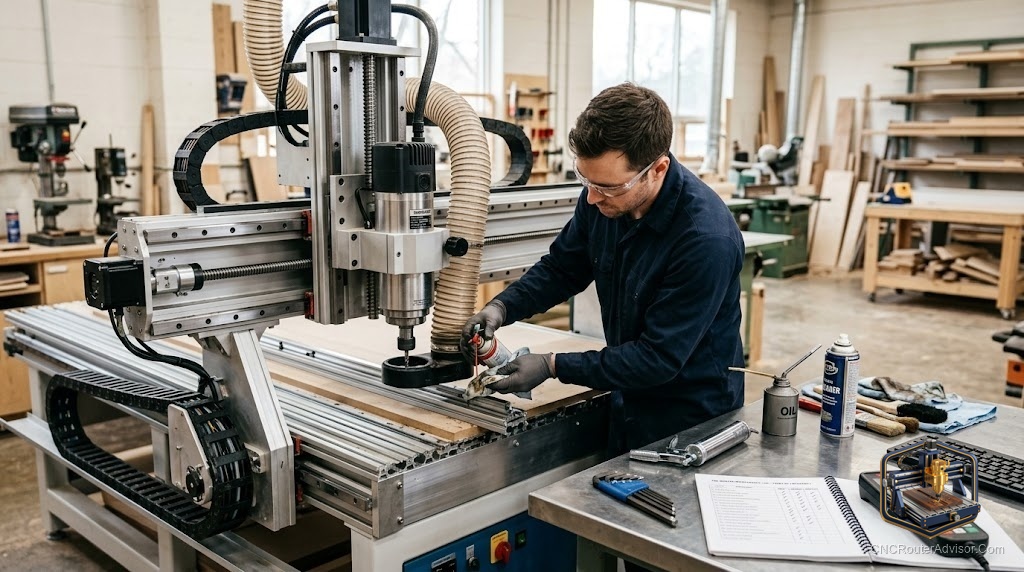
CNC router maintenance is the work most people skip until something goes wrong, and then they wish they had done it consistently. A well-maintained machine cuts accurately, predictably, and without the mysterious inconsistencies that plague neglected ones; a neglected machine develops problems gradually enough that the degradation seems normal until it is suddenly obvious. The good news is that regular CNC router maintenance is not complex or time-consuming; it is mostly cleaning, lubrication, checking for wear, and periodic calibration.
CNC router maintenance is the set of regular cleaning, lubrication, inspection, and calibration tasks that keep the machine’s motion system, spindle, and frame performing within spec, preventing the gradual accuracy loss, premature wear, and unexpected failures that unattended machines develop over time.
Here is the direct guidance: maintenance divides into four frequencies, after every job, weekly, monthly, and annually or by hours of use, and each covers a specific set of the machine’s systems. The sections below cover each frequency and its tasks.
After every job
Cleaning after every job prevents chip and dust accumulation that works into rails, screws, and bearing surfaces and accelerates wear. Use a soft brush and vacuum to clear chips from the work area, rails, and lead or ball screws. Wipe down exposed rail surfaces with a clean cloth. Check the collet and spindle nose for chip packing, which can affect runout on the next job. These tasks take five minutes and prevent the most common source of accelerated wear.
Weekly
Lubricate the motion system weekly if you run the machine regularly. Apply a light machine oil or the manufacturer’s recommended lubricant to the linear rails and bearing carriages, and to the lead or ball screw threads. Check belt tension if your machine uses belts: belts stretch slightly with use and a slack belt loses steps and accuracy. Inspect the spindle mount and gantry bolts for any that have vibrated loose, since loose bolts cause accuracy problems that are surprisingly hard to diagnose once the bolt is only slightly loose.
Monthly
Run a tramming check monthly: confirm the spindle is still perpendicular to the bed in both axes by facing a test board and measuring with a dial indicator or flat reference. Check the linear guides for any side play that was not there at installation, which signals bearing wear. Inspect wire bundles and connectors for any chafing, loose pins, or signs of heat at connections. Clean the controller box of dust with compressed air, keeping the stepper drivers and power supply clear.
Annually or by hours of use
Inspect spindle bearings annually or at the manufacturer’s recommended hours. A bearing that is developing wear produces increased noise, heat, and eventually runout that shows in cut quality. Inspect drive screws for backlash: small amounts are normal but growing backlash signals wear that eventually needs adjustment or replacement. Re-calibrate axis steps per millimeter if cuts have drifted dimensionally despite correct G-code. Replace the spoilboard surface when it is too chewed up to provide a flat reference.
For what to do when maintenance reveals a problem that needs fixing, see our guide to CNC router repair.
Final verdict
CNC router maintenance is not glamorous, but it is the work that keeps a machine cutting accurately and extends its useful life significantly. Clean after every job, lubricate and check belt tension weekly, tram and inspect monthly, and do a thorough bearing and backlash inspection annually. These tasks are short, predictable, and far less expensive than the repairs that neglecting them eventually requires.
FAQ
How often should I clean my CNC router? After every job. Chip and dust accumulation on rails and screws is the most common cause of accelerated wear and should be removed consistently rather than occasionally.
What lubricant should I use on linear rails? A light machine oil or the manufacturer’s recommended lubricant. Avoid heavy greases on precision linear rails unless the manufacturer specifies them. Check the manual for your specific rail type.
How do I know if my spindle bearings need replacement? Increased noise (particularly a rougher or higher-pitched tone), heat at the spindle nose during light cuts, and growing runout on a test indicator are the main signals. Replace before runout affects cut quality.
What is tramming and how often should I check it? Tramming adjusts the spindle perpendicular to the bed. Check monthly and after any disassembly or machine move. An un-trammed spindle leaves ridges in wide passes and uneven depth in 3D work.
How do I check belt tension? A correctly tensioned belt deflects a consistent small amount under light finger pressure with no slop when you push the gantry by hand. Consult your machine’s manual for the specific tension specification.
What causes a CNC router to lose accuracy over time? Most commonly: rail wear from chip contamination, growing belt slack, loose bolts, and spindle bearing wear. Regular cleaning, lubrication, and inspection catch all of these before they cause significant accuracy loss.
References
- SainSmart Genmitsu, maintenance guidance: https://www.sainsmart.com/blogs/news
- Carbide 3D, machine maintenance documentation: https://carbide3d.com
- GRBL project, calibration and axis steps reference: https://github.com/gnea/grbl/wiki