
CNC Router Machining: The Operations, Parameters, and Principles That Govern Every Cut
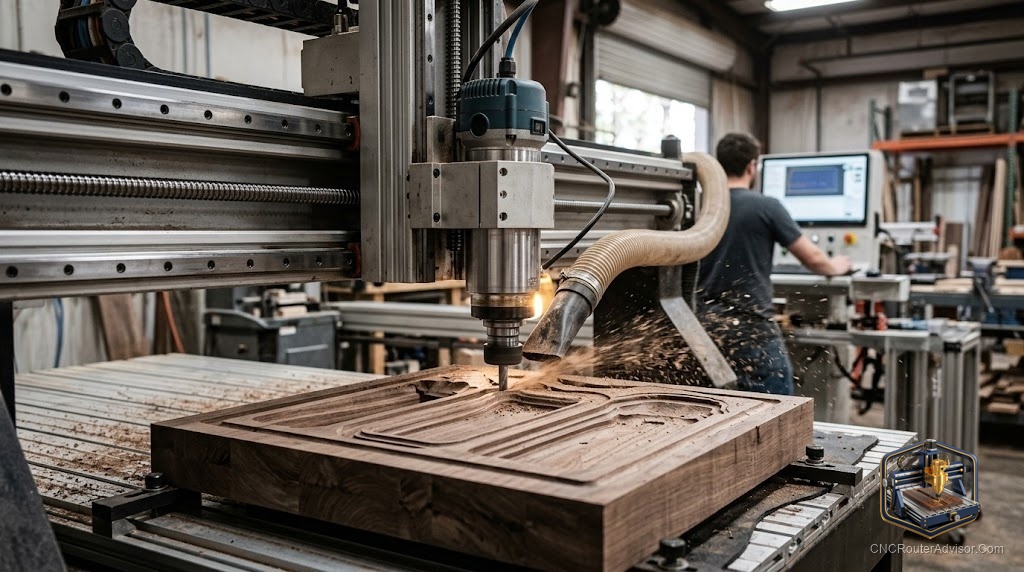
CNC router machining is the discipline of turning a programmed toolpath into a physical cut, and it is more than just pressing start. Every cut is governed by parameters: feed rate, spindle speed, depth of cut, stepover, and chip load, and those parameters interact with the material, the bit, and the machine in ways that determine whether the result is clean, rough, burned, or broken. Understanding the operations and the parameters behind them is what separates operators who get consistent results from those who guess at settings and accept whatever happens.
CNC router machining is the process of removing material from a workpiece using a CNC router, governed by machining operations (profiling, pocketing, engraving, drilling, 3D contouring) and machining parameters (feed rate, spindle RPM, depth of cut, stepover, and chip load) that determine cut quality, tool life, and machine safety.
Here is the direct framing: mastering CNC router machining means understanding the main operations and then setting the parameters for each operation correctly for the material and bit in use. The sections below cover the main operations, the key parameters, and the logic that connects them.
The main machining operations
CNC router machining produces physical objects through a defined set of operations. Profiling cuts a shape by following its outline, either as an inside cut (pocket or contour inside a shape), an outside cut (part cut from stock), or on the line. Pocketing removes material within a defined area to a set depth, creating a recessed pocket in the surface. Engraving and V-carving produce surface designs, lettering, and decorative marks using pointed and V-shaped bits. Drilling produces holes at precise positions using a plunge move. 3D contouring uses a ball-nose bit and a dense series of passes to produce smooth curved 3D surfaces. Understanding which operation the CAM software is generating for each toolpath is the foundation of setting its parameters correctly.
The key parameters and what they control
Feed rate is how fast the tool moves through the material (mm/minute or inches/minute). Too slow and the bit rubs and burns; too fast and it deflects or breaks. Spindle RPM controls how fast the bit rotates. Higher RPM suits softer materials; lower RPM suits harder ones. Depth of cut (axial depth, or DOC) is how deep each pass cuts. Shallower passes reduce stress on the bit and frame; deeper passes remove material faster. Stepover (radial engagement) applies to pocketing and 3D work: it is how much of the bit’s diameter engages the material on each pass. A tighter stepover produces a smoother surface but more passes. Chip load is the amount of material each flute removes per revolution, calculated from feed rate, RPM, and flute count. Correct chip load produces chips; wrong chip load produces dust (too light) or broken bits (too heavy).
Setting parameters for the material
The starting point for any new material is the manufacturer’s or community’s recommended chip load for the bit type and material combination. From chip load, you calculate feed rate as: chip load x RPM x flute count. Then set depth of cut conservatively (one times diameter for wood to start), run a test cut, and adjust based on what the chips and cut quality tell you. Burned wood means the feed is too slow or the RPM too high; rough edges mean the bit is deflecting (reduce depth or increase spindle speed). Learn to read the chips and the sound.
What the machine contributes to machining quality
The machine’s rigidity determines how well it holds the programmed path under cutting forces. A stiff frame with well-adjusted motion holds the tool where the program says; a flexible frame allows deflection that shows as dimension error, poor edge quality, and chatter. Machine quality sets a ceiling on machining quality that no amount of feed and speed optimization can exceed. A well-set-up machine with good parameters produces consistently good results; a poorly calibrated machine with perfect parameters still produces inconsistent ones.
For what a CNC router can do across materials, see our guide to what does a CNC router do.
Final verdict
CNC router machining is governed by a defined set of operations and parameters that interact predictably with material, bit, and machine. Learn the main operations and what each one requires, understand the key parameters and how to set them from chip load up, and read the chips and cut quality as feedback. Do those things and results improve systematically with experience. Treat settings as guesswork and results stay inconsistent, regardless of how good the machine or bits are.
FAQ
What is CNC router machining? The process of removing material using a CNC router, governed by machining operations (profiling, pocketing, drilling, 3D contouring) and parameters (feed rate, RPM, depth of cut, stepover, chip load).
What is chip load and why does it matter? Chip load is the amount of material each bit flute removes per revolution. Correct chip load produces actual chips; too low produces dust and heat; too high breaks bits. It is the foundation of feed and speed calculations.
What does feed rate affect in CNC machining? Feed rate controls how fast the tool moves through material. Too slow causes burning and rubbing; too fast causes deflection and breakage. It is set relative to spindle RPM and flute count to achieve the right chip load.
What is depth of cut in CNC routing? The axial depth (how deep) each pass cuts. Shallower passes reduce stress on the bit and frame; deeper passes remove material faster. A conservative starting depth is one times the bit diameter for wood.
What does stepover control? Stepover is the radial engagement per pass in pocketing and 3D work. A tighter stepover produces a smoother surface but requires more passes. For 3D carving, stepover directly controls surface resolution.
How do I know if my feeds and speeds are correct? Look at the chips: small, real chips are correct. Dust means the feed is too slow for the RPM. Rough edges or broken bits mean the parameters are too aggressive. Sound also signals correct cutting: steady and consistent, no chatter.
References
- Onsrud, chip load and feeds and speeds reference: https://www.onsrud.com
- Carbide 3D, machining parameters guidance: https://carbide3d.com
- Forest Products Laboratory, wood machining properties: https://www.fpl.fs.usda.gov