
CNC Router Feed and Speed Calculator: Inputs, Formulas, and Setup
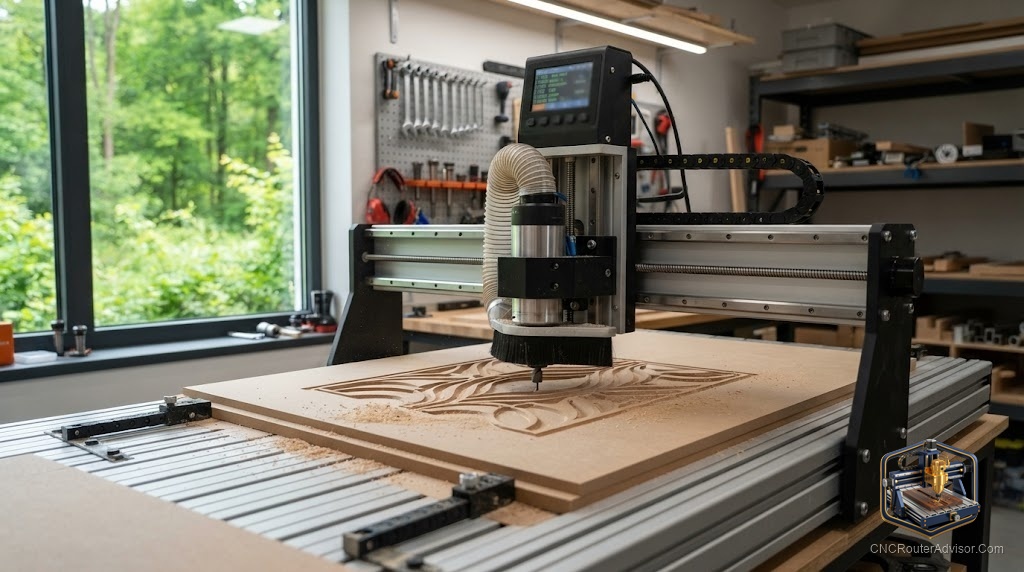
Most cutting problems, burned wood, snapped bits, melted plastic, chattering edges, trace back to one thing: feeds and speeds that were guessed instead of calculated. A feed and speed calculator turns that guessing into arithmetic. Once you understand the handful of numbers that drive it, you stop copying random settings off a forum and start dialing in cuts that work the first time, for your bit, your material, and your machine.
A CNC router feed and speed calculator takes a few inputs, spindle RPM, number of flutes, and target chip load, and returns the feed rate that keeps your cut in the sweet spot between rubbing and overloading the tool. The whole system rests on one relationship: chip load equals feed rate divided by RPM times the number of flutes. Learn that, and the rest is setup.
The core formula
Everything comes from a single equation rearranged three ways:
- Chip load = Feed rate / (RPM x number of flutes)
- Feed rate = RPM x number of flutes x chip load
- RPM = Feed rate / (number of flutes x chip load)
Chip load is the thickness of the chip each flute takes per revolution, and it is the number that actually matters. Too small and the bit rubs and heats. Too large and it overloads and breaks. The calculator exists to hit a target chip load by solving for feed rate, since RPM and flute count are usually fixed by your spindle and bit.
The inputs you provide
- Spindle RPM. Your spindle’s speed. Trim-router-style spindles often bottom out around 10,000 to 12,000 RPM, which forces higher feed rates to keep chip load reasonable. VFD spindles adjust over a wide range.
- Number of flutes. How many cutting edges the bit has. A single flute and a two flute bit at the same RPM and feed produce very different chip loads.
- Target chip load. Pulled from a chip-load chart for your bit diameter and material. This is the value you are aiming for.
- Tool diameter. Used to pick the right chip-load range and to sanity-check depth of cut.
Target chip load reference
Chip-load charts give a starting window by bit diameter and material. As a rough guide for common sizes:
- 1/8 inch bit: hardwood around 0.003 to 0.005 inch, softwood around 0.004 to 0.006 inch, acrylic around 0.003 to 0.005 inch.
- 1/4 inch bit: hardwood around 0.009 to 0.011 inch, softwood around 0.011 to 0.013 inch, aluminum around 0.005 to 0.007 inch.
- 3/8 inch bit: hardwood around 0.015 to 0.018 inch.
These are starting points, not gospel. Your machine’s rigidity sets how much of the range you can actually use.
Depth of cut, plunge, and stepover
The calculator handles feed rate, but three more settings finish the recipe:
- Depth of cut per pass. A common start is around half the bit diameter in wood, less on a light machine. Deeper passes need slower feeds.
- Plunge rate. Set plunge to roughly half your feed rate or less, since bits cut poorly straight down.
- Stepover. For surfacing and 3D, a smaller stepover gives a finer finish and longer run time. Very low stepovers thin the chip, so you can feed faster to compensate.
Setup workflow
- Look up the target chip load for your bit and material.
- Set your spindle RPM, keeping it modest for plastics and higher for small bits in wood.
- Solve feed rate = RPM x flutes x chip load.
- Set a conservative depth of cut and a plunge at half the feed or less.
- Cut a test piece, then adjust: burning means feed faster or slow the spindle, chatter or breakage means slow down or reduce depth.
The honest verdict
A feed and speed calculator is the single fastest way to stop wasting material and bits. It is not magic, it is one formula and a chip-load chart, and the numbers it gives are a starting point you refine with a test cut and your ears. Learn the chip-load relationship, respect your machine’s rigidity when choosing how hard to push, and treat the first calculated setting as a smart guess to verify, not a final answer. Do that and most of your cutting problems simply disappear.
Frequently asked questions
What is the feed and speed formula for a CNC router? Chip load equals feed rate divided by RPM times the number of flutes. Rearranged, feed rate equals RPM times flutes times chip load.
What is chip load? The thickness of material each flute removes per revolution. Too small and the bit rubs and overheats, too large and it overloads and can break.
What inputs does a feed and speed calculator need? Spindle RPM, number of flutes, target chip load from a chart for your bit and material, and tool diameter to pick the range and check depth of cut.
Where do I get target chip load values? From chip-load charts organized by bit diameter and material. They give a starting window, which your machine’s rigidity may narrow.
Why does my bit rub instead of cut? Your chip load is too low, usually because RPM is high and feed rate is low. Raise the feed or lower the RPM to make a proper chip.
What should my plunge rate be? Roughly half your feed rate or less. Bits cut poorly plunging straight down, so a slower plunge protects the tool and the cut.
How deep should each pass be? A common start is about half the bit diameter in wood, less on a light machine. Deeper passes require slower feeds to avoid overloading the bit.
Do the calculated numbers always work? They are a starting point. Cut a test piece and adjust by result and sound, since real rigidity, sharpness, and material vary from the chart.