
CNC Router Feed and Speed Calculator: Getting Both Numbers to Work Together
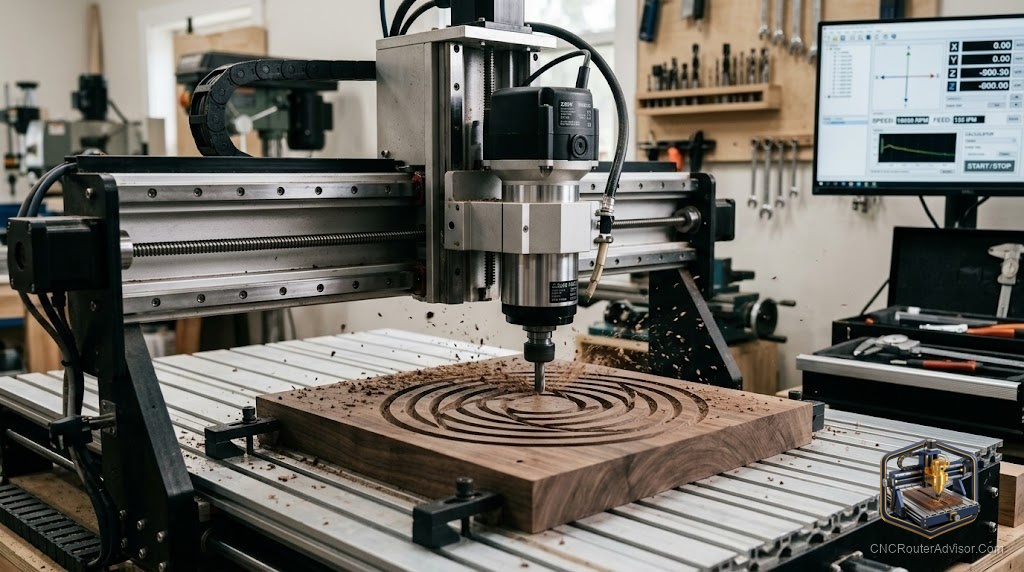
Feed and speed are the two dials that decide whether your CNC router cuts clean or ruins the part, and the trap is thinking about them separately. Speed without the right feed burns and rubs; feed without the right speed chatters and breaks bits. A feed and speed calculator exists to keep the two in balance, and learning to read it, rather than just copy its output, is what turns a nervous beginner into someone who can dial in any new bit or material with confidence.
A CNC router feed and speed calculator is a tool that computes both the spindle speed (RPM) and the feed rate together for a given bit and material, balancing them around a target chip load so the cutter removes material efficiently without burning, rubbing, or breaking. It treats the two settings as one linked problem rather than two separate guesses.
The direct answer before the detail: a feed and speed calculator takes your bit, material, and machine into account to recommend an RPM and a matching feed rate that keep chip load in the right range. It is a reliable starting point, not a final answer, because it cannot feel your machine’s rigidity or your bit’s real sharpness. Use it to set both numbers together, then fine-tune by the chips, the sound, and the finish. The sections below explain why the two must move together and how to adjust them as a pair.
Why feed and speed are one problem
The two settings are linked through chip load: chip load equals feed rate divided by (RPM times number of flutes). Change one number and the chip load shifts unless you change the other to match. That is why adjusting speed alone often makes things worse, raise the RPM without raising the feed and each cutting edge takes a thinner chip, rubbing instead of cutting and generating heat. A good calculator solves for both at once so the chip load lands where the tool wants it, which is the whole point of using one.
The inputs that matter
A feed and speed calculator typically wants the bit type and diameter, the number of flutes, the material, and often the machine class or a rigidity assumption. From a target chip load for that bit and material, it derives a recommended RPM and the feed rate that pairs with it. The single most important input is realistic chip load, drawn from the tooling manufacturer’s data, since both output numbers are built around it. Garbage chip load in, garbage settings out.
Turning the recommendation into proven settings
Start at the calculator’s paired RPM and feed, then observe. You want real chips, not powder (a sign of rubbing) and not oversized chips or chatter (a sign of too much feed or too little speed). Burning or a glazed edge usually means too much speed for the feed, so either slow the spindle or increase the feed. Adjust in small, deliberate steps, changing feed and speed with their relationship in mind, and record the settings that work. Over time you build a personal chart that beats any generic calculator for your exact tools.
For a focused look at just the feed-rate side of the equation, see our guide to the CNC router feed rate calculator.
Who should rely on a calculator, and how much
Beginners should lean on it heavily, since it prevents the classic burn-or-break mistakes and teaches how the two settings interact. Experienced users use it to ballpark new combinations fast. Nobody should treat its numbers as final on a light or unusual machine, where rigidity limits how aggressive you can be. The tool gets you close; your shop confirms the rest.
Final verdict
A CNC router feed and speed calculator keeps the two most important cutting settings in balance, solving for RPM and feed together around a sensible chip load. Respect it as a strong starting point rather than a verdict: it cannot know your machine’s stiffness or your bit’s condition. Feed it realistic chip-load data, begin at its paired recommendation, then refine both numbers as a linked pair using the chips, the sound, and the finish as your guide. Do that and you will confidently dial in any new bit or material. Adjust one setting in isolation, and you will rediscover why the two belong together.
FAQ
What does a feed and speed calculator do? It computes spindle speed (RPM) and feed rate together for a given bit and material, balancing them around a target chip load so the tool cuts efficiently without burning or breaking.
Why can’t I set speed and feed separately? Because they are linked through chip load. Changing one without the other shifts the chip load, often causing rubbing and heat or chatter and breakage. They must move together.
What is the chip load relationship? Chip load equals feed rate divided by RPM times the number of flutes. It is the value both settings are balanced around, and the key to keeping cuts clean.
What inputs does the calculator need? Bit type and diameter, number of flutes, material, and often a machine or rigidity assumption, plus a realistic target chip load from the tooling manufacturer’s data.
My cut is burning, what should I change? Burning usually means too much speed for the feed. Either slow the spindle or increase the feed rate so each edge takes a proper chip instead of rubbing.
Are calculator numbers final? No. They are a reliable starting point. Your machine’s rigidity and your bit’s condition mean you should fine-tune both numbers using the chips, sound, and finish.
References
- Onsrud, feeds, speeds, and chip load reference: https://www.onsrud.com
- Autodesk, feeds and speeds calculation fundamentals: https://www.autodesk.com
- Carbide 3D, feeds and speeds guidance for routers: https://carbide3d.com