
CNC Router and Laser: Running Both on One Machine, Without the Hype
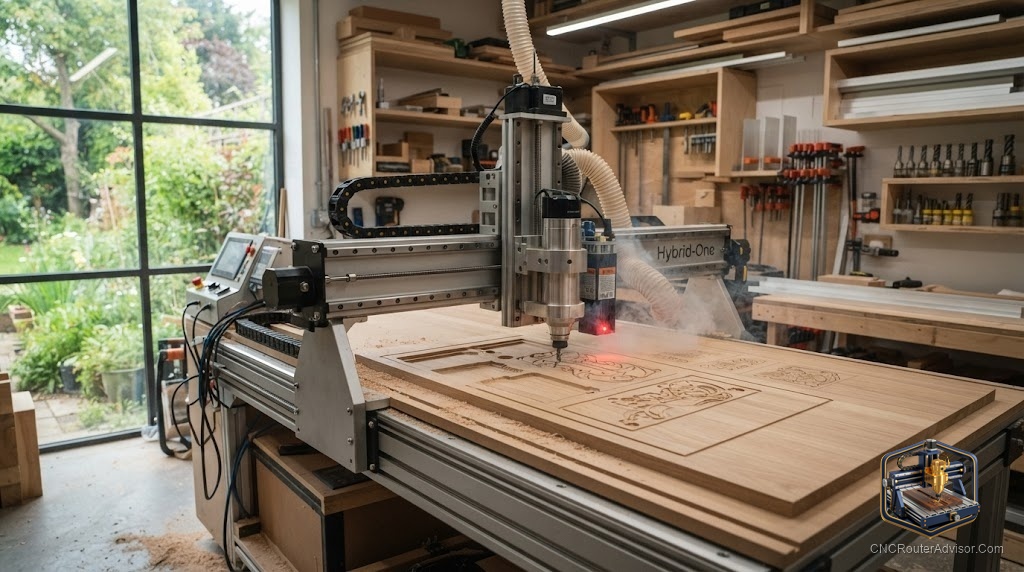
The pitch is seductive: one machine that routs and lasers, carving wood one hour and engraving photos the next. And it is real, most modern hobby CNC routers accept a laser module that bolts on in place of the spindle. But the two-in-one dream comes with real tradeoffs that the marketing tends to skip, and knowing them before you buy is the difference between a versatile shop and a frustrating compromise.
A CNC router and laser setup is a single CNC machine that can either rout with a spinning cutter or engrave and cut with an add-on laser module, swapping between the two by changing the tool head. Most hobby routers support this because both operations share the same motion system, controller, and G-code workflow.
Here is the straight answer: adding a laser module to a capable CNC router is one of the best-value upgrades in the hobby, and it works well for engraving and light cutting on wood, leather, acrylic, and similar materials. What it is not is a replacement for a dedicated laser cutter on speed or a metal-cutting laser. Verified laser modules and router machines that accept them are below. If you want both capabilities and can accept a manual head swap, a router plus laser module is a smart, space-saving combination.
Why one machine can do both
Routing and laser work share the same core: a gantry that moves in X and Y, a controller, and toolpaths. That is why a laser module can replace the router head and run from similar software. Routing removes material with a spinning bit and excels at depth, three-dimensional carving, and cutting thick stock. A laser burns or vaporizes a thin line and excels at fine surface engraving, detailed graphics, and cutting thin materials. They complement each other rather than compete.
Verified laser modules that add the capability
If you already own a compatible machine, a laser module is the direct path. The Genmitsu FL55P 5.5W fixed-focus laser module is a straightforward add-on for Genmitsu routers, good for engraving and light cutting on wood and plastic with a simple fixed-focus setup. For more cutting power, the Genmitsu 10W compressed-spot laser module with air assist steps up material range and cutting ability, with the air-assist nozzle improving edge quality.
The honest limits on both: diode laser modules engrave and cut wood, leather, acrylic, and similar materials, but they do not cut metal or glass, and they are slower than a dedicated laser cutter. Always confirm the module matches your specific machine’s mount and controller before buying. Who should skip a module: anyone whose laser needs are high-volume or metal, who should buy a dedicated laser instead.
A verified machine that welcomes a laser
If you are starting fresh, buy a router known to accept a laser cleanly. The FoxAlien Masuter Pro CNC router is an all-metal machine that FoxAlien supports with compatible laser modules, making the router-plus-laser path straightforward. Its tradeoff is the usual one: a compact work area and a trim-router spindle that is capable but loud. Who should skip it: buyers who need a large work envelope or who only ever want to laser, where a dedicated engraver fits better.
Living with a two-in-one workflow
The real-world catch is the head swap. Switching between router and laser means changing the tool head, refocusing, and often re-homing, so this is a machine you reconfigure between jobs rather than one that does both at once. For a hobbyist or small shop batching similar work, that is a minor chore. For high-volume mixed production, the swapping overhead adds up, and two dedicated machines may serve better.
For help choosing the underlying router itself, see our best CNC router for a small shop guide.
Final verdict
A CNC router and laser combination is a genuinely smart way to get two capabilities in one footprint, and for most hobbyists and small shops it is excellent value. Add a verified laser module like the Genmitsu 5.5W or 10W to a compatible machine, or start with a router such as the FoxAlien Masuter Pro that welcomes one. Just go in knowing the limits: diode lasers engrave and cut thin, non-metal materials, they are slower than dedicated cutters, and you will swap heads between modes. Accept those, and one machine really can do the work of two.
FAQ
Can a CNC router also run a laser? Most modern hobby CNC routers can, by swapping the spinning cutter for an add-on laser module. Both operations share the same motion system, controller, and G-code workflow.
What can a laser module cut and engrave? Diode laser modules engrave and cut wood, leather, acrylic, and similar materials. They do not cut metal or glass and are slower than a dedicated laser cutter.
Do I have to swap the head between router and laser? Yes. You change the tool head, refocus, and often re-home between modes, so the machine is reconfigured between jobs rather than doing both at the same time.
Will any laser module fit my router? Not necessarily. Confirm the module matches your machine’s mount and controller before buying. Manufacturers like Genmitsu and FoxAlien list modules compatible with their machines.
Is a router plus laser as good as a dedicated laser cutter? For occasional engraving and light cutting, it is excellent value. For high-volume or faster cutting, a dedicated laser cutter will outperform it.
Which is better for fine detail, router or laser? A laser excels at fine surface engraving and detailed graphics, while a router excels at depth, three-dimensional carving, and cutting thicker stock. They complement each other.
References
- SainSmart Genmitsu, laser module compatibility and specifications: https://www.sainsmart.com
- FoxAlien, laser module and machine compatibility: https://www.foxalien.com/collections/laser-engraver
- Genmitsu, laser module product information: https://genmitsu.com