
CarveWright CNC Router: How This Machine Thinks Differently
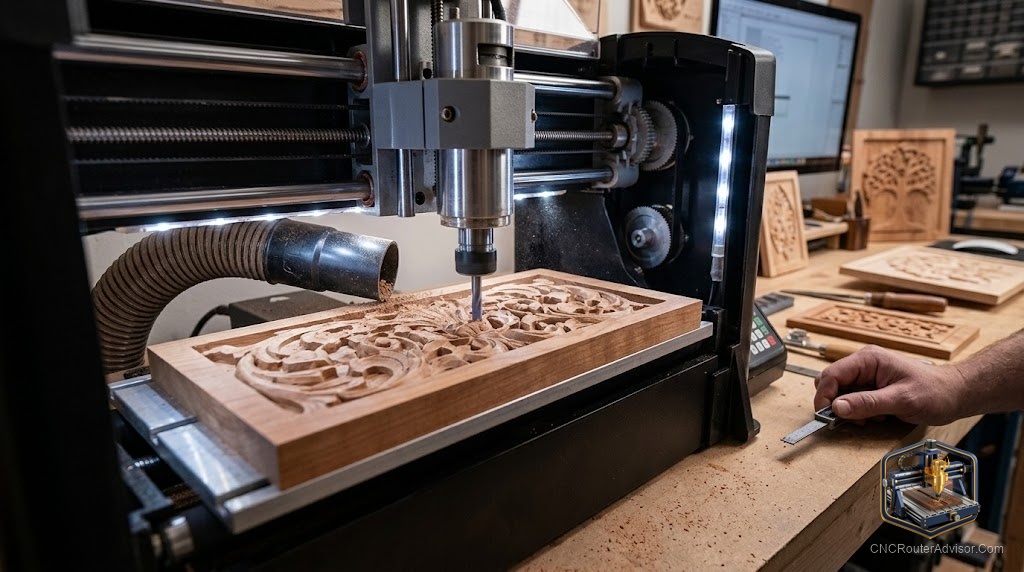
Most CNC routers ask you to clamp a workpiece to a flat bed and let a gantry roam over it. The CarveWright does something else entirely: it feeds the board through the machine like a planer, carving as the material moves. The first time you see it work, it looks less like a CNC router and more like a printer for wood. That unusual approach is exactly why people either love it or find it puzzling, and it shapes everything about what the machine is good at.
A CarveWright CNC router is a self-contained carving machine that feeds boards through a fixed carving head on a conveyor-style system, rather than moving a gantry over a stationary workpiece. It is designed for carving signs, plaques, and decorative woodwork with a compact, all-in-one footprint.
Here is the honest overview: the CarveWright is a specialist, not a general-purpose CNC. It shines at feeding and carving long boards for signs and decorative work in a small footprint, and it trades away the flexibility of a flat-bed gantry machine to do it. If your work is boards and signs, it is worth understanding. If you need a flexible flat-bed machine for varied parts, it probably is not your tool. Because CarveWright is sold and supported through its own channels, confirm current models, software, and support directly with the manufacturer.
The feed-through design, and what it changes
Feeding the board through the machine is the defining trait. It lets a compact machine carve boards longer than its own body, which is a real advantage for sign makers working with long stock. It also keeps the footprint small compared to a flat-bed machine with an equivalent carving length.
The tradeoff is flexibility. A feed-through system is optimized for board-shaped stock moving in one direction, so it is less suited to arbitrary flat parts, nesting many small pieces, or workholding oddly shaped material. You are buying a machine tuned for a specific kind of work, and that focus is both its strength and its limit.
Software and workflow: a closed, guided path
CarveWright pairs its hardware with its own design software and workflow, which lowers the entry barrier for people who do not want to assemble a CAD/CAM pipeline from separate tools. That guided approach is friendly for beginners focused on signs and plaques.
The flip side is that a closed ecosystem gives you less freedom than open, GRBL-based machines that run a wide range of third-party software. If you value being able to swap software and lean on a large open community, weigh that against the convenience. Confirm the current software and support terms with the manufacturer, since these define the day-to-day experience.
What it is genuinely good at
Signs, plaques, decorative panels, and repeatable carved woodwork are the CarveWright’s home turf. The feed-through system and guided software make it approachable for a small sign business or a hobbyist focused on carving rather than on cutting varied parts. Within that lane, the all-in-one design is convenient and space-efficient.
Who should skip a CarveWright
Skip it if you need a flexible flat-bed machine for cabinet parts, nested cutting, aluminum, or a wide variety of workholding situations. Those jobs are better served by a gantry machine. Also weigh the closed software ecosystem if being able to run your choice of CAD/CAM matters to you.
If a flat-bed gantry machine sounds closer to your needs, our best CNC router for a small shop guide covers verified, flexible options.
Final verdict
The CarveWright is a genuinely different kind of machine, and its feed-through, guided-software design makes it a friendly specialist for signs, plaques, and decorative carving in a small footprint. That same focus is why it is not the machine for varied flat-bed work or metal. Decide by your work: if you carve boards and signs and value an all-in-one, approachable system, it earns a look, and you should confirm the current model, software, and support directly with the maker. If you need flexibility across many part types, a gantry router will serve you better.
FAQ
What is a CarveWright CNC router? It is a self-contained carving machine that feeds boards through a fixed carving head, rather than moving a gantry over a stationary workpiece. It is built for carving signs, plaques, and decorative woodwork.
How is a CarveWright different from a normal CNC router? Most CNC routers move a gantry over a clamped workpiece on a flat bed. The CarveWright feeds the board through the machine like a planer, which allows a compact machine to carve long boards.
What can a CarveWright make? Signs, plaques, decorative panels, and repeatable carved woodwork are its strengths. It is optimized for carving board-shaped stock rather than cutting a wide variety of flat parts.
Does it use its own software? Yes, CarveWright pairs its hardware with its own design software and guided workflow, which is beginner-friendly. Confirm the current software and support details with the manufacturer.
Can a CarveWright cut metal? It is designed for wood carving and decorative work, not metal. For metal cutting, a rigid all-metal gantry machine is the appropriate tool.
Who is the CarveWright best for? Small sign businesses and hobbyists focused on carving boards, signs, and plaques who value an all-in-one, approachable machine with a small footprint.
References
- CarveWright, official machine and software information: https://www.carvewright.com
- Carbide 3D, flat-bed gantry CNC comparison reference: https://shop.carbide3d.com/collections/4x4-cnc-router
- GRBL project documentation (open controller ecosystem reference): https://github.com/gnea/grbl/wiki