
Best CNC Router for Beginners: Features to Compare Before You Buy
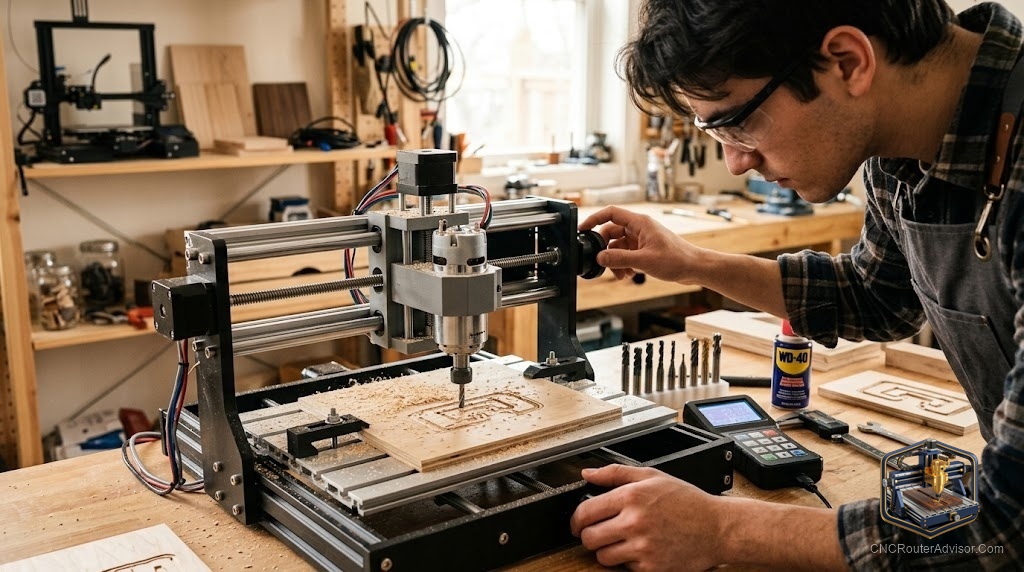
There is no single best CNC router for beginners, and any list that pretends otherwise is skipping the important part. The best machine for someone carving small jewelry pieces on a desk is not the best machine for someone cutting cabinet doors in a garage. What actually helps is knowing which features to compare, so you can match a machine to your projects, space, and budget instead of chasing someone else’s pick.
This guide focuses on the comparison itself: the specific attributes that separate beginner machines from one another, and how to weigh them for your situation. Understand these, and the shortlist of well-regarded beginner machines sorts itself into an obvious choice for you.
Short answer: the best beginner CNC router is the one that matches your project size, cuts your intended materials, runs software you can learn, and has a large support community, all on a frame rigid enough for clean cuts. Compare work area, frame and drive, spindle power, software, and support side by side, and the right machine for you becomes clear.
The comparison framework
Use these five factors to line up any beginner machines against each other.
1. Work area vs your projects
Start here, because it filters the field fastest. List the largest thing you realistically want to cut in the next year.
- Small parts, jewelry, PCBs, and learning: a desktop machine is ideal and cheapest.
- Signs, cabinet parts, mid-size carvings: a 2 by 4 foot machine.
- Full sheets and production: a large-format machine.
Buying much larger than your projects wastes money and floor space.
2. Frame and drive rigidity
Rigidity determines cut quality and how fast you can work. Compare:
- Frame: steel and heavy aluminum frames beat light aluminum and plastic for stiffness.
- Motion: linear rails are stiffer than V-wheels.
- Drive: ball screws offer precision, lead screws are a solid middle ground, belts are fine for light work but flex, and rack and pinion favors speed on larger machines.
Between two otherwise similar machines, the more rigid one is the better long-term buy.
3. Spindle or router power
Match the cutter to your materials. A trim router handles wood and plastic well. A VFD spindle costs more but runs quieter, holds torque at low RPM for aluminum, and lasts longer on long jobs. If metal or long runs are in your future, weigh spindle capability heavily.
4. Software and workflow
You need a smooth path from design to cutting. Compare whether a machine includes or pairs cleanly with well-documented software, and whether that software fits the work you want. A friendly, widely-used software stack removes much of the early frustration.
5. Support and community
The factor beginners underrate most. A big user base, active forums, and responsive support mean fast answers when you get stuck, which you will. Between two machines, the one with the larger community is usually the safer beginner choice.
Comparison at a glance
| Factor | Favors desktop machine | Favors larger machine |
|---|---|---|
| Project size | Small parts, learning | Signs, cabinets, sheets |
| Budget | Lower | Higher |
| Space | Minimal | Dedicated shop |
| Materials | Wood, plastic, light metal | Wood, plastic, aluminum |
| Upgrade path | Limited | Room to grow |
How to make the call
Work top to bottom. Size the machine to your projects, then among machines that fit, pick the most rigid frame and drive you can afford, confirm the spindle suits your materials, check the software is learnable, and finally weigh the support community. The machine that scores well across all five, not just on one flashy spec, is your best beginner router.
The bottom line
The best CNC router for beginners is a match, not a model. Compare work area, frame and drive rigidity, spindle power, software, and support against your own projects and budget, and one machine will stand out for your needs. Resist buying on a single spec or someone else’s favorite. The right first machine is the one you will understand, use, and get help with.
FAQ
What is the single best CNC router for beginners? There is not one. The best machine depends on your project size, materials, budget, and space. Compare the key features against your needs.
What should I compare first? Work area against the largest thing you plan to cut. That filters the field faster than any other factor.
How much does rigidity matter for a beginner? A lot. A rigid frame and drive give cleaner cuts and less frustration, and the difference grows as your skills improve.
Do I need a spindle to start? Not necessarily. A trim router handles wood and plastic. Choose a spindle if aluminum or long production runs are in your plans.
Does software come with the machine? Sometimes. Compare whether a machine bundles or pairs with well-documented software that fits your intended work.
Why compare community support? Because a large user base means nearly every problem has a known solution, which keeps you unstuck as a beginner.
Should I buy the biggest machine I can afford? No. Size the machine to your projects with a little room to grow. Overbuying wastes money and space.
References
- CNCRouterInfo, best CNC router for beginners: https://cncrouterinfo.com/routers/best-cnc-router-for-beginners/
- WorkshopCalc, best CNC routers guide: https://workshopcalc.com/guides/best-cnc-routers