
Beginner CNC Router Guide: Features, Specifications, and Buying Considerations
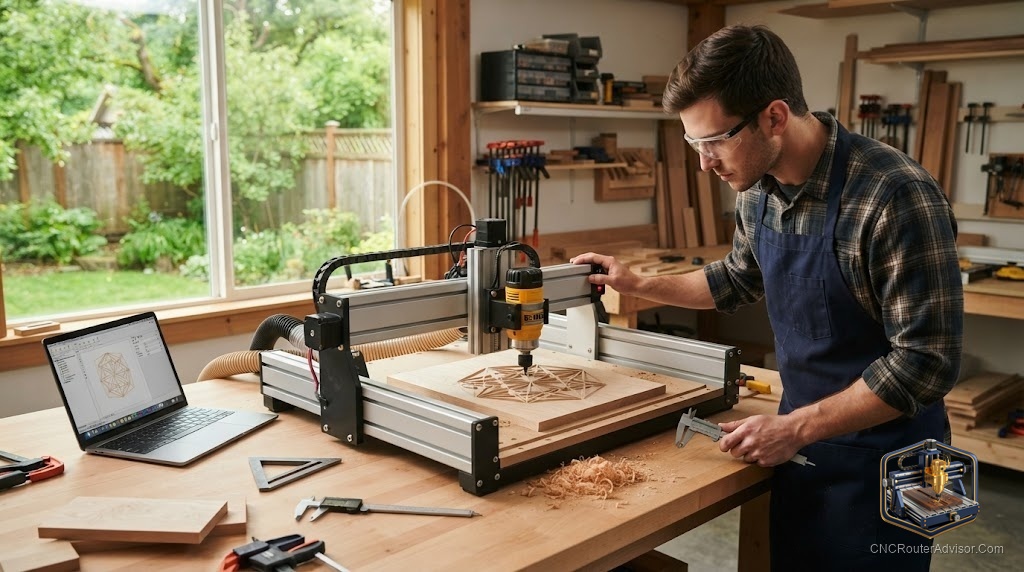
The hardest part of buying a first CNC router is that you do not yet know what you do not know. Every listing shouts about work area and spindle watts, forums argue about drive systems, and it is easy to spend either too little on a machine that frustrates you or too much on features you will never use. The good news is that a handful of features truly separate a good beginner machine from a bad one, and once you know them, the choice gets much simpler.
A beginner CNC router is a machine chosen for a first-time user, balancing ease of setup, a forgiving learning curve, adequate capability, and strong support, over raw power or size. The best beginner machines get you cutting quickly, teach good habits, and have enough community and documentation behind them that you are never stuck alone with a problem.
Short answer: for most beginners, the right machine has a rigid frame, a work area matched to your projects, a spindle or router with enough power for your materials, well-documented software, and above all a large user community and good support. Prioritize support and rigidity over headline size and watts. A well-supported smaller machine beats an unsupported big one every time.
The features that actually matter
Rigidity. A stiff frame is the foundation of every good cut. Machines with steel or heavy aluminum frames, linear rails, and a solid gantry flex less, which means cleaner cuts and less frustration. Flexible V-wheel frames are cheaper and fine for light work but limit what you can do as you improve.
Work area. Match the bed to the projects you actually plan to make, plus a little room to grow. Desktop machines suit small parts, jewelry, and PCBs; a 2 by 4 foot machine covers signs and cabinet parts; full-sheet machines are for production. Buying far bigger than you need wastes money and space.
Spindle or router power. A mounted trim router is common and fine for wood and plastic on entry machines. A VFD spindle costs more but runs quieter, holds torque better, and lasts longer, and it matters if you plan to cut aluminum or run long jobs.
Drive system. Lead screws and ball screws offer precision on smaller machines; belt drives are common on budget units and are fine for light work but flex under load; rack and pinion appears on larger machines for speed. For a first machine, a solid lead-screw or ball-screw setup is a safe bet.
Software ecosystem. You need a path from design to toolpath to cutting. Machines with clear, well-documented software, and ideally a bundled or widely-used package, remove a huge amount of early friction.
Community and support. This is the feature beginners underrate most. A machine with a big user base, active forums, and responsive support means every problem you hit has already been solved by someone. That support net is worth more than an extra inch of travel.
Popular beginner machines
Several machines have earned strong beginner reputations for different reasons:
- Genmitsu 3018 PROVer and similar desktop machines: cheap, small, and great for learning fundamentals.
- Sienci LongMill MK2 and BobsCNC Evo 4: affordable larger-format machines with helpful communities.
- Shapeoko and X-Carve: well-supported mid-range machines with huge user bases.
- Onefinity Woodworker: a rigid, ball-screw machine that is beginner-friendly yet capable.
- Carbide Nomad 3: an enclosed desktop machine strong for small precise parts.
Each fits a different budget, space, and ambition, but all share the thing that matters most: documentation and community.
Common beginner mistakes to avoid
- Buying the biggest machine you can afford instead of the one that fits your projects.
- Chasing spindle watts while ignoring frame rigidity.
- Overlooking software and support, then getting stuck with no help.
- Underestimating dust collection and workholding, which shape your daily experience.
The bottom line
A good beginner CNC router is the one that gets you cutting confidently and keeps you unstuck. Prioritize a rigid frame, a work area sized to your real projects, enough spindle power for your materials, clear software, and a strong support community. Nail those and the specific brand matters less than you think. Skip the temptation to overbuy on size and power; the machine you understand and can get help with is the one you will actually use.
FAQ
What is the most important feature in a beginner CNC router? A combination of frame rigidity and strong community support. Rigidity gives good cuts; support keeps you unstuck while you learn.
How big should my first machine be? Match the work area to the projects you plan to make, with a little room to grow. Do not overbuy on size you will not use.
Do I need a spindle or is a router fine? A trim router is fine for wood and plastic on entry machines. A VFD spindle is worth it for aluminum, long runs, and quieter operation.
Which drive system is best for beginners? Lead screws or ball screws offer good precision on smaller machines. Belt drives work for light work; rack and pinion suits larger machines.
Is an assembled or kit machine better to start? Either works. Kits teach you the machine and cost less; assembled machines get you cutting sooner. Choose based on your patience and interest.
What can I make as a beginner? Signs, engravings, small parts, inlays, and simple 3D carvings, expanding as your skills and confidence grow.
Why does community support matter so much? Because nearly every problem you hit has been solved before. A large user base and active forums mean fast answers and fewer dead ends.
References
- CNCRouterInfo, best CNC router for beginners: https://cncrouterinfo.com/routers/best-cnc-router-for-beginners/
- WorkshopCalc, best CNC routers guide: https://workshopcalc.com/guides/best-cnc-routers