
Genmitsu Cubiko CNC Router: An Honest Look at the Enclosed Desktop Machine
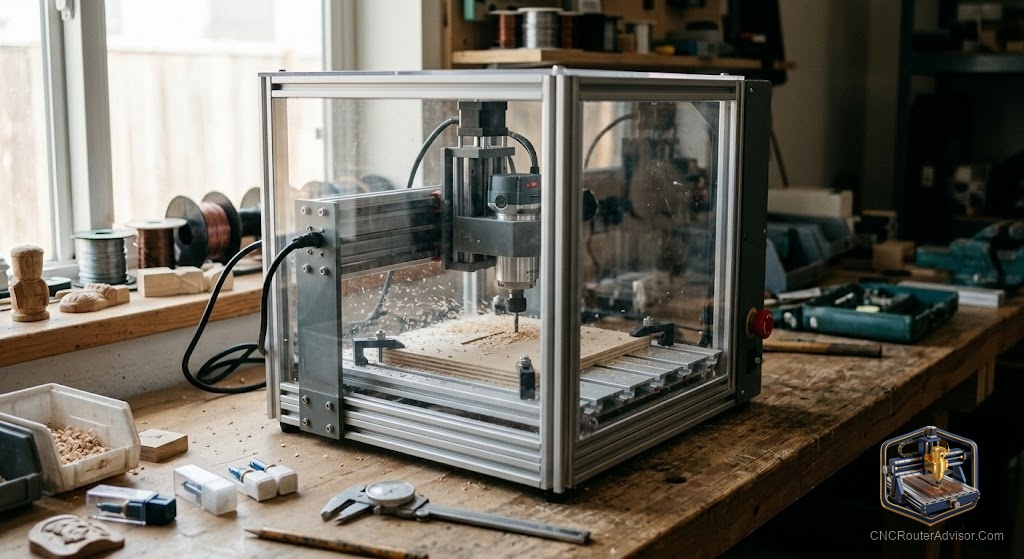
Most desktop CNC routers ask you to choose: get a cheap open machine that showers your workspace in dust and noise, or spend far more for something enclosed and refined. The Genmitsu Cubiko is SainSmart’s attempt to collapse that choice: an affordable, fully enclosed desktop CNC aimed at beginners, classrooms, and anyone who wants to make small parts without turning their room into a woodshop.
What the Cubiko actually is
Built around a work area of roughly 150 by 110 by 40 millimeters (about 5.9 by 4.3 by 1.6 inches). The enclosure and all-metal construction are the headline features:
- Enclosed all-metal frame containing dust and noise.
- Ready to use out of the box, no assembly.
- Automatic Z-probing and height mapping for depth setting and surface compensation.
- Flexible control: PC, built-in control panel, or Genmitsu mobile app with WiFi.
- Multi-function: milling, engraving, and with modules: laser work, drawing, polishing.
- Software support: Fusion 360, Easel, Candle, and Carveco.
- A modest spindle around 10,000 RPM.
- 4th axis option available.
Cuts wood, acrylic, PCBs, and soft or light metals like thin aluminum.
What it does well
- The enclosure is the star. Containing chips and dampening noise makes it far more pleasant indoors.
- Ease of setup. No assembly and automatic Z-probing remove two of the biggest beginner frustrations.
- PCB and small-part work. Auto height mapping suits PCB milling; the small envelope suits electronics and engraving.
- Learning and teaching. Safety of enclosure plus simplicity makes it sensible for education.
The honest flaws
- Rigidity. A small light desktop machine. The frame can flex; aluminum is a stretch for serious work, light-duty only.
- Small work area. Rules out anything approaching a decent-sized sign or panel.
- Modest spindle. Shallow passes and patience in harder materials.
- Entry-level ceiling. Excellent first machine, poor last one.
Who should buy it, and who should skip it
Buy it if you: want an enclosed tidy machine for home or classroom; are a beginner who values ready-to-run simplicity; do PCB milling, small engraving, or jewelry.
Skip it if you: want to make signs or medium-to-large projects, consider the Genmitsu PROVerXL 4030 V2 instead; plan to cut real aluminum regularly; want a machine you will not outgrow quickly.
The bottom line
The Cubiko succeeds at exactly what it sets out to do: make CNC approachable, tidy, and safe for beginners and small-part makers. Its flaws, limited rigidity, small work area, and modest spindle, are the honest cost of that compact design. Buy it for PCBs, engraving, and small projects. If your ambitions run to signs or real metalwork, buy a larger machine.
Find current details on the Genmitsu Cubiko listing and the manufacturer’s Cubiko page.
Frequently asked questions
What can the Cubiko cut? Wood, acrylic, PCBs, and soft or light metals. Best for small parts, PCB milling, jewelry, and engraving.
What is the work area? About 150 by 110 by 40 millimeters (5.9 by 4.3 by 1.6 inches). Too small for signs or medium-to-large projects.
Can it cut aluminum? Light-duty engraving and milling only. Limited rigidity means serious metal work is a stretch.
Does it need assembly? No. Runs out of the box with automatic Z-probing.
What software does it work with? Fusion 360, Easel, Candle, and Carveco, via PC, panel, or Genmitsu app over WiFi.
Is it good for beginners? Yes. Enclosure, ready-to-run setup, and app control make it approachable.
How does it compare to the PROVerXL? Cubiko adds an enclosure in a small package; PROVerXL adds real work area and ball-screw rigidity.
References
- SainSmart / Genmitsu, Cubiko product specifications and feature documentation.