
CNC Router Files: Where to Get Them and How to Use Them
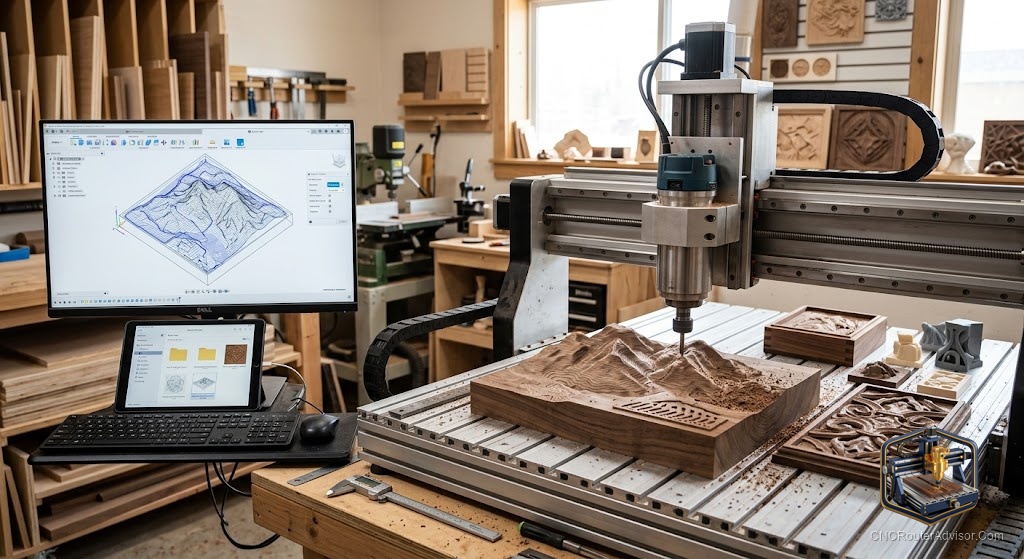
One of the quiet joys of owning a CNC router is that you do not have to design everything yourself. A whole world of ready-made files exists, from free community designs to professional project packs, and using them well is the fastest way to fill your early weeks with successful cuts. But files are not plug-and-play magic. The wrong format, a mismatched scale, or settings meant for another machine can turn a beautiful design into a failed cut, so knowing how to source and prepare files matters as much as finding them.
This guide covers where CNC router files come from, which formats do what, and how to take a downloaded file safely to a finished part.
What CNC router files are
CNC router files are the digital designs that tell your machine what to make. In practice the term covers a few different things: vector design files that define shapes, 3D models for relief carving, and the toolpaths or G-code that actually drive the router across its X, Y, and Z axes. Understanding which kind of file you have is the first step, because a design file still needs toolpaths generated in your software, while a G-code file is ready to run but only on a matching machine.
Most shared files are design files rather than finished G-code, which is a good thing, because it means you control the tool, feeds, speeds, and depths for your own machine and material. Treating a downloaded design as a starting point you finish in your own software, rather than a finished program, is the mindset that keeps downloaded files from becoming failed cuts.
The short answer
Get CNC router files from reputable design marketplaces, maker communities, and free repositories, then always prepare them in your own CAM software for your machine and material. Prefer editable vector or model files over ready-made G-code, check the scale and dimensions, generate your own toolpaths, and simulate before cutting. That workflow turns almost any good design into a clean part.
A forgiving machine makes learning this workflow easier. A proven starter like the Genmitsu 3018-PROVer V2 pairs well with downloaded designs while you learn to prepare them: Check on Amazon
Common file types and what to do with them
| File type | What it is | What you do with it |
| SVG | Vector shapes | Import, then generate toolpaths |
| DXF | Vector drawing (CAD) | Import, then generate toolpaths |
| STL / model | 3D shape for relief | Generate 3D toolpaths in CAM |
| Native project | Software-specific design | Open in that program, adjust, cut |
| G-code | Ready toolpaths | Run only on a matching machine, verify first |
Where good files come from
Files range from free to professional. Community sites and free repositories offer countless designs for signs, decorations, and projects, ideal for practice and inspiration. Design marketplaces sell higher-quality and more complex files, often with the professional finish that justifies paying. Software makers and machine communities also share files tuned to their ecosystems. Wherever you source them, favor reputable places with previews, dimensions, and reviews, since a well-documented file is far easier to use than a mystery download. Free is great for learning, and paid earns its cost when quality and complexity matter.
Preparing a downloaded file safely
The step people skip, and regret, is preparing the file for their own machine. Start by checking the scale and dimensions, since a design can import at the wrong size and quietly ruin your stock. Import the design into your CAM software and generate your own toolpaths using the tool, feeds, speeds, and depths right for your machine and material, rather than trusting settings baked in for someone else’s setup. Choose bits that suit the detail, often a V-bit for lettering and a ball-nose for relief. Then simulate the toolpath and watch the virtual tool move, which catches scale and depth mistakes while they are still free to fix. Only then cut.
The G-code caution
Ready-made G-code is tempting because it looks like a shortcut, but it is the riskiest file type to trust blindly. G-code is written for a specific machine, tool, and material, with specific feeds, speeds, and origin assumptions, so running someone else’s G-code on your machine can crash the tool, cut the wrong depth, or damage the part. Unless you know the G-code was made for a machine like yours, treat it as a reference and generate your own from the design instead. Your machine’s safety and your material are worth the extra few minutes.
Who should be cautious with files
Be cautious with downloaded files if you are brand new, not because you should avoid them, but because you should prepare them yourself rather than running unknown G-code. Be cautious too with files that lack dimensions or previews, since a mystery file often costs more time than it saves. And if a file’s license restricts commercial use, respect it when you sell your work. For everyone, the rule is the same: use files freely, but finish them in your own software for your own machine.
The verdict
CNC router files are one of the best parts of the hobby, giving you a world of designs to cut without drawing everything yourself. Source them from reputable communities and marketplaces, prefer editable vector and model files over ready-made G-code, and always prepare them in your own CAM software, checking scale, generating your own toolpaths, and simulating before you cut. Do that, and almost any good design becomes a clean, successful part on your machine. Files are a starting point you finish, not a shortcut you trust blindly, and that mindset keeps every download on the path to a great result.
Download generously, prepare carefully, and your library of files becomes a library of finished projects.
Frequently asked questions
Where can I get CNC router files? From free community repositories and maker sites, and from design marketplaces for higher-quality or complex files. Favor reputable sources with previews, dimensions, and reviews.
What file formats do CNC routers use? Commonly SVG and DXF vector files, STL and other 3D models for relief, native project files for specific software, and G-code for ready toolpaths.
Can I just run downloaded G-code? Only if it was made for a machine like yours. G-code assumes a specific machine, tool, and material, so running unknown G-code risks crashes and ruined parts.
How do I use an SVG or DXF file? Import it into your CAM software, check the scale, then generate your own toolpaths with the right tool, feeds, and speeds for your machine and material.
Why did my downloaded file cut at the wrong size? The design likely imported at the wrong scale. Always check dimensions after importing and before generating toolpaths, then simulate to confirm.
Are free CNC files good enough? Many are excellent for practice and real projects. Paid files earn their cost with higher quality and complexity, but free files are ideal for learning.
References
- CNCRouterInfo, how to choose a CNC router: https://cncrouterinfo.com/guides/how-to-choose-a-cnc-router/
- CNC Dad, best CNC router for beginners: https://www.cnc-dad.com/blog/best-cnc-router-for-beginners/