
Avid CNC Router Price Guide: Costs, Features, and Buying Factors
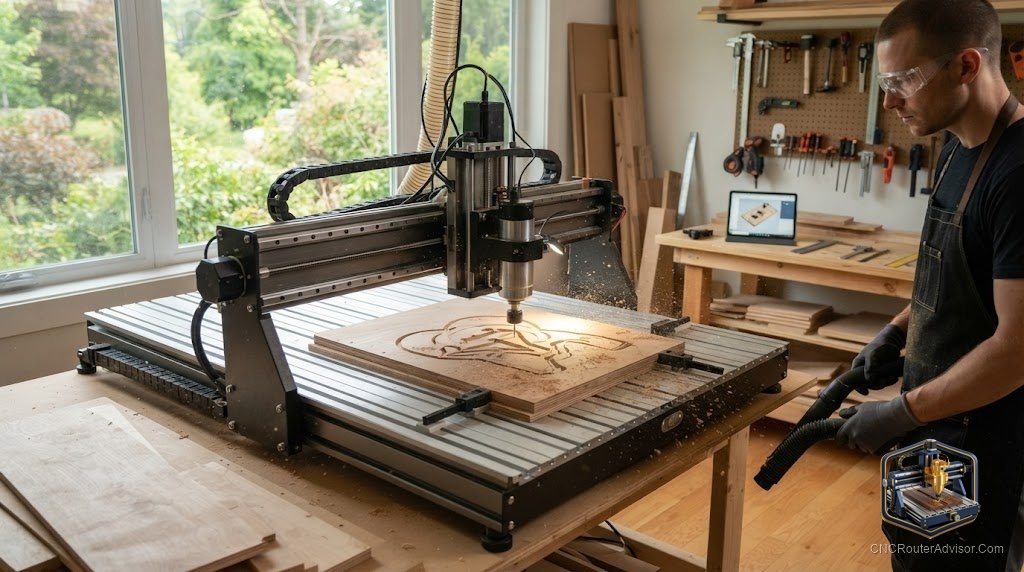
When you’re pricing an Avid CNC router, a single number won’t help you much - these are configurable, factory-direct kits, and the total depends heavily on what you choose. What genuinely helps is understanding the cost drivers so you can read a configuration intelligently and budget for the whole picture. Here’s how to think about the investment.
Why Avid pricing is a configuration, not a sticker
Avid CNC (formerly CNC Router Parts, based in Washington) sells factory-direct as configurable DIY assembly kits. You pick the machine size and options, and the price reflects those choices - so the smart approach is to understand what moves the number, then get a current quote from Avid’s configurator for your exact build. Because prices shift with configuration and over time, a fixed figure would be misleading; cost factors are what stay useful.
What drives the machine cost
The things that make an Avid capable are the same things that set its price:
- Size. The jump from a PRO4848 (4’×4’) to a PRO4896 (4’×8’) to a PRO60120 (5’×10’) is the biggest single driver - more travel means more structure, longer rack-and-pinion, and bigger everything. The smaller Benchtop line costs less.
- Spindle choice. A trim router costs far less than a water-cooled VFD spindle, which adds power, quiet, and runtime.
- Motors and electronics. The standard configuration uses larger NEMA-class steppers; motor and driver choices affect cost.
- Control and software. The CNC12 control package and any control upgrades.
- Options. Limit switches, a Z-probe, dust collection, and accessories all add up.
The costs beyond the kit
Budget realistically - the kit is only part of the total:
- Assembly time. It’s a DIY kit; your time to build and tune it is a real (if non-cash) cost.
- A computer and software. To run the control and your CAM.
- Dust collection. Essential for a machine this size.
- Workholding. A spoilboard, clamps, or vacuum setup.
- Tooling. A working set of quality bits from day one.
- Shop space and power. A full-size PRO needs real space and appropriate electrical service.
How to evaluate the investment
- Buy the size you’ll grow into - within reason. Bigger costs more and eats more space; oversizing “just in case” is a common budget mistake.
- Compare like-for-like. When weighing options, normalize for spindle, control, and accessories - a bare kit and a fully equipped one are very different totals.
- Factor support. Direct manufacturer support and documentation are part of the value of buying new.
- Think total cost. Kit plus spindle, computer, dust, workholding, and tooling - build the real number before deciding.
Lower-cost, ready-to-run alternatives
If an Avid’s size and price are more than you need, complete desktop machines get you cutting for less and without a kit build:
- The Genmitsu 3020-PRO MAX V2 is an affordable, ready-to-run desktop machine.
- The all-metal AnoleX 3030-Evo Max adds aluminum-capable rigidity.
- For larger spindle-driven work, the OCASAMI 6090 or Axiscreat A6060.
The bottom line
Avid CNC pricing is best understood as a system cost driven by size, spindle, motors, control, and options - plus the assembly time, computer, dust collection, workholding, and tooling that make it productive. Get a current quote for your exact configuration, budget the whole picture, and buy the size you genuinely need. And if that total is more than your work requires, a complete ready-to-run machine is a smart, lower-cost path.
Frequently asked questions
How much does an Avid CNC router cost? It’s configured and quoted factory-direct, so the price depends on size, spindle, motors, and options. Use Avid’s configurator for a current quote for your exact build rather than relying on a fixed figure.
What’s the biggest cost driver? Machine size - moving up from a 4’×4’ to a 4’×8’ to a 5’×10’ machine - followed by spindle choice.
What hidden costs should I plan for? Assembly time, a computer and software, dust collection, workholding, tooling, and adequate shop space and power.