
What Is a CNC Router? How It Works, What It Costs, and What It Can Make
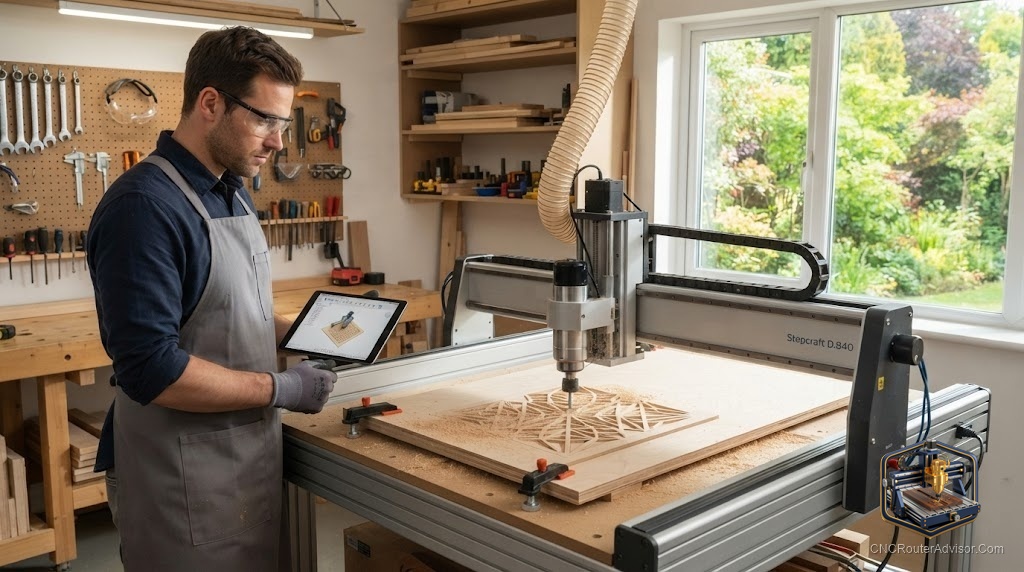
Ask ten people what a CNC router is and you will get answers that range from “a 3D printer that cuts” to “an industrial thing I could never use.” Both miss it. The clearest way to understand a CNC router is to watch what it replaces: the steady hand, the router jig, the hours of careful tracing. The machine takes the part of the work that rewards precision and patience, and does it the same way every time, while you go do something more useful.
A CNC router is a computer-controlled machine that guides a spinning cutting tool along three axes (X, Y, and Z) to carve and cut sheet materials such as wood, acrylic, foam, and soft metals. CNC means Computer Numerical Control: a controller follows numeric coordinates from a file and moves motors to those positions with far more precision than a human hand can hold.
Here is the direct answer most people are really after. A CNC router is worth it when you need repeatability, precision, or both. If you will make a shape once and never again, hand tools may be faster. If you will make it ten times, or it has to be exact, the router wins and keeps winning.
The workflow, in the order you will actually do it
Running a CNC router is a chain of four steps, and the machine is only the last link.
First you draw the part, in CAD software or directly in a CAM program. Then you assign toolpaths: which bit, how fast, how deep, climb or conventional direction. The software exports G-code, a text file of coordinate moves. Finally the machine’s controller reads that code and drives the motors, while the spindle or router spins the bit through the material you have clamped down.
Miss any link and the machine sits idle. This is the part beginners underestimate: the router is easy, the toolpaths and the workholding are the craft.
What is happening mechanically
Three systems decide how a router performs. The motion system moves the gantry. The cutting head removes material. The control system tells both what to do.
Motion systems separate cheap from capable. Belt-and-wheel machines are quiet and forgiving, and belts flex a little under load, so heavy cuts can chatter. Lead screws tighten that up. Ball screws on hardened linear rails are the stiff, precise end of the scale, and they add cost and weight, which is exactly what buys the rigidity.
The cutting head is either a compact trim router or a VFD spindle. The router is affordable and simple to swap, but it is loud and its torque sags at lower speeds. The spindle costs more, runs quietly, and holds torque across a wide RPM range, which shows up as cleaner edges and longer tool life. The controller, usually GRBL-based on hobby machines, reads the G-code and coordinates every move.
What you can make with it
The honest range is wide but not infinite. A CNC router shines at flat and shallow-3D work: carved signs, cabinet and furniture parts, inlays, jigs and fixtures, guitar bodies, relief carvings, cutting boards, and repeatable production parts. Give it a V-bit and it letters a sign more cleanly than most hands ever could.
Where it stops is hard metal. Aluminum and brass are doable on a rigid machine with a single-flute bit, light passes, and air or coolant, but a router is not a steel-cutting mill and pretending otherwise ends in broken bits and burned material. Knowing that ceiling before you buy saves both money and frustration.
What drives the cost
Since the title raises it, here is what your money buys, in order of impact. Work area is first, because a bigger bed needs a bigger, stiffer, heavier frame. Rigidity and the drive system are second, and they matter more to results than raw size. The cutting head is third, with spindles adding over routers. Everything else (tool changer, vacuum table, dust collection) stacks on top.
Most people start small on purpose, and it is the right call. A benchtop machine like the SainSmart Genmitsu 4040-PRO steps up from the tiniest kits with a router-style cutter and a lead-screw drive, enough to cut real wood, acrylic, and light aluminum while you learn without a large commitment.
View the SainSmart Genmitsu 4040-PRO on Amazon
Router versus spindle, and why it matters early
People treat the router-or-spindle question as an upgrade to worry about later. It is worth thinking about on day one, because it shapes your whole experience. A trim router is fine for a few projects a month in soft material. If you plan to run the machine for hours regularly, the spindle’s quiet operation alone changes whether you want to be in the room, and its steady torque changes how your cuts look. Neither is wrong; they suit different lives.
Who should not buy one
Skip a CNC router if your real goal is machining steel, if you have no tolerance for a software learning curve, or if you cannot manage dust and noise where the machine will live. These are not small caveats, and a machine bought against them tends to end up covered in a tarp.
The bottom line
A CNC router is a repeatability and precision machine first, a “cool gadget” second. Learn the four-step workflow, respect that toolpaths and workholding are the actual skill, and buy rigidity before work area. Start smaller than your dreams, cut cheap material until your parts come out clean, and step up the frame and spindle before chasing a larger bed. Do that and you will wonder how you worked without it.
Frequently asked questions
Is a CNC router the same as a 3D printer? No. A 3D printer adds material layer by layer. A CNC router removes material from a solid blank with a spinning cutter. They solve different problems and often complement each other in a shop.
What software do I need for a CNC router? You need CAD or CAM software to design parts and generate toolpaths, plus control software to send the G-code to the machine. Beginner-friendly options include Carbide Create and Easel, with Fusion 360 and VCarve for more advanced work.
Can beginners learn CNC routing quickly? The machine motion is easy; the design software, feeds and speeds, and workholding take practice. Most people cut clean, reliable parts within a few weeks of regular use on cheap material.
What is the easiest material to cut first? MDF and soft plywood are cheap, forgiving, and predictable, which makes them ideal for learning toolpaths and dialing in feeds and speeds.
Do CNC routers make a lot of dust? Yes. Wood and MDF produce fine dust that needs collection for both cleanliness and health. Plan for a dust shoe and a vacuum or dust collector from the start.
How accurate is a CNC router? Accuracy depends on rigidity and the drive system. A stiff machine on ball screws holds tight, repeatable tolerances; a flexible belt machine is looser but still far more consistent than hand work.
References
- Wood Magazine, “A Buyer’s Guide to Benchtop CNC Machines” (woodmagazine.com)
- Sienci Labs, “Free vs Paid software for your CNC” (sienci.com)
- SainSmart / Genmitsu product documentation (sainsmart.com)