
3D Printer vs. CNC Router: Different Tools, Different Answers
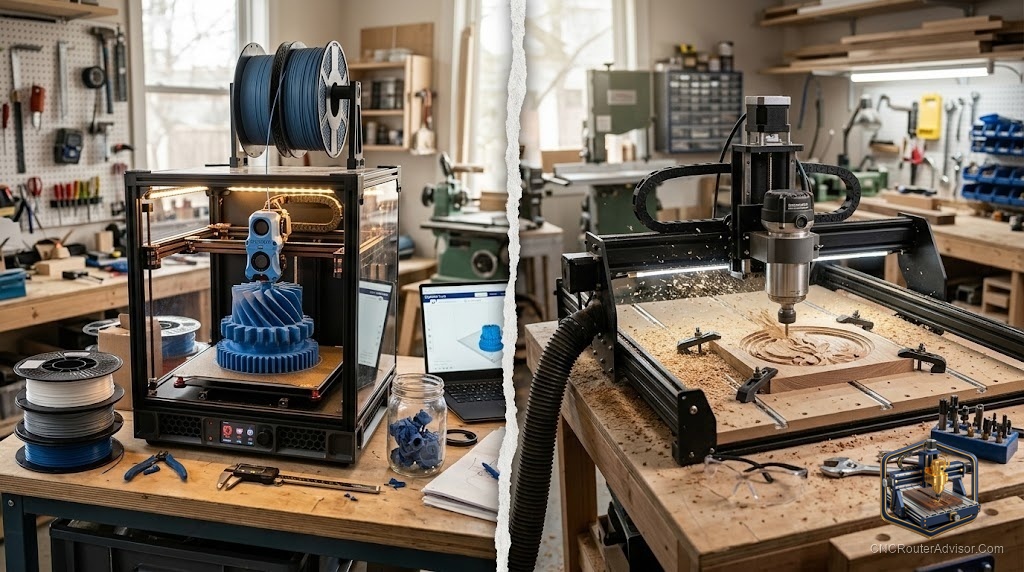
This comparison comes up constantly from people who have a project in mind and aren’t sure which machine to buy first. The framing is a little misleading because the two machines do opposite things: one adds material, the other removes it. But the actual question underneath it is usually simpler: which one makes the things I want to make, and which one’s first?
A 3D printer builds objects by depositing material in successive layers (FDM: fused deposition modeling). A CNC router cuts objects by removing material from a workpiece using a spinning bit. The two processes are fundamentally different, produce different surface qualities, work in different materials, and require different skill sets to operate well.
The direct answer: if you want to make objects from wood, plywood, MDF, or acrylic sheet, buy a CNC router. If you want to make complex 3D shapes from plastic that would be difficult or impossible to cut from a flat sheet, buy a 3D printer. If your work spans both categories, the order usually depends on your most immediate project need.
Material Range
CNC router:
- Wood (pine, oak, maple, walnut, MDF, plywood, bamboo)
- Acrylic and plastics
- Aluminum and soft metals (on appropriate machines)
- Foam, leather, PCB board
3D printer (FDM):
- PLA, PETG, TPU, ABS, ASA, nylon, composite filaments
- Cannot cut wood, metal, or glass
- Not suitable for high-strength structural parts in most hobby applications
Surface Quality
CNC router: Surface quality depends on material, tooling, and finishing passes. Wood CNC cuts often go straight from machine to finish sanding in 15 minutes. Acrylic profiles cut with a downcut bit may need minimal cleanup.
3D printer: FDM parts have visible layer lines. Layer lines are visible to the naked eye and require post-processing (sanding, filler primer, resin coating) for a smooth appearance. This is the primary visual trade-off of FDM printing.
What Each Does Better
CNC router wins at:
- Wood furniture, signs, and decorative panels
- Precise flat profiles in sheet material
- Repeatable production of identical wooden parts
- Aluminum and material removal in general
3D printer wins at:
- Complex organic shapes with internal cavities
- Functional plastic prototypes
- Parts with undercuts and overhangs (using supports)
- Replacement parts in specific materials (flexible TPU, high-temp ASA)
Cost and Setup Comparison
Entry-level FDM 3D printers (Bambu Lab A1 mini, Prusa MK4S) and entry-level CNC routers (Genmitsu 3018-PRO, Sienci LongMill MK2) start at similar price points, so upfront cost alone doesn’t differentiate them.
What differentiates the ongoing cost is consumables: CNC routers consume bits (which wear and break), spoilboards (which accumulate cuts and need replacement), and workpiece material. 3D printers consume filament, which is relatively cheap per print volume.
Verdict
CNC router if you work primarily in wood or need precise flat parts. 3D printer if you need complex plastic shapes. Both are useful in a fully-equipped shop, and the combination of both covers a very wide range of making tasks.
- CNC router: subtractive, wood/metal/acrylic, flat parts
- 3D printer: additive, plastic, complex 3D shapes
- Material is the primary deciding factor
- Both machines complement each other in a complete maker shop
FAQ
What is the difference between a 3D printer and a CNC router? A 3D printer adds material in layers to build up a shape. A CNC router removes material with a cutting bit. Opposite processes, different material ranges.
Can a CNC router do everything a 3D printer can? No. A CNC router cannot produce shapes with internal cavities, undercuts, or complex overhangs that 3D printers create using support material.
Can a 3D printer replace a CNC router for wood work? No. FDM 3D printers cannot process wood, plywood, MDF, or sheet materials. These materials require a CNC router or traditional woodworking tools.
Which is easier to learn, CNC or 3D printing? Modern 3D printers (Bambu Lab, Prusa) are significantly more beginner-accessible than CNC routers. CNC routing requires understanding G-code, feeds and speeds, workholding, and tooling in ways that modern slicers have abstracted away from 3D printing.
Should I buy a CNC router or 3D printer first? Based on your projects: wood and flat sheet parts go to CNC, complex plastic shapes go to 3D printer. Buy the one whose output matches your immediate project list.
References
- Bambu Lab 3D printers: bambulab.com
- Genmitsu CNC routers: sainsmart.com
- Sienci LongMill: sienci.com