
3-Axis CNC Router for Sale: New vs. Used, What to Check, and How to Buy Smart
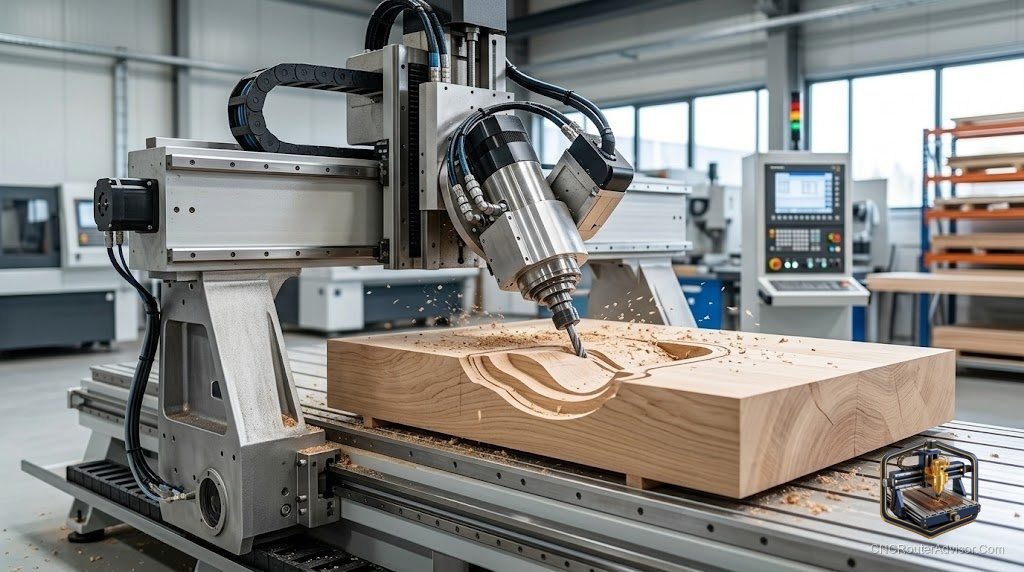
The phrase “3-axis CNC router for sale” covers an enormous range: a $300 desktop hobby machine and a $35,000 commercial production router are both three-axis CNC routers, and both might appear on the same results page. Understanding how to navigate that range purposefully - what separates the machines worth buying from the ones that will cost you more in frustration than they save in money - is the practical value of this guide. Whether you are buying new from a manufacturer or used from a shop that is upgrading, the same evaluation framework applies, and the same specification variables separate machines that earn their keep from those that do not.
A 3-axis CNC router for sale is any CNC routing machine with three independently controlled motion axes (X, Y, and Z) available for purchase on the new or used market. Three-axis is the standard configuration for the overwhelming majority of CNC routers from hobby desktop to production floor, covering all profiling, pocketing, through-cutting, engraving, V-carving, and 3D relief carving operations. When a CNC router listing does not specify axis count, it is almost certainly three-axis.
The short buying guide: for new machines, buy from manufacturers with established service infrastructure and active user communities. For used machines, verify the drive system condition, spindle health, and controller/software status before committing. The acquisition price is only part of the total cost of ownership; service access, downtime costs, and tooling investment complete the picture.
New market: where to buy a 3-axis CNC router in 2025
Hobby and prosumer tier (desktop to 24×24 class): Carbide 3D (Shapeoko, Nomad), Onefinity, Inventables (X-Carve Pro) are the most actively supported machines with strong communities. Genmitsu/SainSmart covers the entry hobby tier. These manufacturers provide genuine product support, software, and documented community knowledge.
Mid-size prosumer to commercial (24×48 to 4×8 class): Avid CNC (US, rack-and-pinion, configurable), ShopSabre (US, ball-screw, welded steel), AXIOM (US, welded frame). These machines have domestic service and are built for production use.
Import commercial (1325 and above): Blue Elephant, Bodor, and other established Chinese manufacturers with US or European distribution are meaningfully better supported than anonymous Alibaba factory purchases. Expect to evaluate service infrastructure carefully regardless of brand.
Used market: what to check on any 3-axis machine
Drive system inspection:
- Ball-screw machines: push the gantry and carriage manually with drives disabled. Minimal free play is correct; noticeable backlash indicates worn screws or nuts.
- Rack-and-pinion: inspect rack teeth for wear; check for play in the pinion engagement.
- Belt-drive: inspect belt tension and belt surface for cracks or fraying.
Spindle health: Run at full speed and listen. Clean, smooth sound is good. Any bearing noise (whine, rumble, grinding) indicates bearings that need replacement before production use. Feel the spindle nose for vibration.
Linear rail and carriage condition: Check for play in the linear rail carriages by rocking each axis gently perpendicular to its travel direction. Slight play is normal; significant play indicates worn rail carriages.
Controller and software: Verify the controller powers on, the software runs, and the machine homes correctly. Ask whether software licenses are transferable and whether the machine’s configuration files are included.
Electrical condition: Visually inspect wiring for any repaired sections, burn marks, or poorly secured connections. Ask about electrical history - controllers that have been replaced or repaired add uncertainty.
For tooling to start work on any 3-axis machine immediately, the FoxAlien essential bit kit covers the core geometries for wood and plastic work.
Our guide on how to choose a CNC router walks through the complete machine selection framework.
The takeaway: buying a 3-axis CNC router well means evaluating drive system condition, spindle health, and service infrastructure alongside the price. For new machines, community support predicts long-term satisfaction better than the spec sheet alone. For used machines, the mechanical inspection determines whether the listed price is a bargain or a liability.
Frequently asked questions
What should I check first on a used 3-axis CNC router? Drive system condition (play in the gantry), spindle health (listen for bearing noise at full RPM), and controller/software status.
Is buying a used commercial CNC router a good idea? Yes, when properly evaluated. Used domestic-brand machines from established manufacturers are often excellent value when mechanically sound.
What is the most important specification in a 3-axis CNC router? The drive system type (ball screw, rack-and-pinion, or belt) most directly determines long-term accuracy and maintenance costs.
Are Chinese-manufactured 3-axis routers reliable? The established manufacturers with US/European distribution are meaningfully better supported than anonymous direct factory purchases. Service infrastructure is the differentiating variable.
What tooling should I buy with a new 3-axis CNC router? Compression spiral for plywood, downcut for face-grain work, V-bit for carving, and a spoilboard surfacing bit. These four cover 80%+ of common 3-axis woodworking operations.
What software comes with 3-axis CNC routers? Varies by manufacturer. Carbide 3D includes Carbide Create; Onefinity includes a trial of VCarve; Avid CNC includes Mach4. Always verify what CAM software is included or required.
References
- Avid CNC, 3-axis machine specifications — https://www.avidcnc.com/
- Carbide 3D, Shapeoko and Nomad — https://shop.carbide3d.com/
- CNC Router Info, machine buying guide — https://cncrouterinfo.com/guides/how-to-choose-a-cnc-router/