
Commercial CNC Router Guide: Capacity, Automation, Support, and Total Cost
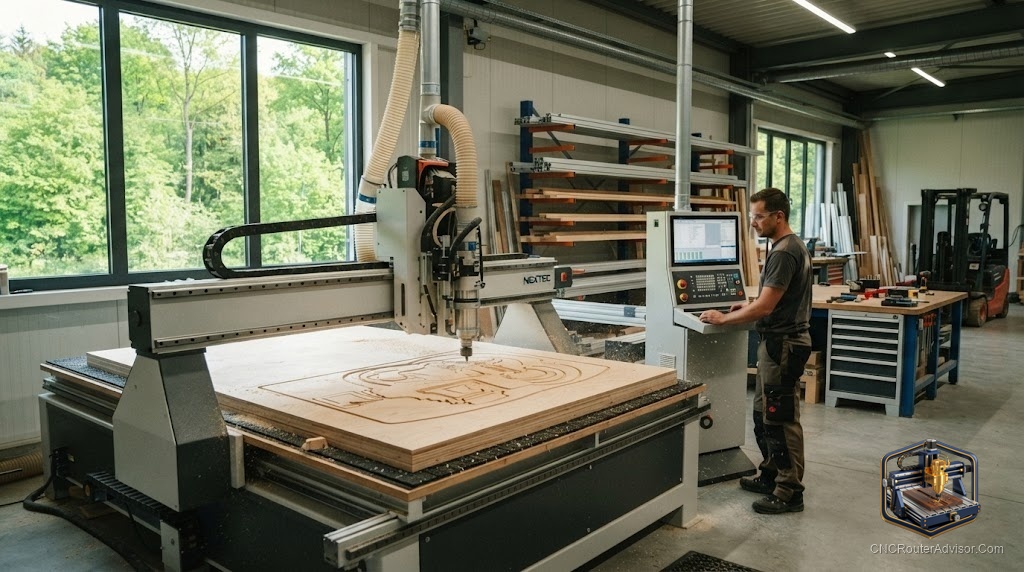
The jump from a hobby CNC router to a commercial machine is not just a bigger version of the same purchase. A commercial CNC router is a business decision, one where uptime, throughput, support, and total cost matter as much as the specifications. Buy the right machine and it quietly earns its keep for years. Buy the wrong one and it becomes an expensive bottleneck. This guide covers what actually matters when a router has to make money.
What sets a commercial machine apart
A commercial CNC router is built for production, which means it prioritizes different things than a hobby machine. It offers a larger work area, often handling full sheets, a heavy, rigid frame that stays accurate under constant use, a powerful spindle sized for long runs and demanding materials, and a heavy-duty motion system built to hold precision over thousands of hours. Where a hobby machine is designed to be affordable and forgiving, a commercial machine is designed to run hard, day after day, without losing accuracy.
Capacity and throughput
For a business, how much the machine can produce is central. Capacity is partly work area, since larger beds handle full sheets and bigger parts, and partly speed, since a rigid machine with a strong spindle can cut faster and deeper without sacrificing quality. Think in terms of throughput, the volume of finished parts per shift, rather than a single spec. A machine that cuts a little faster and rarely stops can outproduce a nominally larger one that is always being fussed with.
Automation that pays off
Automation is where commercial machines separate from hobby units. An automatic tool changer lets multi-tool jobs run without manual intervention, saving significant time on complex parts. Vacuum hold-down speeds up loading and secures material without hand clamping. Automated dust extraction keeps the machine running cleanly. Each of these features costs money up front but buys back labor and time, which is the currency that matters in production. Judge automation by how much operator time it frees, not by novelty.
Support and uptime
For a commercial buyer, support is not a nice-to-have, it is central to the decision. When a production machine goes down, every hour costs money, so parts availability, service response, and documentation directly affect your bottom line. Evaluate the manufacturer and dealer on how quickly they can get you parts and help, whether training is available, and how strong their reputation is for standing behind machines. A slightly cheaper machine with weak support can cost far more in downtime than it saved at purchase.
Thinking in total cost
The sticker price is only part of what a commercial router costs. Total cost of ownership includes tooling and consumables, maintenance, the space and power the machine needs, operator time, and the cost of any downtime. A machine that runs reliably, is well supported, and is efficient to operate often has a lower total cost than a cheaper machine that stops frequently or lacks support. Run the numbers across years of production, not just the day of purchase.
Matching the machine to the business
The right commercial CNC router fits your actual production needs, not the biggest machine you can afford. Consider the materials you cut, the volume you run, the parts you make, and the room you have. Talk to manufacturers and dealers about your specific work, and where possible see machines running in production environments similar to yours. A machine matched to your real work will serve you far better than one bought on specifications alone.
A decision that repays diligence
Buying a commercial CNC router rewards careful thinking. Weigh capacity and throughput, invest in the automation that frees the most labor, treat support and uptime as central, and judge everything on total cost over years rather than the price on day one. Do that homework, and the machine becomes a dependable engine for your business, turning designs into finished parts profitably, shift after shift.