
What Is a CNC Router? How It Works, What It Costs, and What It Can Make
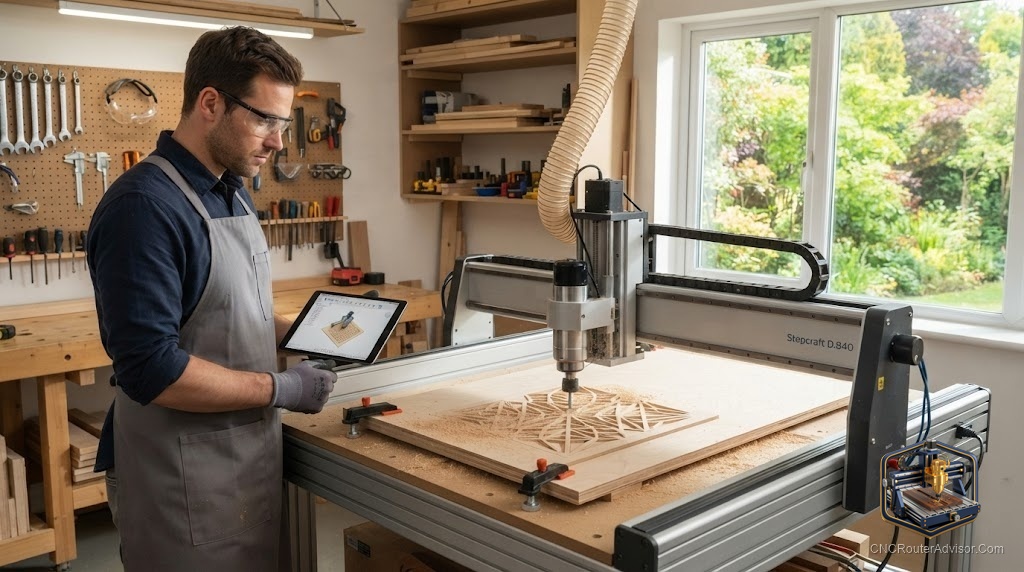
The first time you watch a CNC router carve, something clicks. A spinning bit drops into a blank sheet of plywood, traces a shape you drew on a laptop, and a few minutes later you are holding a part that fits exactly where you meant it to. No pencil line wandered off. No chisel slipped. That gap between “I designed it” and “I’m holding it” is the whole reason people fall for these machines. It is also where most of the confusion starts, because a CNC router is both simpler and more demanding than it looks in a thirty-second video.
A CNC router is a computer-controlled cutting machine that moves a spinning tool across three axes (X for left and right, Y for front and back, Z for up and down) to cut, carve, and engrave sheet material like wood, plastic, foam, and softer metals. CNC stands for Computer Numerical Control, which is a formal way of saying a controller reads coordinates from a file and drives motors to those exact positions, instead of you steering the cut by hand.
So what does a CNC router actually do for you? It turns a digital drawing into a physical part with repeatable accuracy. Draw a cabinet door once, and the machine cuts the hundredth one exactly like the first. That repeatability, not raw speed, is the real superpower.
How a CNC router works, start to finish
Every job runs through the same four stages, and understanding them demystifies the whole thing.
You design the part in CAD or CAM software. You tell that software which bit you are using and how deep to cut, and it generates G-code, a plain list of coordinate moves and spindle commands. The machine’s controller reads that G-code and fires the stepper or servo motors that drive each axis. The cutting tool, held in a spindle or a trim router, spins fast and removes material as the gantry walks it through the path.
The motion system is where money and quality hide. Cheaper machines move the gantry on timing belts and V-wheels riding in aluminum extrusion. Belts are forgiving and quiet, but they stretch slightly under load, which shows up as chatter or rounded corners in a hard cut. Step up and you get lead screws or ball screws driving the axes, running on hardened linear rails. Ball screws and rails cost more and add weight, and that weight is the point: rigidity is what lets a machine hold a line when the bit fights back.
The cutting head is the other fork in the road. Many hobby machines use a compact trim router, the same tool you would hold by hand. It is affordable and easy to replace, but its torque falls off at low RPM and it screams at a single fixed speed range. A true spindle, usually paired with a VFD (variable frequency drive), holds torque across a wide speed range, runs far quieter, and lasts longer. Wood Magazine’s benchtop buyer’s guide puts it plainly: a router works fine, but given the option and the budget, a spindle brings higher accuracy and longer life.
What a CNC router can actually make
This is where people get surprised, in both directions. A CNC router is brilliant at flat and 2.5D work: signs, cabinet parts, inlays, jigs, guitar bodies, topographic wall art, cutting boards, puzzle-style toys, and production runs of the same part. Add a good bit and patience and it will carve shallow 3D reliefs that look hand-sculpted.
What it is not is a metal mill. A router spins fast and light; a mill spins slow and strong. You can cut aluminum and brass on a rigid router with the right single-flute bit, shallow passes, and air or coolant, but steel is out of its league. If your dream is machining steel brackets, a router will only frustrate you, and that honest limit is worth knowing before you spend a dollar.
What drives the cost
Since the title promised it: the cost of a CNC router is driven by four things, in rough order of impact. Work area comes first, because a machine that swallows a full 4 by 8 foot sheet needs a bigger, stiffer frame than one that carves a dinner-plate-sized area on your bench. Frame rigidity and the motion system (ball screws and linear rails versus belts and wheels) come next. The cutting head is third, with spindles and VFDs adding meaningfully over a trim router. Extras like an automatic tool changer, a vacuum table, and dust collection sit on top.
Entry desktop kits get you carving with minimal fuss. The SainSmart Genmitsu 3018-PROVer V2 is the machine a huge share of people learn on, and it will happily engrave, cut soft woods, and teach you the workflow before you commit to something larger. From there the ladder climbs through prosumer machines like the Shapeoko and Onefinity lines up to full-sheet industrial routers with tool changers.
Check the SainSmart Genmitsu 3018-PROVer V2 on Amazon
Spindle router versus trim router, head to head
| Consideration | Trim / compact router | VFD spindle |
|---|---|---|
| Up-front outlay | Lower | Higher |
| Noise | Loud, piercing | Much quieter |
| Torque at low RPM | Drops off | Holds steady |
| Speed control | Limited range | Wide, precise |
| Lifespan under heavy use | Shorter | Longer |
| Best for | Getting started, light wood | Daily use, harder materials, finish quality |
If you are cutting a few weekend projects in pine and MDF, a router is genuinely fine and you should not feel talked out of it. If you plan to run the machine for hours most days, the spindle pays you back in quiet, finish, and fewer replacements.
Who should skip a CNC router
If you mainly want to cut steel, buy a mill instead. If you want zero setup and instant results with no learning curve, this is not that hobby: expect a real ramp on design software, feeds and speeds, and workholding before your parts look clean. And if your space cannot handle dust and noise, sort out collection and hearing protection first, because both are relentless.
The bottom line
A CNC router earns its keep the moment you need the same part more than once, or a shape too precise to cut by hand. Start smaller than your ambitions, learn the workflow on cheap material, and upgrade the frame and spindle before you chase a bigger work area. Buy rigidity over marketing specs, respect the learning curve, and match the cutting head to how many hours you will really run it. Do that and the machine stops being a gadget and becomes the most reliable maker in your shop.
Frequently asked questions
What is the difference between a CNC router and a CNC mill? A router spins a light tool very fast and is built for wood, plastic, foam, and soft metals across a large flat area. A mill spins slower with far more torque and rigidity and is built for steel and precision metal parts. Routers favor speed and reach; mills favor force and tight tolerances.
Can a CNC router cut metal? A rigid router can cut aluminum and brass with a single-flute bit, shallow passes, and air or coolant. It is not suited to steel. Softer non-ferrous metals are realistic; ferrous metals are a job for a mill.
Do I need to know how to code to run one? No. Modern software generates the G-code for you from your drawing. You do need to learn the design and toolpath software and the basics of feeds and speeds, but hand-writing code is rare for router work.
What materials are easiest to start with? MDF, soft plywood, pine, and hard foam are forgiving and cheap, which makes them ideal for learning without wasting money on mistakes.
How much space does a CNC router need? A desktop unit fits on a sturdy bench. Larger machines need clearance on all sides for the gantry, the material, and dust collection, so plan for more floor area than the machine’s footprint alone.
Is a spindle worth it over a router? For occasional hobby use, a trim router is fine. For daily use, harder materials, and better finish, a VFD spindle is quieter, holds torque, and lasts longer, which usually justifies the extra outlay.
References
- Wood Magazine, “A Buyer’s Guide to Benchtop CNC Machines” (woodmagazine.com)
- Carbide 3D, “Shapeoko vs X-Carve: Side-by-Side Comparison” (carbide3d.com)
- SainSmart / Genmitsu product documentation (sainsmart.com)