
What Is a CNC Router? How It Works, What It Costs, and What It Can Make
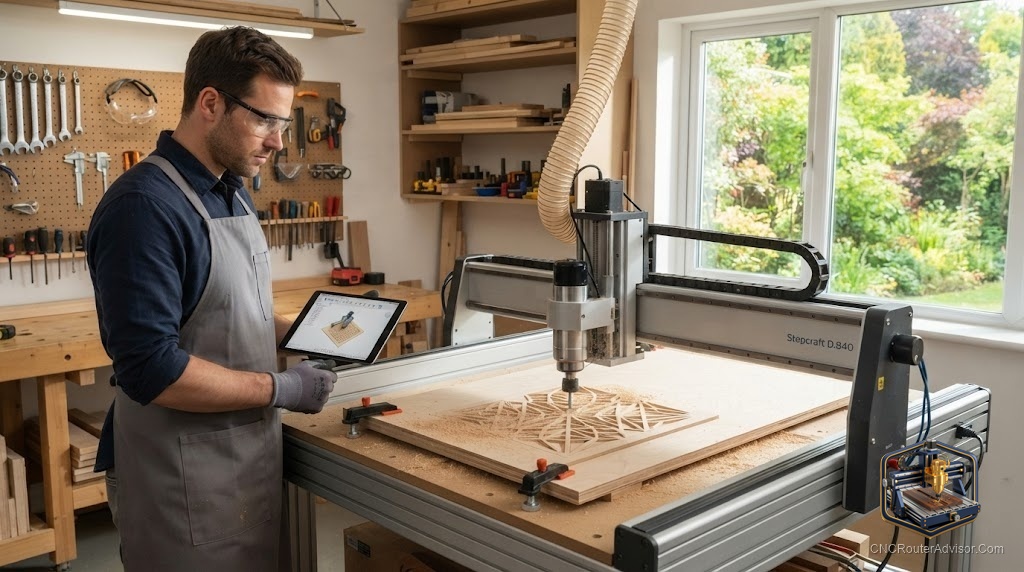
The first time you watch a CNC router carve a name into a slab of walnut, it looks like magic. A bit spins down, traces a shape you drew on a laptop an hour earlier, and lifts away leaving crisp letters no hand could match. Then you go shopping, and the magic turns into a wall of specs: work area, spindle power, ball screw versus belt, GRBL, VFD. Most of it is never explained in plain terms, so people either overspend on a machine that dwarfs their projects or save money on one that flexes and chatters the moment it touches hardwood.
This page fixes that. A CNC router is a computer-controlled cutting machine that moves a spinning bit across three axes to carve, engrave, and cut flat material like wood, plastic, and soft metals. You draw a design, software turns it into coordinates, and the machine follows them exactly, every time. That is the whole idea. What separates a good buy from a regret comes down to a handful of parts, and once you can name them, the spec sheets stop being intimidating.
How a CNC router actually works
A CNC router runs on three linked steps: design, translation, and cutting.
You start in CAD software, drawing the shape you want or importing a file. A second stage, called CAM, converts that drawing into G-code, the plain list of instructions the machine reads. G-code is not scary. Each line tells the cutter where to go, how fast, and how deep, using X, Y, and Z coordinates. The controller, often a GRBL-based board on hobby machines, reads that code and sends signals to stepper motors that drive the gantry.
The cutting itself is subtractive. The bit removes material to reveal your shape, the opposite of a 3D printer that adds it. A router or high-speed spindle spins the bit while the motion system carries it to exact coordinates across the working area. Change the bit and you change the job: a wide bit clears a pocket fast, a fine one carves detail.
The result is repeatability. Cut one sign or a hundred, and the last one matches the first, because the machine follows the same numbers instead of your hand.
The parts that decide whether a machine is any good
Four things separate a machine you will still love in two years from one you will fight.
The frame. Rigidity is everything. A frame that flexes lets the bit wander, and you feel it as fuzzy edges and chatter marks. Aluminum extrusion is standard on hobby machines and fine for wood and plastic. Steel frames cost more and earn it when you push into aluminum or run long jobs.
The motion system. This is how the gantry moves, and it is the spec most beginners skip. Belt drives are common on entry-level machines. They are fast but stretch over time, which shows up as small inaccuracies after heavy use. Lead screws are a solid mid step, more precise than belts but slower. Ball screws sit at the top, with almost no backlash and long life, and they show up on higher-end units.
The cutter: router or spindle. A trim router is the cheap, loud, plug-and-play option, and it genuinely works for wood and plastic, with roughly 1 to 1.25 horsepower on tap. A VFD spindle costs more and adds wiring, but it runs quieter, lasts far longer because there are no brushes to wear out, and lets the software control its speed directly. Carbide 3D puts it plainly: all things being equal, a spindle is the better choice, as long as the added expense is not a burden. The honest catch is that a spindle is a real step up in setup and wiring, so a first-time buyer who wants to cut this weekend is often happier starting with a router.
The work area. This is the X, Y, and Z travel, the size of the part you can cut. Bigger sounds better until you meet the tradeoff: large open-frame machines throw chips everywhere, run louder, and eat floor space you may not have. Size the work area to what you actually build, not to the biggest project you might attempt once.
What a CNC router can make
This is where people get inspired, so here is the honest range.
Wood is home turf. Signs, cabinet doors, furniture parts, inlays, and 3D relief carvings are all standard work. Plastics like acrylic and HDPE cut cleanly with the right bit and speed. Soft metals such as aluminum and brass are possible, but only if the frame is rigid enough and you slow down, take shallow passes, and clear chips well.
What a router is not: a mill. A CNC mill is built to cut steel and hold tolerances a router cannot, using a heavier, more enclosed structure and more axes. If your dream is machining steel parts, a router will disappoint you. If your dream is signs, furniture, guitar bodies, and the occasional aluminum bracket, a router is exactly right.
What drives the cost
Cost tracks the four parts above, not the marketing label. A trim router on an aluminum frame with belt drive sits at the entry level. Swapping to lead or ball screws, a steel frame, and a VFD spindle moves you up in stages, and each step buys accuracy, quiet, and machine life rather than bragging rights.
The part beginners forget to budget is everything around the machine: bits, hold-down clamps or tape, dust collection, and the CAD/CAM software. An open router with no dust collection will coat your shop, so plan for it from day one.
The better way to think about value is match, not price. A machine that fits your material and your space earns its keep. One that is too small frustrates you, and one that is too big sits half-used and loud in the corner.
Router or spindle: a quick head-to-head
| Factor | Trim router | VFD spindle |
|---|---|---|
| Setup | Plug and play | Needs wiring and a VFD |
| Noise | Loud | Quiet |
| Speed control | Manual dial | Controlled by software |
| Longevity | Brushes wear out | Long life, no brushes |
| Best for | First machine, wood and plastic | Long runs, quieter shop, harder material |
Data drawn from Sienci and Carbide 3D comparisons.
Most first-time buyers should start with a router and move to a spindle once they know what they cut most. The exception is anyone planning long daily runs or a quieter shared space, who will feel the spindle pay for itself sooner.
The verdict
A CNC router is the most approachable way to turn a drawing into a finished part in wood, plastic, or soft metal, and it rewards you the moment you stop shopping by marketing labels and start reading four specs.
- Buy for rigidity first. A stiff frame fixes more problems than any feature.
- Match the work area to what you build weekly, not to your biggest dream project.
- Start with a router if you want to cut this weekend, and plan a spindle upgrade once your habits are clear.
- Budget for dust collection, bits, and software from the start, because the machine alone is only part of the setup.
Get those right and the magic holds up. The name still carves clean in walnut two years later, because you bought the machine that fit your work instead of the one with the loudest spec sheet.
Frequently asked questions
What is a CNC router in simple terms? It is a computer-controlled machine that moves a spinning bit across three axes to cut, carve, and engrave flat material. You supply a design, and the machine follows it exactly, so every copy matches.
What is the difference between a CNC router and a CNC mill? A router is built for wood, plastic, and soft metals, with a lighter frame and usually three axes. A mill is heavier and enclosed, made to cut steel and hold tighter tolerances. Choose a mill only if you need to machine hard metal.
Do I need to know how to code to use one? No. You draw in CAD software, and CAM software writes the G-code for you. Understanding a few G-code basics helps with troubleshooting, but you do not write it by hand for normal projects.
Is a router or a spindle better for a CNC? A spindle is quieter, lasts longer, and lets software control its speed, so it is the better tool if the added wiring and cost fit your plans. A trim router is cheaper and plug and play, which makes it a fine first cutter for wood and plastic.
Can a CNC router cut aluminum? Yes, within limits. You need a rigid frame, shallow passes, slower feeds, and good chip clearing. For steel or heavy metal work, a router is the wrong tool and a mill is the right one.
What software do I need to get started? You need CAD to design and CAM to generate toolpaths, plus a sender program to stream G-code to the machine. Many beginner platforms bundle these or point you to free options like a GRBL sender.
How much space does a CNC router need? More than the machine footprint. Open-frame routers throw chips and need room for dust collection and material handling, so plan for clearance and a dust solution before it arrives.
What can beginners realistically make first? Signs, coasters, engraved boards, simple cabinet and furniture parts, and inlays are common first projects. They teach design, workholding, and feeds and speeds without demanding a big or expensive machine.
References
- Xometry, “CNC Router: Definition and How It Works”: https://www.xometry.com/resources/machining/what-is-a-cnc-router/
- Xometry, “CNC Router vs. CNC Mill”: https://www.xometry.com/resources/machining/cnc-router-vs-cnc-mill/
- Fictiv, “Differences Between CNC Routers vs. CNC Mills”: https://www.fictiv.com/articles/differences-between-cnc-routers-vs-cnc-mills
- Sienci Labs, “Router vs Spindle”: https://resources.sienci.com/view/cnc-router-vs-spindle/
- Carbide 3D, “CNC Spindle Comparison”: https://shop.carbide3d.com/pages/spindle-comparison
- Simply Technologies, “Benchtop CNC Router Buyer’s Guide”: https://simplytechnologies.xyz/benchtop-cnc-router-buyers-guide-uses-and-how-simply-technologies-fits-in/
- Makera, “Best CNC Machines for Beginners”: https://www.makera.com/blogs/cnc-buying-guide/best-cnc-machine-for-beginners
- HowToMechatronics, “G-code Explained”: https://howtomechatronics.com/tutorials/g-code-explained-list-of-most-important-g-code-commands/
- CNCCookbook, “How to Use GRBL in Your CNC Machine”: https://www.cnccookbook.com/how-to-use-grbl-in-your-cnc-machine/