
1/16 CNC Router Bit Guide: What It Cuts, When to Use It, and How Not to Break It
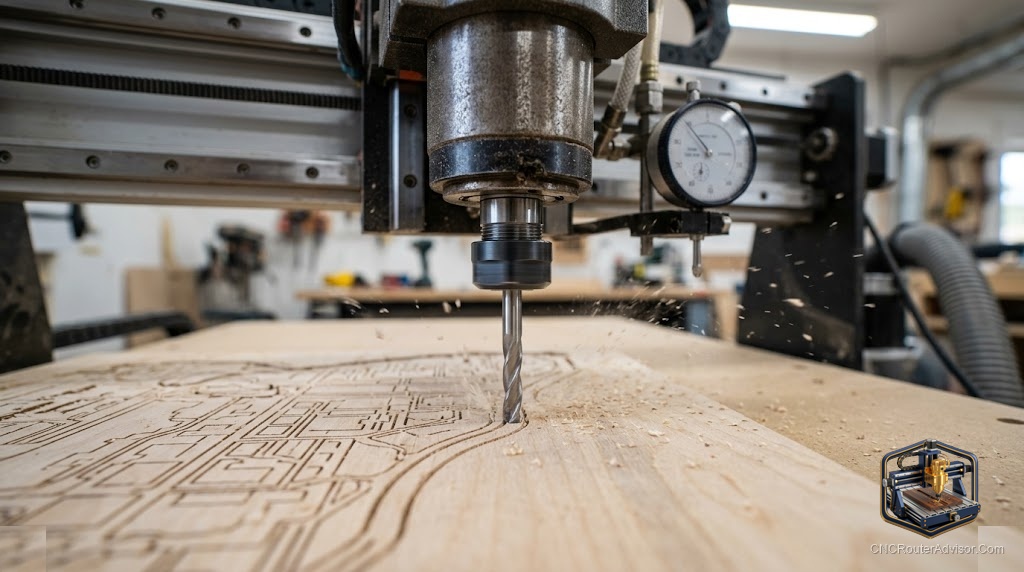
A 1/16 inch CNC router bit is approximately the diameter of a thick pencil lead. That scale is easy to visualize and immediately communicates the thing beginners most need to understand about working with small-diameter bits: they are fragile in proportion to their precision, and running them with the wrong settings does not produce a warning, it produces a snap and a search for the other half of the bit somewhere in the chips. Understanding exactly what a 1/16 inch bit is for, what settings it tolerates, and what workholding it requires is the difference between using small bits confidently and avoiding them entirely.
A 1/16 inch CNC router bit is a small-diameter spiral or straight cutting tool with a 1/16 inch (approximately 1.6 mm) cutting diameter, used for fine detail work, narrow slot cutting, PCB routing, small text carving, and intricate profile work that larger bits cannot reach. The small diameter enables fine feature resolution but reduces the bit’s cross-sectional strength significantly, requiring slower feed rates, shallower depths of cut, and very secure workholding to prevent vibration-induced breakage.
The short guide: use a 1/16 inch bit for features that genuinely require 1.6 mm geometry precision. Run it with conservative chip loads (well below what a 1/8 inch bit uses), take shallow passes, ensure your workholding eliminates vibration, and accept that this bit size has a meaningful breakage rate even under correct conditions. If a 1/8 inch bit can do the feature, use the 1/8 inch bit.
What a 1/16 inch bit is genuinely for
Four applications justify using a 1/16 inch bit rather than stepping up to 1/8 inch.
PCB routing. Printed circuit board trace routing requires narrow channels between copper traces, and 1/16 inch is a common bit size for this application. The material (FR4 fiberglass) is abrasive and dulls bits quickly, which is why many PCB routing operations use cheap bits in quantity rather than expensive carbide.
Fine text and lettering. When carving text at small scales (under 10 mm letter height), a 1/16 inch bit reaches into letterforms that a 1/8 inch bit would round off or miss entirely. V-bits can handle small text with profile carving, but for flat-bottom pocketed text at small scale, a 1/16 inch end mill is the tool.
Narrow slot features. A design requiring a 1.6 mm slot for a functional feature (a thin hinge mortise, a small inlay channel, a precision groove) needs a bit that matches that width. You cannot route a 1.6 mm slot with a 3.175 mm (1/8 inch) bit.
Intricate decorative profiles. 3D carving that includes fine surface detail and small features benefits from a small-diameter ball-nose or tapered ball-nose bit for the finishing pass, reaching into detail that a larger ball-nose would bridge over.
Speeds and feeds: starting points for 1/16 inch bits
Small bits require higher spindle speeds (to maintain appropriate surface footage at the small diameter) and significantly lower feed rates (to keep chip load within the bit’s strength envelope). Typical starting points for a 1/16 inch two-flute carbide end mill in wood:
- Spindle speed: 24,000 RPM (maximum for most desktop spindles)
- Feed rate: 300 to 600 mm per minute (err toward the lower end when first learning the bit’s behavior)
- Depth of cut: 0.3 to 0.5 mm per pass (single-flute or two-flute end mill)
These are starting points, not absolute rules. The correct chip load for a 1/16 inch bit in wood is in the range of 0.002 to 0.004 inches per tooth, which is significantly lower than what a 1/4 inch bit uses. If the bit is squealing, reduce depth or feed. If it is burning, increase feed rate.
In acrylic and plastics, slower spindle speeds (to prevent heat-induced gumming) and similar feed rates apply. In PCB material, use recommended settings from the bit manufacturer for FR4, because the abrasive glass fiber content is harder on bit geometry than wood.
Workholding: critical at small scale
Vibration is the primary cause of small-bit breakage beyond operator settings error. A workpiece that has even slight movement relative to the spoilboard, or a machine that has noticeable Z-axis play, will snap 1/16 inch bits regularly because the bit’s cross-section cannot absorb the shock of a workpiece that shifts mid-cut.
For work requiring 1/16 inch bits, double-sided tape plus a CA glue dot at each corner is the minimum workholding. Blue tape and CA glue (blue tape on spoilboard, blue tape on workpiece, CA glue between the two tape faces, pressed flat) is the strongest tape-based method and appropriate for small, precise work. Any clamp-based workholding must be verified to not introduce vibration through the workpiece.
Collet fit: the bit must be fully seated
A 1/16 inch bit that is not properly seated in the collet (the right collet for the shank size, tightened to spec, bit seated the recommended depth) is a bit that will work its way out during the cut and snap. Verify the collet accepts 1/16 inch shank (or 1.6 mm), clean the collet taper before seating the bit, and tighten to the appropriate torque. A bit that slips axially during a cut is dangerous regardless of the feed rate.
The FoxAlien essential CNC router bit kit includes a range of small-diameter end mills and engraving bits suitable for the types of fine work a 1/16 inch diameter bit targets.
Our guide on how to choose a CNC router covers the spindle runout and machine accuracy requirements for fine detail work.
The takeaway: a 1/16 inch CNC router bit is a precision tool for precision applications. Use it when the feature genuinely requires its diameter. Run it at conservative chip loads, take shallow passes, hold the workpiece rigidly, and seat it properly in a matching collet. Do those things and small bits are reliable tools rather than consumables you snap through.
Frequently asked questions
What materials can a 1/16 inch CNC router bit cut? Wood, MDF, acrylic, soft plastics, foam, and PCB material. Any material a larger bit cuts, a 1/16 inch bit can attempt, with more conservative settings.
Why do 1/16 inch bits break so often for beginners? Too high a chip load (feed too fast or pass too deep), workpiece vibration, and incorrect collet fit are the most common causes. Conservative settings and secure workholding eliminate most breakage.
What spindle speed should I use with a 1/16 inch bit? Maximum spindle speed, typically 24,000 RPM on desktop machines, to maintain adequate surface footage at the small diameter.
What depth of cut is safe for a 1/16 inch bit in wood? Starting at 0.3 to 0.5 mm per pass and increasing if the cut is clean. Never exceed the bit’s flute length in depth.
Does my machine need a 1/16 inch collet insert? Yes. ER20 collets use insert-style collets for different shank sizes. Verify you have a collet that properly grips a 1/16 inch or 1.6 mm shank before attempting to use this bit size.
Can I use a 1/16 inch bit for PCB routing? Yes, it is a standard PCB routing size. Use feeds and speeds appropriate for FR4 material, which is more abrasive than wood and dulls bits faster.
References
- CNCCookbook, CNC Router Feeds and Speeds Calculator — https://www.cnccookbook.com/cnc-speeds-feeds/
- Carbide 3D, “Introduction to Fine Detail Bits” — https://docs.carbide3d.com/
- Inventables, “Working with Small Bits” — https://www.inventables.com/