
CNC Laser Wood Router: Tooling, Speeds, Workholding, and Finish Quality
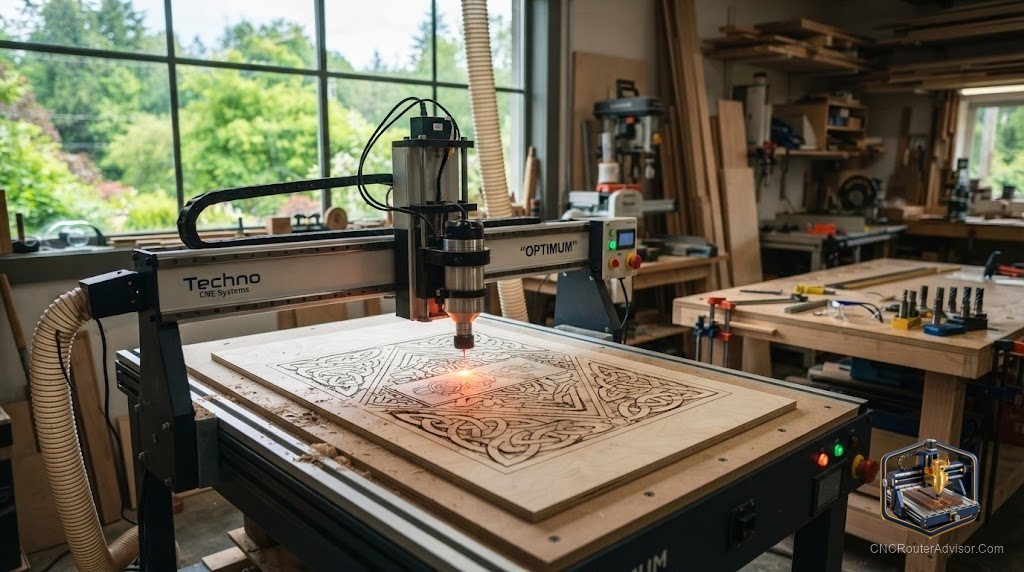
A CNC laser wood router, or a machine that combines laser cutting and engraving with CNC routing, brings two different processes to one platform. The laser handles engraving, precise cutting of thin material, and detailed marking with no tooling wear; the router handles deeper cuts, profiling, pocketing, and milling operations the laser cannot do. Together, they expand what a single machine can accomplish in wood. Understanding how to set up and run each process correctly, and what results to expect, is what determines whether the combination pays off.
Laser and router are complementary processes on the same material, so understanding the tooling, speeds, workholding, and finish for each is key to using a combined machine well.
A combined CNC laser and wood router uses a laser module or head for engraving and cutting, and a spindle and bits for routing operations, letting one machine do both. For laser work on wood: no tooling is needed, speeds are set by power, speed, and focus height for your specific material, workholding must hold the piece flat without obstructing the beam, and finish quality (engraving depth, cut edge char, and kerf) depends on dialing in settings for the exact wood. For router work on wood: standard routing fundamentals apply (sharp bits matched to operations, feeds and speeds for the material, solid workholding, and dust collection). Key considerations for a combined machine include ensuring the laser and spindle do not conflict during setup, managing fire risk and fume extraction for laser work, and confirming the software drives both processes. Match settings to the specific wood, since density and finish affect both laser and router results.
Each process needs its own setup, dialing in laser settings for char and kerf, and routing fundamentals for cuts; manage fume extraction and fire risk for the laser.
Laser process on wood
How it works. The laser beam burns or ablates wood to engrave, mark, or cut. Power, speed, and focus determine how deep and how wide each pass burns. There are no bits to wear out; the laser is a focused beam.
Speeds and settings. Laser settings for wood are given as power (percentage or watts), speed, and number of passes. For engraving, lower power at speed produces a controlled char depth; for cutting, higher power and slower speed or multiple passes cut through. Dial settings in on a scrap piece before running production.
Material matters. Different woods burn differently. Dense hardwoods need more power than soft woods; resinous woods (like cedar or pine) burn quickly; plywood can leave uneven cuts from glue lines. The finish on the wood also affects burn: bare wood engraves cleanly, painted or coated surfaces behave differently.
Finish quality. Laser cutting leaves a characteristic charred edge. Engraving depth and darkness are controlled through settings. Edge char can be cleaned with a light sand or sealed with finish, depending on the look required.
Fume extraction and fire risk. Laser cutting and engraving wood produces smoke, fine particles, and char, with a real fire risk. Effective fume extraction is essential, and the machine must be attended during laser operation. Never leave a laser running unattended on wood.
Workholding. The piece must lie flat, since focus height determines beam precision. Use a flat, stable surface without clamps obstructing the laser path. A laser-specific grid or honeycomb bed keeps pieces flat without blocking the beam.
Router process on wood
Router work on a combined machine follows standard routing fundamentals:
- Tooling: sharp bits matched to the operation, compression bits for plywood edges, spiral upcut or downcut for profiles and pockets.
- Speeds and feeds: matched to the wood, depth of cut, and bit diameter.
- Workholding: solid clamping or vacuum hold-down to prevent movement.
- Dust collection: effective extraction for chips and fine dust.
The router handles what the laser cannot: deep cuts, profiling, pocketing, and milling.
Running a combined machine
- Software must drive both processes: confirm your CAD/CAM supports both laser and router outputs, or that you can run separate programs for each.
- Do not mix process heads without clearing the bed: swap or disable the laser head for routing and vice versa to prevent collisions.
- Manage fume extraction for laser work: ensure extraction is on and adequate before starting any laser operation on wood.
- Sequence jobs: typically rout first (to avoid disturbing flat workholding) then laser, or vice versa depending on the design.
The verdict
A combined CNC laser wood router brings two complementary processes to one platform. The laser engraves, marks, and cuts thin material with no tooling, producing a charred edge; the router cuts deeper, profiles, and pockets with standard routing fundamentals. Run each process with appropriate settings, dial in laser power and speed to your specific wood, and follow routing fundamentals for bit, feeds, workholding, and dust collection. Manage the laser’s fire risk and fume extraction rigorously. Ensure your software drives both processes, and confirm the machine can sequence jobs without conflicts. Used well, the combination is a powerful and flexible woodworking tool.
Three things to take with you:
- The laser engraves and cuts thin material with no tooling wear; dial in power, speed, and focus to your specific wood and expect a charred edge that can be sanded or sealed.
- The router follows standard routing fundamentals, sharp bits, matched feeds and speeds, solid workholding, and dust collection, for deeper cuts and profiling the laser cannot do.
- Manage the laser’s fire risk and fume extraction rigorously; confirm software drives both processes; and plan job sequencing to avoid conflicts between the two heads.
FAQ
What does a CNC laser wood router do? It combines laser cutting and engraving with CNC routing on one machine. The laser burns wood to engrave, mark, and cut thin material with no tooling wear. The router uses bits to make deeper cuts, profiles, pockets, and milling operations the laser cannot do. Together they expand what one machine can accomplish on wood.
How do I set up laser settings for wood? By dialing in power, speed, and focus height on a scrap piece of the same wood. Different woods burn differently, dense hardwoods need more power, resinous woods burn quickly, and glue lines in plywood cut unevenly. Start with conservative settings and adjust until you get the correct engrave depth or a clean cut-through with acceptable char.
Why does laser cutting wood leave a burnt edge? Because the laser works by burning or ablating the wood along the cut path, leaving a charred edge. This is characteristic of all laser cutting on wood and can be cleaned with light sanding, treated as a design feature, or sealed with finish depending on the look required.
Is laser cutting on wood safe? With proper precautions, yes. Laser cutting wood produces smoke, fine particles, and char, with a real fire risk. Always use effective fume extraction, attend the machine during laser operation, and never leave it running unattended. Follow the machine manufacturer’s safety guidelines for laser use.
How is workholding different for laser versus router work? For laser work the piece must lie flat for accurate focus, and workholding must not block the beam, so a grid or honeycomb bed is common. For router work you need solid clamping or vacuum hold-down to prevent movement during cutting, and dust collection for chips. Each process has its own hold-down priorities.
Can one software program control both laser and router? Some integrated machines have software that drives both. If not, you may need separate programs for each process. Confirm before buying that your CAD/CAM supports both outputs or that the machine’s software handles both, and plan job sequencing to avoid conflicts when switching between the laser and spindle.
References
- Wikipedia, laser cutting overview and wood materials: https://en.wikipedia.org/wiki/Laser_cutting
- Wikipedia, CNC router: https://en.wikipedia.org/wiki/CNC_router