
CNC Routed Wood Guide: Tooling, Speeds, Workholding, and Finish Quality
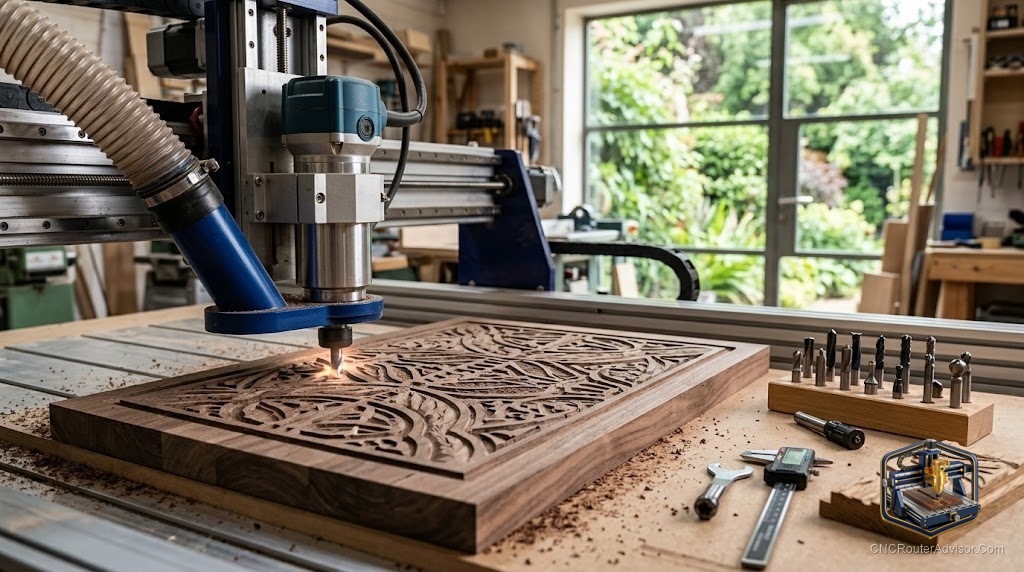
Wood is where nearly everyone starts with a CNC router, and for good reason. It cuts easily, forgives small mistakes, and turns into signs, furniture parts, and carvings that look impressive fast. But wood also has a personality. It has grain that tears, species that burn, and sheet goods that chip if you treat them wrong. Learning how routed wood actually behaves is what separates fuzzy, scorched edges from clean, glassy cuts.
CNC routed wood refers to wood shaped, cut, and carved by a CNC router, spanning sheet goods like plywood and MDF, hardwoods, and softwoods. Getting good results is less about the machine and more about matching your tooling, feeds and speeds, workholding, and dust management to the specific wood in front of you. Each species and sheet material behaves differently under the bit.
Short answer: for clean routed wood, choose the right bit for the job, upcut for chip clearance, downcut for clean top edges, compression for both faces of plywood, set feeds and speeds that produce real chips rather than dust, hold the stock flat and secure, and run strong dust collection. Match technique to the species, since hardwoods, softwoods, and MDF each cut differently.
Understanding the material
Wood is not one material. How it cuts depends on species and form:
- Plywood cuts predictably but can chip on the top veneer and hides voids inside. A downcut or compression bit protects the surface.
- MDF machines cleanly and holds fine detail, but it produces heavy, fine dust that demands strong extraction.
- Hardwoods like oak, maple, and walnut give crisp detail and beautiful finish but are denser, so feeds and speeds matter more.
- Softwoods like pine and cedar cut fast but can fuzz, tear, and burn if the bit is dull or feeds are wrong.
- Poplar is a favorite middle ground, soft enough to cut easily yet fine-grained enough to hold detail.
Tooling
Bit choice drives edge quality:
- Upcut spiral clears chips up and out, great for deep cuts and slots, but can lift the top edge.
- Downcut spiral presses chips down for a clean top edge on veneers and laminates, though it clears chips poorly in deep cuts.
- Compression bit combines both to leave clean top and bottom edges, ideal for plywood at proper depth.
- Straight bit for simple slotting and general work.
- V-bit for lettering and decorative carving.
- Ball-nose bit for smooth 3D relief.
Use sharp carbide and treat bits as consumables; a dull bit burns and tears.
Feeds and speeds
The goal is chips, not dust. Fine powder means the bit is rubbing, building heat that burns the wood and dulls the edge. Aim for a feed rate and RPM that eject small chips. Denser hardwoods generally want a measured feed and moderate RPM; softwoods tolerate faster feeds. If you see burning, increase feed or lower RPM; if the bit chatters or bogs, reduce depth per pass.
Workholding
Wood that shifts mid-cut ruins the part and can break the bit. Hold it with clamps outside the tool path, screws into a spoilboard, or a vacuum table for sheet goods. Keep panels flat, since a bowed board cuts to inconsistent depth. Painter’s tape and CA glue works well for smaller pieces.
Dust and finish quality
Wood produces enormous chips and fine dust. A dust shoe with strong extraction keeps the cut clear, protects your lungs, and improves finish by removing chips before they re-cut. For the cleanest surface, use a sharp bit, a tight finishing stepover on 3D work, and light finishing passes. A well-cut wood surface needs only light sanding before oil or a wipe-on finish that brings out the grain.
Common problems and fixes
- Burn marks: increase feed, lower RPM, or replace a dull bit.
- Fuzzy edges: use a sharper bit, try a downcut or compression, or take a light finishing pass.
- Chipped veneer: switch to a downcut or compression bit.
- Tear-out on grain: reduce depth, adjust feed direction, or use a climb finishing pass carefully.
Product picks
SpeTool wood router bits (everyday cutting). Reliable carbide upcut and finishing bits for wood and sheet goods, with consistent geometry for clean edges. Honest flaw: like all bits, they dull with use, so keep spares and replace them once cuts start to fuzz or burn. On Amazon.
Genmitsu V-bit and detail bit set (lettering and relief). An affordable way to add V-carving and detail work in wood alongside your straight bits. Honest flaw: budget sets dull faster than premium tooling, so treat them as consumables. On Amazon.
The bottom line
Routing wood well comes down to respecting the material. Match your bit to the species and the edge you need, dial feeds and speeds to make chips instead of dust, hold the stock flat and secure, and run real dust collection. Do that and plywood, MDF, hardwoods, and softwoods all yield clean, detailed results. Ignore the wood’s personality and you get burns, fuzz, and chip-out. Start with sharp tooling and light passes, then push as you learn each species.
FAQ
What woods can a CNC router cut? Plywood, MDF, hardwoods like oak, maple, and walnut, softwoods like pine and cedar, and poplar, plus plastics like acrylic and HDPE.
Why is my wood burning? The bit is rubbing instead of cutting. Increase feed rate, lower RPM, or replace a dull bit, and take lighter passes.
Upcut or downcut for wood? Upcut clears chips for deep cuts but can lift the top edge. Downcut leaves a clean top edge on veneers but clears chips poorly in deep cuts.
How do I stop plywood from chipping? Use a downcut or compression bit to keep the veneer intact, and take a light finishing pass.
What feeds and speeds should I use? Whatever produces small chips rather than fine dust. Denser hardwoods want measured feeds and moderate RPM; softwoods tolerate faster feeds.
Do I need dust collection for wood? Yes. Wood produces heavy chips and fine dust, so a dust shoe with strong extraction protects your health and improves cut quality.
How do I get a smooth finish? Use a sharp bit, a tight finishing stepover on 3D work, light finishing passes, and follow with light sanding and an oil or wipe-on finish.
References
- CNCRouterInfo, how to choose a CNC router: https://cncrouterinfo.com/guides/how-to-choose-a-cnc-router/
- BubbleRelief, CNC router projects for beginners: https://bubblerelief.com/cnc-router-projects-for-beginners/